

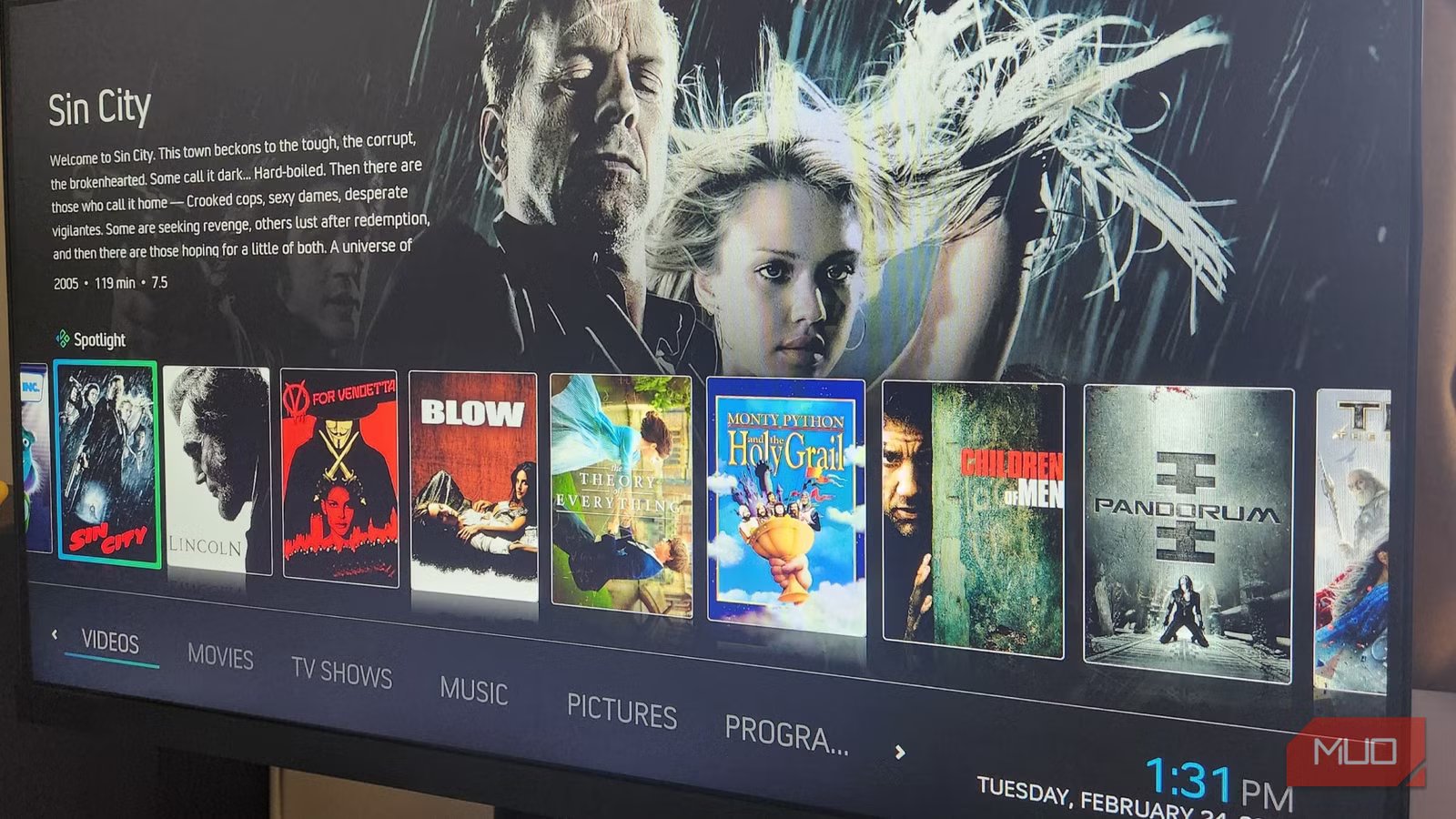
Kodi has always been my go-to media player. However, for me, it’s always been a case of function over form. I never cared for its default skin, and those that I tried felt flat and uninspiring. It was only recently that I decided to revisit the Kodi repository to check out what’s new, and I was pleased to see that some good folks had been hard at work building some excellent skins to embellish the platform’s open-source architecture.
A great skin does much more than change colors and fonts; it completely alters the Kodi experience, bringing new visual appeal to your movies, TV shows, and music libraries while upgrading functionality. Your living room becomes a streaming showcase, on par with industry titans like Netflix and Apple TV. Having checked out a few, I shortlisted five of my favorites, old and new, that breathe new life into Kodi’s aesthetics and features.
OS
Windows, macOS, Linux, Android, iOS/iPadOS, tvOS, Android TV, Raspberry Pi, …
Developer
XBMC Foundation
Pricing model
Free, open-source
Initial release
June 29, 2004
Black Glass Nova
A glossy, futuristic take on home theater
Black Glass Nova transforms Kodi’s rather pedestrian default interface into a sleek, high-contrast entertainment hub that looks purpose-built for home theater. I like its glassy aesthetic and clean design, and it is easy to navigate and customize.
I could organize movies and TV shows into dynamic sections with widgets to track in-progress or recently watched content, and it draws on my database-scraping add-ons for stylized movie art with cinematic backdrops. Black Glass Nova is ideal for users who want their Kodi setup to feel premium, futuristic, and modern without sacrificing everyday functionality.
ArcticFlix
A modern, clean, and minimalist skin for TV and movies
I could instantly tell that ArcticFlix was influenced by modern streaming platforms, without borrowing too heavily from any in particular. It features clean lines, soft color accents, and spacious layouts that create a clutter-free browsing experience that puts content first.
The interface feels immediately intuitive, with content presented in neat horizontal scrolling sections that make it more like a modern media player, with large poster rows and subtle background artwork. ArcticFlix is the perfect choice for users who want a simple, modern interface that feels familiar, while still retaining Kodi’s flexibility for customization.
Aeon Knox: SilVo
A classic, feature-rich skin with powerful customization
Aeon Knox SilVo was my go-to skin for years, and it remains one of the most popular among Kodi users. It is notable for blending a cinematic visual style with practical design, offering multiple view types for movies, TV shows, and music libraries.
The chief strength of Aeon Knox: SilVo is control. It can be customized for most aspects of the interface, from home screen layouts and submenu items to artwork styles and metadata displays. While it could benefit from a makeover as its menus are starting to look dated, this is still a standout choice for those looking for a time-tested skin that combines flexibility, performance, and stripped-down visuals.
Arctic: Zephyr — Reloaded
Minimalist, airy, and artwork-centric
Arctic: Zephyr — Reloaded is one of my favorite skins, as a one-size-fits-all solution that feels much more basic than it really is. It features a clean interface with a refined, artwork-focused layout. Bright colorways, generous spacing, and subtle transitions facilitate smooth, gallery-like browsing that feels both modern and familiar.
Posters and fan art are used extensively to create cool-looking backdrops, and fonts look modern and crisp. There’s very little visual clutter here, so media collections take center stage, and I installed widgets to highlight trending, recently added, and curated content, which significantly elevates the user experience.
Bingie
Emulates Netflix’s familiar interface with all the features
If you prefer something a little more familiar, Bingie could be the skin for you. It’s built to emulate the Netflix interface, which, although it sounds like a gimmick (which it most certainly is), offers real benefits I have come to appreciate.
Navigation is immediately intuitive for anyone who knows Netflix’s UI, and here the streaming service’s best features are replicated perfectly, with rows organized into trending, recommended, and recently added categories, creating a seamless, streaming-like flow.
There are some useful additions, such as IMDb ratings scraped from Kodi’s TMDb add-on, and, of course, it is customizable, so you can retain all of Netflix’s functionality while adding visual differences, like custom color schemes, to differentiate Bingie from the real thing.
A beautiful interface makes all the difference
Kodi’s greatest strength lies in its flexibility. However, these skins prove that aesthetics significantly enhance the overall audiovisual experience. Whether you prefer the glossy impact of Black Glass Nova, the audiovisual focus of ArcticFlix, the powerful customization of Aeon Knox: SilVo, the airy minimalism of Arctic: Zephyr, or the familiar gimmickry of Bingie, each option transforms Kodi into a fresh platform.
Of course, there are many more Kodi skins out there, and it all comes down to personal preference. My biggest takeaway from this experience was that it’s well worth experimenting with new skins from time to time to breathe new life into your media libraries.
