

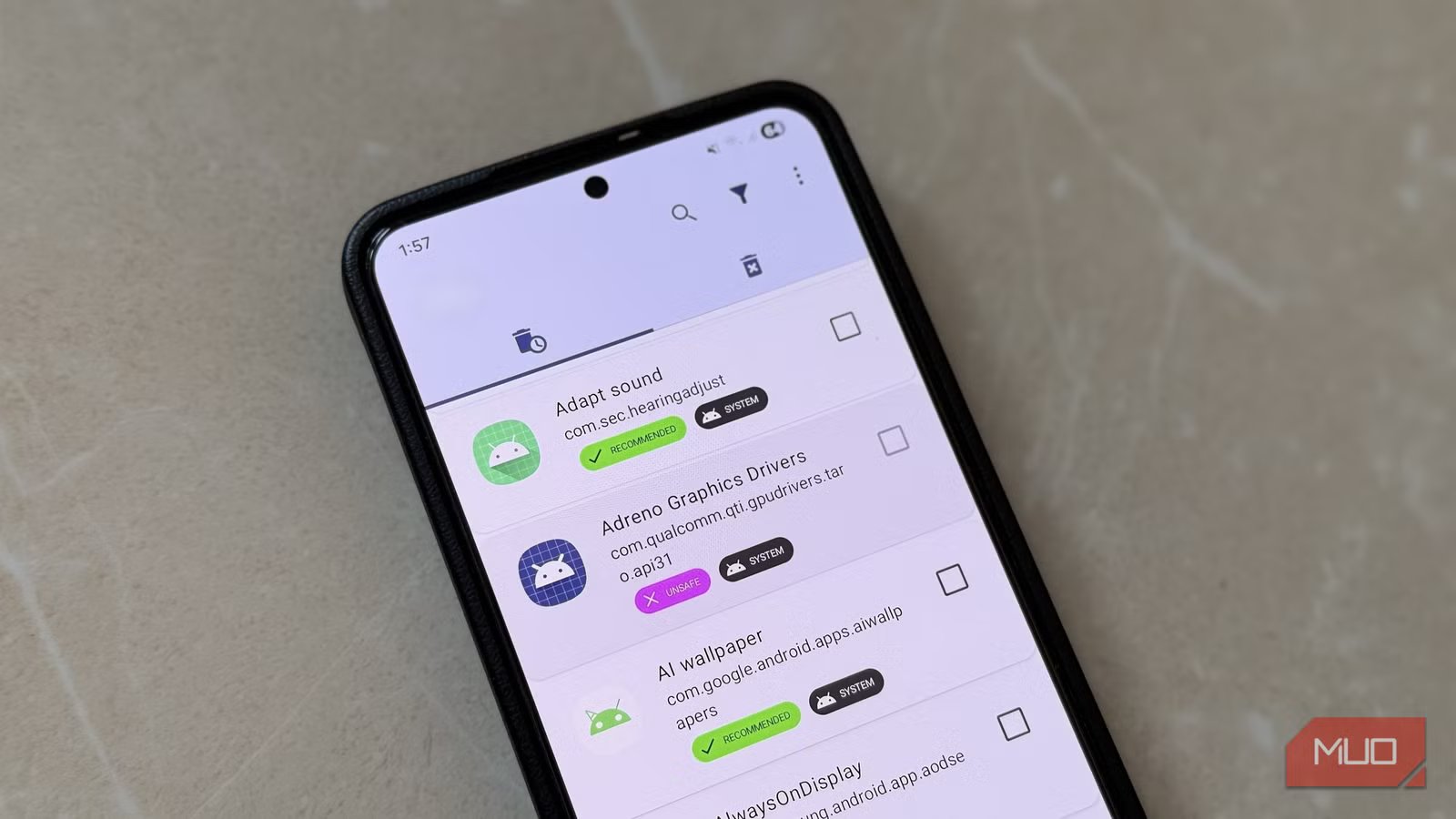
Pre-installed apps are one of Android’s biggest annoyances. Between preinstalled offerings from Google, your phone’s manufacturer, and sometimes even your carrier, your brand-new Android phone can feel cluttered right out of the box. Sure, some of these apps are genuinely useful, but many are duplicates of apps you already use or things you’ll never touch.
All of this makes debloating your Android phone feel like a no-brainer. But that carries its own risks. Thankfully, there’s a free app called Canta, which removes much of that guesswork. It clearly tells you which apps are safe to get rid of and which ones are better left alone.
OS
Android
Price model
Free
Canta is a free app that makes it possible to remove bloatware without rooting your Android phone.
Removing pre-installed Android apps can be risky
Better safe than sorry
Pankil Shah/MakeUseOfCredit: Pankil Shah/MakeUseOf
Getting rid of pre-installed apps on your Android phone sounds like an easy win. You free up storage space and stop useless apps from draining your phone’s battery. The problem is that not every app that looks useless actually is.
What may look like a useless manufacturer app or a boring system service can actually be responsible for syncing data, notifications, battery optimization, or even overall system stability. Often, relying on the name or glancing at the icon doesn’t exactly tell you what the app does.
Such apps are usually non-removable, meaning you can’t just get rid of them like any other. But, if you use a third-party debloating tool or ADB to force-remove them, things can get weird really fast. You might come across random errors, app crashes, or notice features like mobile data and fingerprint unlock failing. In more extreme cases, your phone could even get stuck in a boot loop.
Some of these apps are also designed to keep your Android phone secure. Removing them can weaken those defenses and leave it vulnerable to malware or unauthorized access. So yes, while debloating your Android phone might make sense, you need to be absolutely certain about which apps you are targeting.
Canta tells you which apps are safe to remove
No more guessing
When you’re unsure about removing a mysterious app, the safest move is to simply Google it and understand what it actually does. That approach works, but doing that for dozens of apps on your phone can take a lot of time.
Canta is a free app that takes the guesswork out of debloating. It works alongside another app called Shizuku, and its main purpose is to help you remove pre-installed apps safely. But even if you don’t plan to uninstall anything, or use a different method for debloating, Canta can still be useful.
It can detect every app installed on your phone, and tell you what’s safe to remove, what’s risky, and what should be left alone. It gives clear labels to each of your apps, so you can make the decision quickly.
Once you’ve installed Canta from the Play Store and allowed the necessary permissions, you’ll see a list of apps on your phone along with labels like Recommended, Advanced, Expert, Unsafe, and Unclassified. Apps marked as Recommended are generally safe to remove. Advanced and Expert are warnings that removing these apps may disable certain features. Unsafe is exactly what it sounds like, and you should avoid touching those apps.
It gets better. When you tap on an app, Canta also gives you a brief description of what it does. This can help you make better decisions about what you want to keep and what needs to go.
Related
These 9 Apps Might Be on Your Android Phone Without You Even Knowing It
But they aren’t a danger.
You should still be careful
A little caution goes a long way
Screenshot by Pankil Shah — No attribution requiredScreenshot by Pankil Shah — No attribution requiredScreenshot by Pankil Shah — No attribution required
By default, Canta doesn’t show any system apps, but it can label them just as well. Tap the filter icon at the top and choose Show system. You can also filter the list to show apps with specific labels, which makes it easy to focus only on Recommended apps or review everything marked as Unsafe.
Even with those helpful labels, you should still be careful about what you remove. All the labels that Canta provides are informal, and the app is upfront about it. In fact, when you open the app for the first time, it even warns you how some of these labels can be inaccurate.
Android phones also vary wildly by manufacturer, model, Android version, and even region. That means an app that’s safe to remove on one device might be essential on another. If you feel unsure about an app, it’s better to pause than rush.
Debloating your phone doesn’t have to be difficult
Once you’ve figured out which apps are safe to remove, the hard part is actually over. All that’s left to do is pick your debloating method and get started.
If you want to use Canta, you need to download and set up Shizuku, which acts as a bridge between Canta and system-level actions. The best thing about this method is that it lets you remove bloatware without rooting your phone. Another way is to connect your phone to a PC and use ADB to remove preinstalled apps. This is just as easy and only requires you to run a few commands.
