

Cookie consent banners have nearly broken me. Every website I visit presents the same exhausting ritual — a pop-up that demands I make choices about tracking, analytics, personalization, and a dozen other categories I barely understand. I used to dutifully click through each one, carefully rejecting what I didn’t want. This is mostly because I understood the answer to the question whether you really need to accept all cookies while browsing is a firm no. Then I started just hitting “Accept All” out of sheer fatigue. That surrender felt wrong, but what else could I do?
Turns out I don’t have to do anything. Consent-O-Matic, a browser extension developed by privacy researchers at Denmark’s Aarhus University, handles these consent forms automatically. It’s the equivalent of having someone stand between you and every door-to-door salesperson, politely declining on your behalf.
OS
Chrome, Firefox, Safari
Developer
CAVI, Aarhus University
Price model
Free
Consent-O-Matic is a browser extension that groups cookie pop-ups into five categories. It allows users to use the open-source software and customize the interaction themselves.
Consent-O-Matic tackles a problem that shouldn’t exist in the first place
GDPR wanted to protect you, but instead, it unleashed an epidemic of harassment
Credit: Gavin Phillips / MakeUseOf
The irony isn’t lost on me that Europe’s GDPR, legislation designed to protect our privacy, spawned an epidemic of confusing, manipulative consent banners. It helps to understand what GDPR is and why you see popups, so you can see why this happened. These pop-ups often employ what researchers call “dark patterns”: pre-checked boxes, hidden rejection buttons, and deliberately confusing language designed to trick you into surrendering your data. A 2020 study by researchers at Aarhus University examined 680 consent pop-ups and found that only a tiny fraction (11.8%!) were actually GDPR-compliant. Most made rejection harder than acceptance, or pre-selected options that favored data collection.
More than just documenting the problem, that study inspired a solution. The same team built Consent-O-Matic as an open-source tool to level the playing field. The extension recognizes over 200 Consent Management Platforms (CMPs), including industry giants such as OneTrust, Cookiebot, and TrustArc. When you land on a website using one of these systems, Consent-O-Matic springs into action before you even notice the banner appearing.
The developers analyzed how these consent systems work and then engineered automated responses that mirror genuine user interactions. Instead of simply hiding pop-ups, which could leave tracking cookies active, Consent-O-Matic actually completes the forms based on your stated preferences. I’ll dive into that soon.
The extension runs silently in the background while you browse normally
Configure once, then forget it exists
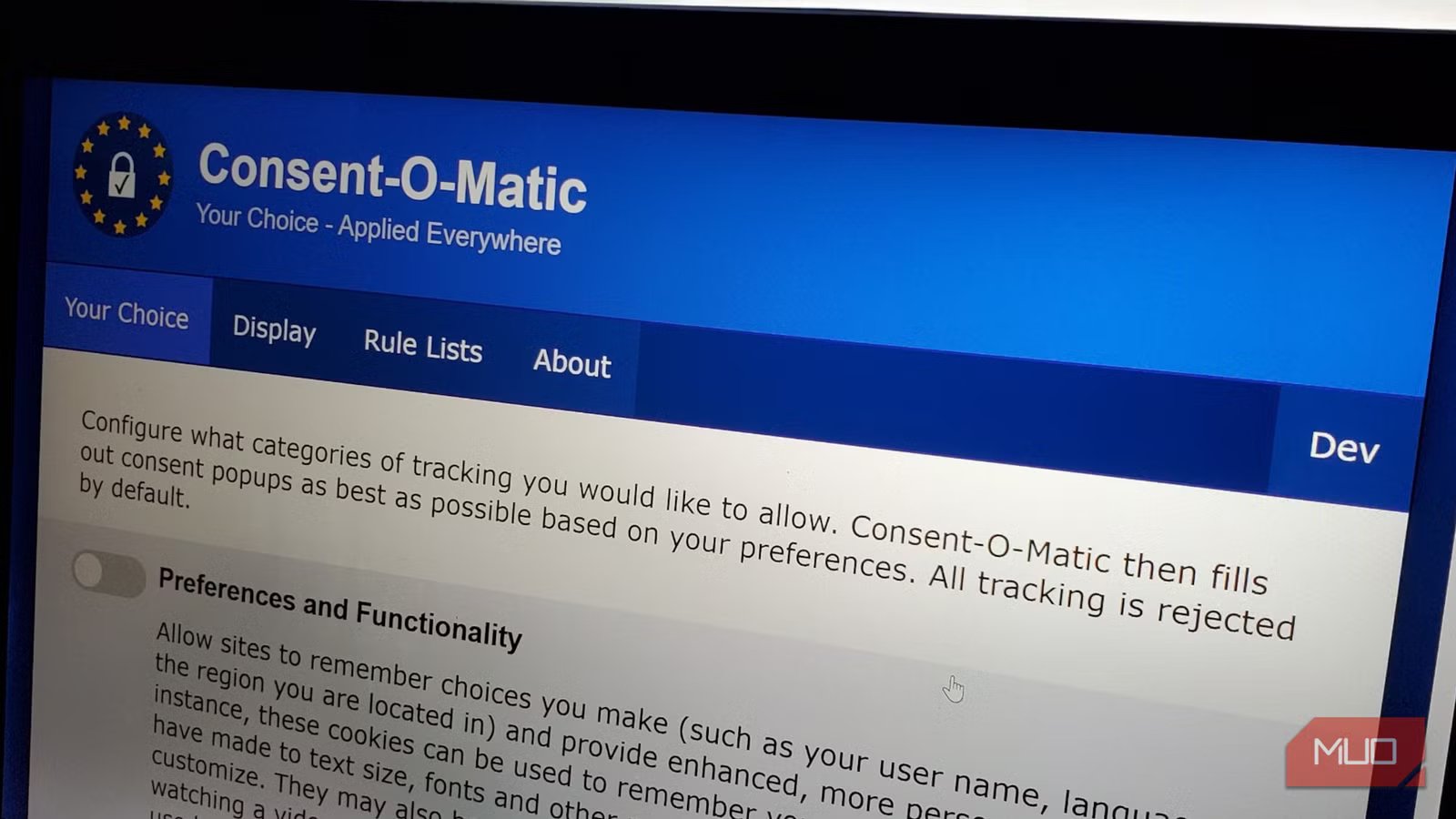
Installation takes a few moments across Chrome, Firefox, Safari, and Edge. Once installed, Consent-O-Matic prompts you to configure how you want it to work based on six consent categories distilled from the researchers’ analysis of hundreds of consent forms: Preferences and Functionality, Performance and Analytics, Information Storage and Access, Content Selection and Delivery, Ad Selection and Delivery, and Other Purposes. Each category comes with a toggle switch and a plain-English explanation.
I keep only Preferences and Functionality enabled, which allows websites to remember my language settings and login details. Everything else stays off. The beauty is that I made these choices once, and they now apply automatically whenever I land on a website with a consent banner.
Related
Everything You Should Know About Session Cookies
Session cookies are one of the most important parts of your browsing experience. Here’s everything you need to know about them.
The extension offers two display modes. I can minimize the pop-up into a small corner overlay while it’s being processed, or hide it entirely. I chose the latter; I don’t want to see these banners at all. A small checkmark appears next to the extension icon whenever it successfully handles a consent form. It’s a much more elegant solution than trying to block cookie consent pop-ups through native browser settings alone.
As I mentioned earlier, Consent-O-Matic follows a strict set of rules maintained by a community of privacy advocates. The extension comes preloaded with rules for industry giants such as Facebook, AliExpress, Etsy, Instagram, and Reddit, as well as specialized platforms used by news sites, e-commerce stores, and corporate websites. The rule lists update automatically every 22 to 48 hours, ensuring the extension stays current as websites update their consent systems or new platforms emerge. I can also manually trigger an update if I encounter a banner that isn’t being recognized. This automatic updating is crucial because consent management is an evolving cat-and-mouse game. As privacy regulations evolve and enforcement strengthens, websites continually refine their compliance systems.
There is also the Rule List Generator. If the extension encounters an unrecognized consent platform, I can report it through the extension icon. Advanced users can create custom rules using a visual, drag-and-drop editor that breaks down consent interactions into detectors (for identifying when a banner is present) and methods (for specifying how to interact with it). The editor includes pre-built rules for dozens of platforms. Each rule contains logic telling the extension which buttons to click, which checkboxes to uncheck, and in what sequence. Because this is open-source, the community contributes new rules and improvements, ensuring even obscure consent platforms eventually get covered.
Your time is too valuable to waste on manipulative interfaces
Now, does Consent-O-Matic work perfectly every time? No. Occasionally, I encounter a proprietary system that the extension hasn’t seen before. When this happens, a notification appears asking whether the “GDPR autofill didn’t work” and inviting me to report it so that the community can fix it. My success rate is around 90 percent, which is high enough that the mental relief far outweighs occasional manual clicks.
So, if you’re exhausted by the endless clicking, frustrated by dark patterns, or want to enforce your privacy preferences consistently across the web, Consent-O-Matic deserves a permanent place in your browser. Set it once, then forget about it.
