

While note-taking apps have been all the hype in the past decade, services like Evernote propose an idea that makes many uncomfortable: storing all your important, personal, and often sensitive information on someone else’s web servers. While platforms like Evernote offer a certain level of convenience, you end up trading quite a lot in that process.
Something worse than this privacy nightmare is being unable to access your own notes when you are offline or when you exceed the number of supported devices. Yet, things would have been okay if you were getting everything for free, but limits are also on the rise as Evernote subscription costs soar.
All these make one wonder: is a better alternative possible?
Related
My note-taking setup doesn’t cost me a cent because I run it myself
Notes without subscriptions—just how it should be.
Evernote used to be the answer. Now it’s a problem
Paywalls, device limits, and a free tier that insults your intelligence
Tashreef Shareef / MakeUseOfCredit: Tashreef Shareef / MakeUseOf
Evernote used to be a great option for all things note-taking before. Most importantly, it offered an easy way to keep your thoughts accessible across multiple devices. However, in recent years, especially after Bending Spoons acquired it, Evernote has become more of a problem people have to address rather than a solution to users’ problems.
Probably the most frustrating change is what happened to the free tier, which only allows 50 notes and one notebook. So, if you have more than 50 notes or want multiple notebooks for better organization, you can’t get by on the free plan. Something else you notice the moment you open Evernote is these annoying pop-ups asking you to check out the free trial or upgrade to the premium version.
Finally, you have the privacy issue. Apart from the fact that you don’t really own your notes, you don’t get proper E2E encryption from Evernote. These reasons, along with many others, were enough to start looking for better, privacy-focused Evernote alternatives.
I downloaded Joplin, and nothing tried to sell me anything
No sign-up screen, no onboarding wizard, no upsell
I still remember how easy it was to download Joplin and start the note-taking journey. Unlike most apps I come across these days, Joplin does not welcome you with a huge upgrade button. There is not even a sign-up screen, for that matter. Instead, you can download the installer from the official website and install it.
You won’t find an upgrade button in Joplin’s interface, precisely because the tool doesn’t put any features behind a paywall. The only exception is when you want a dedicated third-party sync option.
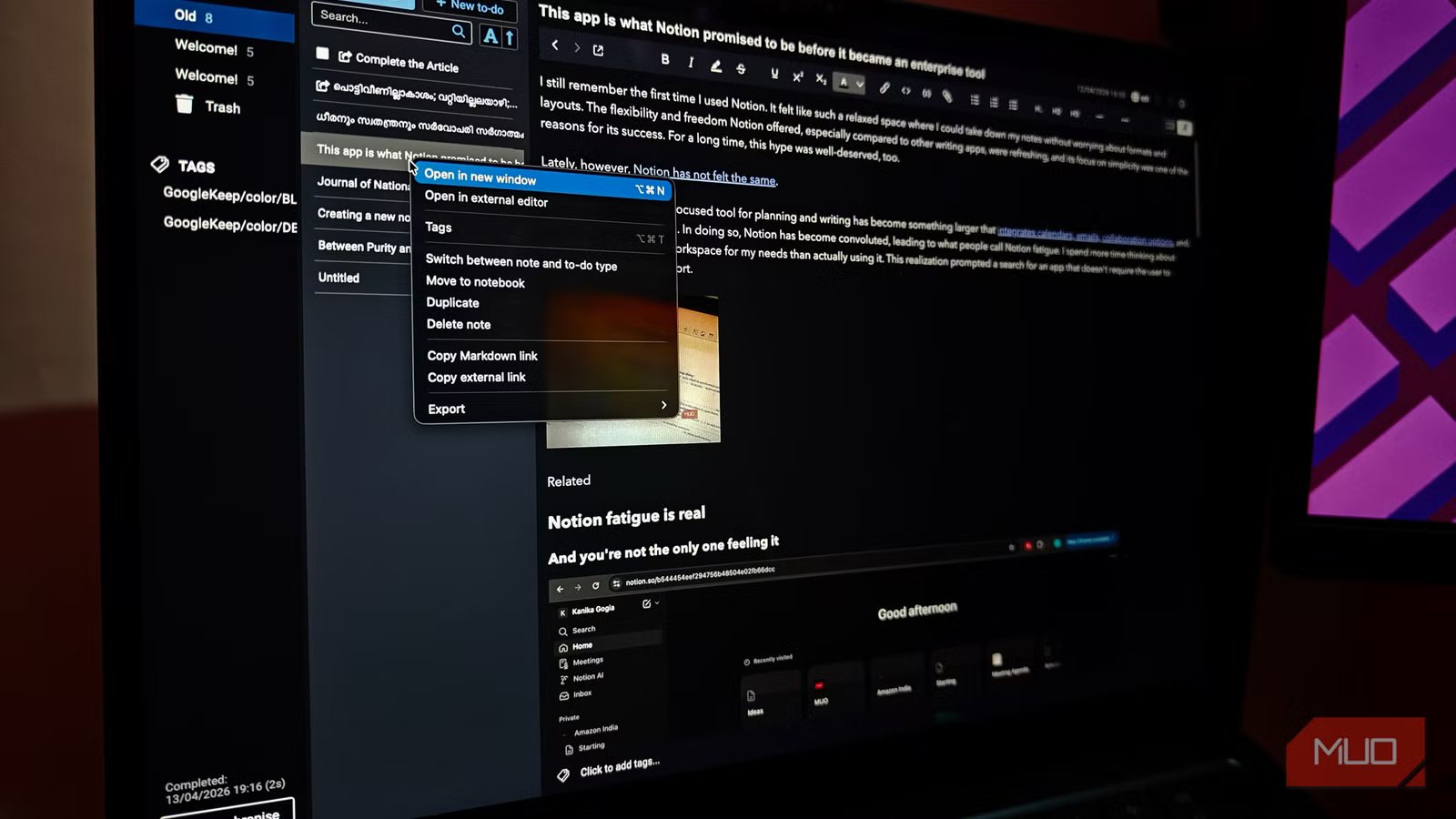
The lack of upselling doesn’t mean Joplin compromises on the UI or features. In fact, you get a very practical user interface that is comparable to most of the note-taking apps you may have come across. It keeps everything clean with a three- or four-pane interface.
Overall, a decent note-taking app that doesn’t try to upsell in every possible way is a breath of fresh air in current dynamics.
OS
Windows, macOS, Linux, Android, iOS, FreeBSD, Terminal
Developer
Laurent Cozic (and community)
Price model
Free (open-source); Paid subscription for cloud storage
Joplin is a cross-platform, privacy-focused note-taking and task-management app. It supports rich features like Markdown notes, notebooks and tags, end-to-end encryption, a web clipper, self-hosted sync (via WebDAV/Nextcloud/Dropbox) or managed cloud sync with Joplin Cloud. It works offline, allows importing from Evernote, supports plugins and themes, and gives full control over your data.
I opened my notes on a train with no signal and everything was there
Offline isn’t a fallback mode here.
If the no-account nature of Joplin doesn’t excite you, its local-first philosophy probably will. All the notes you create on Joplin are first stored on your device, not someone else’s web server. It means everything you have ever created is available through the app, no matter whether you have an internet connection. I was on a train journey recently, and almost everything on other note-taking apps was semi-stuck, but I remember going through the article structure I had kept on Joplin without any issues.
Yet you can choose from multiple synchronization options in Joplin. As I said, Joplin Cloud is the only premium feature of the app, and it lets you synchronize your notes across devices, publish them to the web, or collaborate with others. However, if you want a simple sync, you can always use platforms like Dropbox, OneDrive, Nextcloud, S3, or WebDAV. These options are great, and you can also set up end-to-end encryption.
Even when you synchronize notes, Joplin ensures its offline-first philosophy remains in effect. All devices that you have connected through synchronization will download your notes to the local storage. It means all your notes are always available on all connected devices. It is impressive that you still don’t need a Joplin account to access all these features. You can also configure end-to-end encryption for your notes when you set up synchronization.
I wrote entire articles in Joplin without touching a single line of markdown
But it is an excellent option nevertheless
Joplin is often recommended as a Markdown editor, but you don’t really need Markdown to start writing notes or articles with it. I managed to write an entire article and its structure without using a single line of Markdown, because Joplin gives me the option not to. I can always choose between two viewing modes.
I can go with full Markdown with a preview on the right, or with plain text and a very useful toolbar at the top. Joplin also lets you go all-Markdown if you prefer. Both options work great, and it will be a great way for users to learn Markdown as well.
The customization Joplin offers for notes and to-dos is also impressive. You can easily create multiple notebooks to organize your notes and use tags to organize them further. As you can guess, because you store everything on the local machine, there are no limits to the notebooks or notes you can create. The only limitation is that if the synchronization service you use runs out of storage, the sync option will be affected.
The web clipper turned my browser into a research archive that works offline
Clip the article, not just the link
One of Joplin’s super-useful features is its web clipper tool, which you can set up by installing the browser extension. It requires minimal setup, and you can use it to capture web page content and convert it into a note. As someone who reads a lot but struggles to keep track of everything, I must thank Joplin web clipper for making things easy.
These days, when I come across an interesting article, I click the web clipper button and choose the option. I can have the entire HTML content or select the content I want in the note. Joplin does an impressive job of organizing everything in Markdown, and I can read and edit it with ease.
Thanks to synchronization, this content is available on my other devices too. There may be a five-minute delay at times, but I would take it rather than rely on Evernote’s expensive plans.
The base app was fine. Then I found the plugin page.
They make Joplin more powerful
Thanks to the wonderful community behind it, Joplin supports several plugins. You can find and install these plugins on the web or through the main system, and they extend this tool’s capabilities just like anything else. For instance, I first used a plugin to easily import all my Google Keep information into Joplin, but that is just the start.
One of these lets you ditch the Markdown editor for good, while the other lets you create and use templates for different types of content. In-line to-dos and advanced editor tools are also great, depending on what you use Joplin for the most. So, if you want to make the best out of Joplin, you should check out these extensions as well.
You may still not like everything about Joplin
Despite how good it is, Joplin may not offer everything you want. For instance, it does not have a built-in AI assistant or an OCR system to go through your documents. Its options for sharing and collaboration are also limited when compared to something like Evernote.
Having said that, you go for an app like Joplin because you need all the fancy features. You do it for some focused features that serve you well. From that standpoint, Joplin deserves all the attention it doesn’t currently get.
Related
9 Free Open-Source Alternatives That Can Replace Your Paid Productivity Apps
Stop paying for features you can get for free.
