

These days, changing your phone’s home screen feels more like shopping than being creative. Whenever I try to customize my Android and pick a new wallpaper, I end up doomscrolling through trendy options. It’s tiring, and I usually end up sticking with the default everyone has.
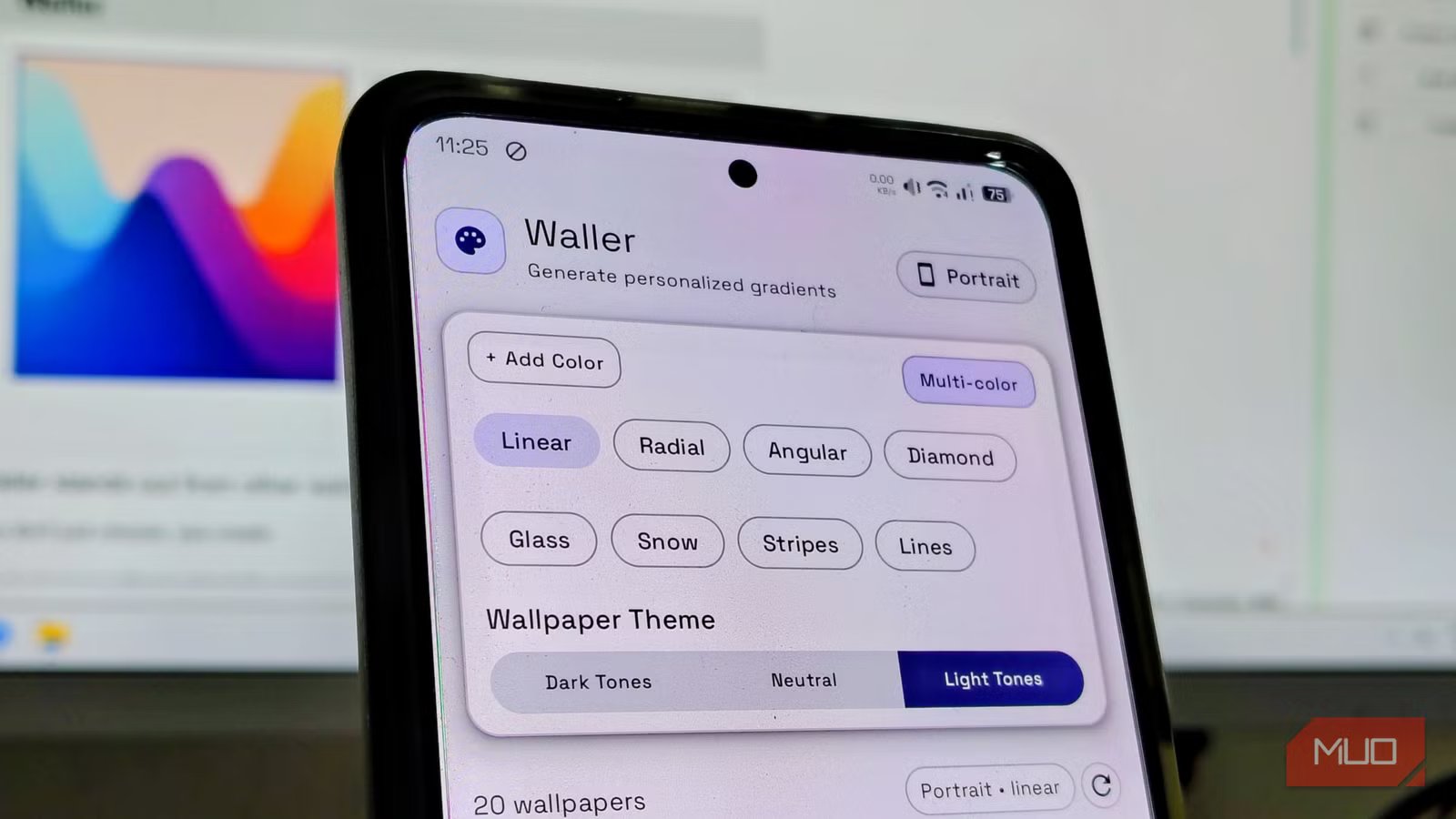
To me, my wallpaper is the digital equivalent of the rug that ties the room together. Along with an aesthetic launcher I use as default, wallpaper is the first and last thing I see every day, which is why I switched to a tiny open-source app, Waller, to create my own wallpapers and personalize my home screen.
OS
Android
Developer
Pankaj Meharchandani
Waller is a free, open-source Android app that generates unique wallpapers rather than downloading them. It allows you to create custom gradients, patterns, and noise textures with granular control, offering a privacy-focused, ad-free alternative to standard gallery apps.
Waller stands out from other wallpaper apps
You don’t just choose, you create
Credit: Keval Shukla / MUO
Not all, but most wallpaper apps in the current market are essentially just wrappers that pull images from stock photos or a few selected communities and slap a banner ad on top while harvesting our data. These apps are more of a distribution channel rather than being creative tools.
To be fair, most people just want to download wallpapers rather than make their own. If you want something that really matches your style, you usually have to use hard-to-use editing programs on a powerful computer or try AI tools, which often just copy someone else’s work with small changes.
Waller flips this script 360. It does not connect to any server to fetch the same top 10 forest images or New York skyline scenes. Instead, it makes use of your phone’s local processing power to generate images based on the parameters you control. Waller is a sandbox and not a store.
Related
My Windows 11 desktop is unrecognizably stunning with this wallpaper app
I finally like to set wallpapers on my Windows.
Creating a wallpaper with Waller
You don’t need a workstation; you can do it in a bus or a parking lot
Creating a wallpaper with Waller is more like playing with a synthesizer rather than browsing a closet. The interface is deceptively simple and intuitive. Waller packs a robust engine that lets you exert granular control over gradients, shapes, and noise textures.
While creating a wallpaper is a matter of choice on how you want and what you want to add to your wallpaper, here’s a quick guide on how to create your first wallpaper. The first step will be to download and install Waller from GitHub. Once that is done, let’s create your first wallpaper:
- Open Waller and choose Advanced interaction mode. (This will give you more customization options)
- Choose a preset color palette or add your own by tapping the add color button in the top-right corner.
- Now that you’ve chosen the palette, add effects like Snow, Line, Glass, or Stripe.
- Tap on the generated wallpaper or your choice. (You can even add or edit the effects here)
- Here, tap Done in the top-right corner of the screen.
- Now you will get a pop-up to set or download wallpaper.
Once done, you can set or share your wallpaper anywhere. I often make pairs for my lock and home screens, echoing the color palette of my phone case. Every design is a chance to express your unique aesthetic.
Why spend time creating rather than downloading?
It’s all about having creative and digital freedom
Credit: Keval Shukla / MUO
Waller isn’t for everyone. If you want more than just a trendy photo — if you want creative freedom and a home screen that truly feels like yours. It deals in abstraction — geometry, color, and texture. Furthermore, it requires active participation. You have to move sliders and make decisions. For a user who just wants to tap Apply and move on, this added step is a bug, not a feature.
Related
Personalize Your Android Home Screen With These 5 Great Apps
Don’t settle for a generic Android home screen. Here are the best apps for customizing every aspect to make the home screen yours.
Ultimately, making your own wallpaper with Waller feels like taking back control of your device. It’s a small but meaningful act of digital and creative ownership. The immediate benefit of using Waller is what isn’t there: Tracking. Most wallpaper apps build a user profile to serve targeted ads. There’s no such thing here; no log-ins, no data sharing, no ads whatsoever.
Waller is a better way to customize your wallpaper
Waller transforms the mundane act of changing your background into a moment of small-scale artistry. It proves that good accessible mobile tools do not need to be complex, data-hungry, or expensive to be effective. They just need to be well-designed.
