

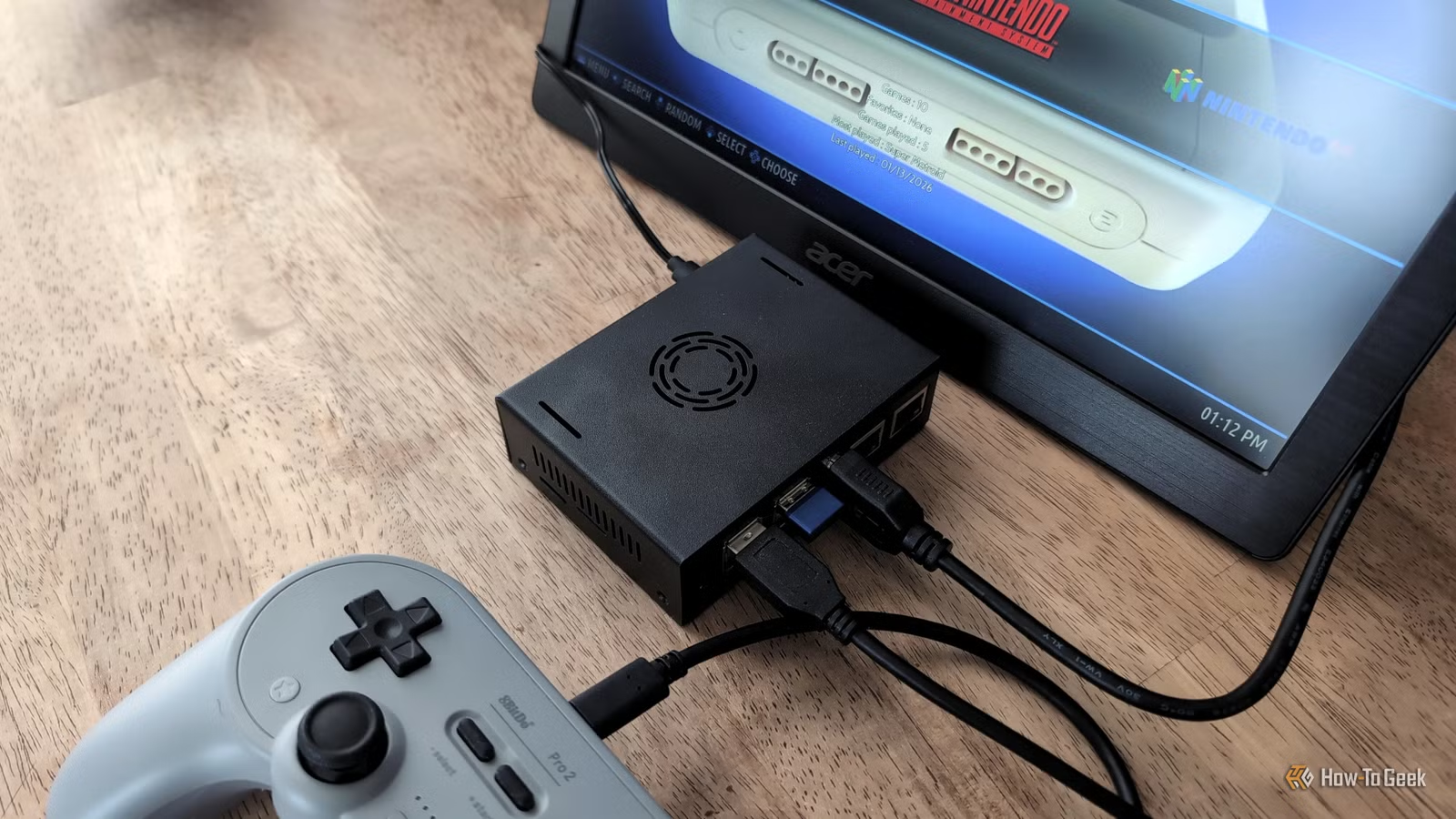
Are you wanting to play retro games on a tiny computer? The bad news is that the classic choice, Raspberry Pi devices, have been going up in price lately (again). The good news is there’s a cheaper alternative: RISC-V.
What is RISC-V?
In case you’re not in the know, RISC-V is an open source alternative to architectures like x86 and, as with Raspberry Pi devices, Arm. Because it’s open source and royalty-free, energy-efficient computers can be built cheaper with RISC-V instruction sets.
To get started with it myself, I bought a VisionFive 2 single-board computer. It has 4GB of RAM and a maximum clock speed of 1.5GHz, which is comparable to that of the Raspberry Pi 4. Yet, so far, RISC-V board prices have been staying steady, avoiding the fluctuations Raspberry Pi and a lot of other computer hardware has been subject to lately.
Storage
SD card slot
CPU
StarFive JH7110
This single board computer kit features the StarFive JH7110, an open source RISC-V U74 quad-core processor. It also has a GPU that can hit 600Mhz for graphics processing, and multiple ports and pins for connectivity and experimenting.
This popular retro gaming platform runs on RISC-V
I’d already tried running a basic server on my VisionFive 2 board, and it surprisingly worked well. Next, I was interested to see if and how I could play some old-school games on it.
To be honest, I was bracing myself to find I’d need to jump through a lot of technical hoops. I was picturing kernel compiling or running advanced scripts downloaded from a random redditor’s GitHub. After all, RISC-V is on the edge of development, and it isn’t easy for volunteer-led Linux distributions to support niche architectures.
Related
Batocera vs. RetroPie vs. Lakka: Which Retro Gaming OS Should You Use?
We look at three of the most popular retro gaming OS options available and what makes them different.
To my surprise, it turns out that Batocera Linux, one of th ebest retro gaming operating systems out there, provides a dedicated image for the VisionFive 2 on its download page.
In fact, it’s the only board in the RISC-V family that Batocera supports, which was fortunate for me. That goes to show, though, that you certainly need to do your research before purchasing a RISC-V board. You don’t want to end up with a computer that isn’t supported by the operating system you want to run.
Earlier generations ran great
After flashing Batocera to an SD card, booting it up, and transferring my ROMs, I was immediately able to play—no special scripts to run or anything. I started out slow by playing the earlier generations of games. NES, SNES, those eras. I was quickly getting sucked back into Super Metroid, Donkey Kong Country, and Kirby’s Adventure. I’d similarly been able to play them on Raspberry Pi devices in the past.
Batocera breaks down games into specific generations, and it was up to the fourth generation where I was playing games with ease.
My only complaint with these games was that I wasn’t able to use my Steam Controller. I’d successfully used it on RetroArch, but not here on the VisionFive 2 with Batocera. I’m not certain though whether the VisionFive 2 doesn’t support it or if Batocera just doesn’t come packaged with Steam hardware drivers.
It choked running Nintendo 64 games
Of course, the system is not without its limits. Where I ended up having trouble was playing Nintendo 64 games, which Batocera categorizes as a fifth-generation system.
I wanted to try Mario Party 3, and while it did run, the video and audio was choppy to the point of being unplayable. I had similar results trying to play Mario Kart 64. This despite the fact my specs otherwise seeming to be more than enough to handle Nintendo 64 games, and Batocera’s wiki claims the comparable Raspberry Pi 4 should run them just fine.
Batocera has a ton of settings, and I tried several suggested fixes, from adjusting the audio latency to reducing the resolution. None of them seemed to work—that is, none of the fixes that were actually possible.
As a side-note, a couple of custom Batocera themes I tried that were flashy and animation-heavy were very laggy, making the menu difficult to navigate. If you want to use anything other than the standard Batocera interface, you may run into trouble.
There’s work to be done
Credit: Jordan Gloor / How-To Geek
One of the suggested fixes in Batocera’s wiki was to change graphics APIs. I saw that I was running OpenGL but couldn’t change it. I don’t know for sure that changing graphics APIs would have solved my issues, but I do know that Vulkan is newer and generally considered better. Yet I wasn’t able to switch to it.
This seemed odd because I’ve definitely seen people successfully running Vulkan drivers on the VisionFive 2 board and using the GPU. Evidently, it’s simply not implemented yet in Batocera’s RISC-V editions.
I also notice that, at the time of writing, the image provided for the VisionFive 2 board is still at Batocera version 41, released in December 2024. The latest official version of Batocera is 42, so the VisionFive 2 image is clearly behind the times.
Related
I Tried Using My Apple TV for Retro Emulation, Here’s What I Learned
Just because you can doesn’t mean you should.
I’m crossing my fingers and hoping Vulkan development continues and that Batocera can eventually provide stable support for it on VisionFive 2, or at least other RISC-V processors. The open source architecture world is booming, and I’m looking forward to seeing what kind of gaming is possible in the future.
