

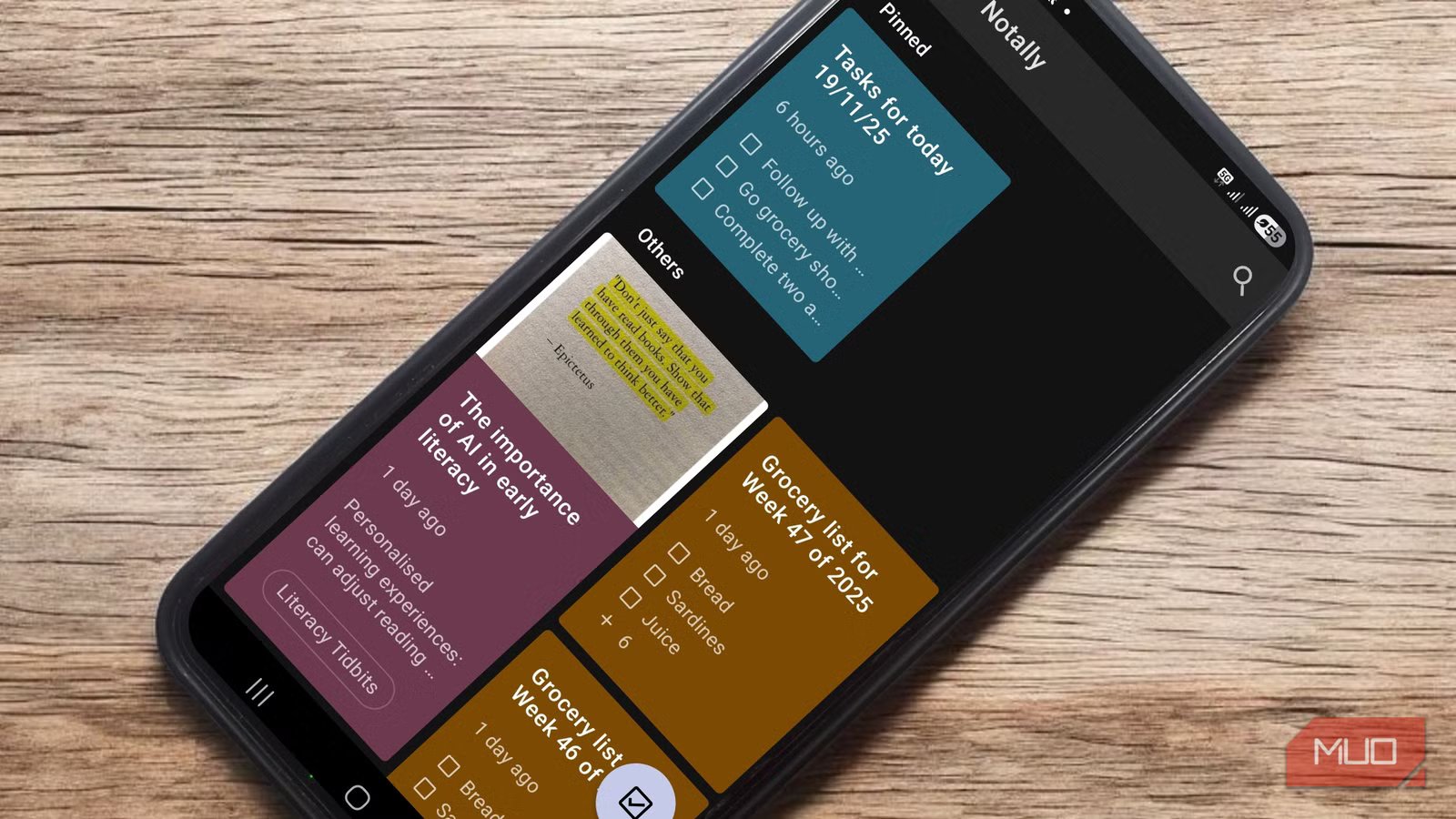
Most of our ideas don’t arrive fully formed, well-polished, or at the best time. You can sit at your desk staring at a blank page, and the moment you stand up to grab a sip of juice from the fridge, the headline pops up in your mind. Those are the moments when you reach for the nearest piece of paper and scribble the idea down as quickly as possible, hoping it doesn’t disappear before you make it back to your chair.
We’ve all but moved away from the world of pen and paper, so, naturally, in its place are millions of apps that promise to capture our ideas at the speed of thought. After trying more than a few of them, only Notally consistently allows me to write something down the instant the idea appears.
OS
Android, Open-Source
Price model
Free
Speed is the whole point
When the app gets out of the way, your thoughts don’t have time to disappear
Screenshot by AdaScreenshot by AdaScreenshot by Ada
The most significant change Notally introduced into my routine is speed. The app launches instantly, and the moment you tap the pencil in the bottom-right corner of the screen, you’re already typing.
Technically, most note-taking apps launch quickly, but they still ask something of you. They want you to choose a notebook, pick a note type, or dismiss a pop-up before you can write. Even a half-second pause can be enough to make you lose your train of thought. With Notally, though, there’s no warm-up phase at all. You launch the app and land on a screen where the only meaningful action is to write.
Over time, you’ll start to notice what this does to your writing. Because you can think a thing and immediately put it down, your writing becomes shorter, looser, and less self-conscious. Since you don’t have to categorize what you’re writing before you write it, you can capture messy ideas without feeling that they need to be useful or polished. That freedom makes it easier to write full sentences, sentence fragments, or even single words you don’t want to forget.
Related
I didn’t expect this free app to fix my messy photo gallery—but it did
This app lets you clean up a messy photo gallery one swipe at a time.
The absence of visible buttons plays a big role here as well. There’s no formatting toolbar hovering on the screen, inviting you to adjust the layout or appearance before you have finished thinking. That’s not to say that you can’t format what you write, but the options are hidden until you deliberately highlight text. Even then, your options are limited to bold, italics, links, monospace, and strikethrough, and you can’t change the page layout at all.
A notes app that refuses to overcomplicate things
Just a place to write and sort later
A lot of productivity apps assume you’re ready to organize, sync, tag, and structure your thoughts across multiple devices. None of that is inherently bad, but it can be overkill for random ideas. By the time you plan the page and decide where everything should go, the idea is probably long gone.
Notally isn’t set up like that. You don’t need an account to use the app because it doesn’t connect your thoughts to any ecosystem. It just lives on your phone, preferably on your home screen, ready whenever you want to capture what’s on your mind.
The app is remarkably lean at under 2 MB, which is almost unheard of now. That small footprint is the reason it launches instantly and runs smoothly, even on older Android devices. There’s no background syncing, no analytics, and no algorithm deciding what you should see. As a result, the app is smooth and reliable.
Related
How to Free Up Storage Space on Your Android Device
Running out of Android storage space? Here’s how to free up storage on your phone by uninstalling big apps, removing content, and more.
Despite its simplicity, Notally still provides enough structure to keep your notes from becoming chaotic. After writing notes or lists, you can pin important ones, add labels, or color-code them. I keep my date ideas pinned so that every time I open the app, I remember I still have places to go with my partner. Likewise, I color my love notes (date ideas, ramblings, or things I am working through with my partner) in red, and I keep anything related to money in green. I don’t really use labels because they feel like extra work to me, but they’re there if you want broad categories like work, shopping, or study. The point is that none of these organizational tools gets in your way before you start writing; they’re only there to help you make sense of your notes after taking them.
The same is true of Notally’s exporting and backup features. You can export everything you write in common formats like TXT, HTML, PDF, or JSON, with all your formatting preserved. You can also enable automatic backups, which save your notes to your phone’s internal storage every day without requiring any attention from you.
Screenshot by AdaScreenshot by AdaScreenshot by Ada
All of this adds up to an app that respects both your time and your process. It opens quickly, stays stable, and never asks for more than it needs, which leaves you free to focus on writing for as long as you want.
Writing more is about removing friction, not finding motivation
The best thing about Notally is that it makes it easier to write more. It removes the roadblocks that stop you from capturing the strange, half-formed ideas that show up in the shower, while cooking, or midway through scrolling social media.
The app doesn’t try to inspire or motivate you. Instead, it gets out of the way and lets you write as you please. Over time, with Notally out of your way, you’ll start to notice your ideas moving more freely from your mind to your phone’s screen, simply because nothing is slowing them down anymore.
