

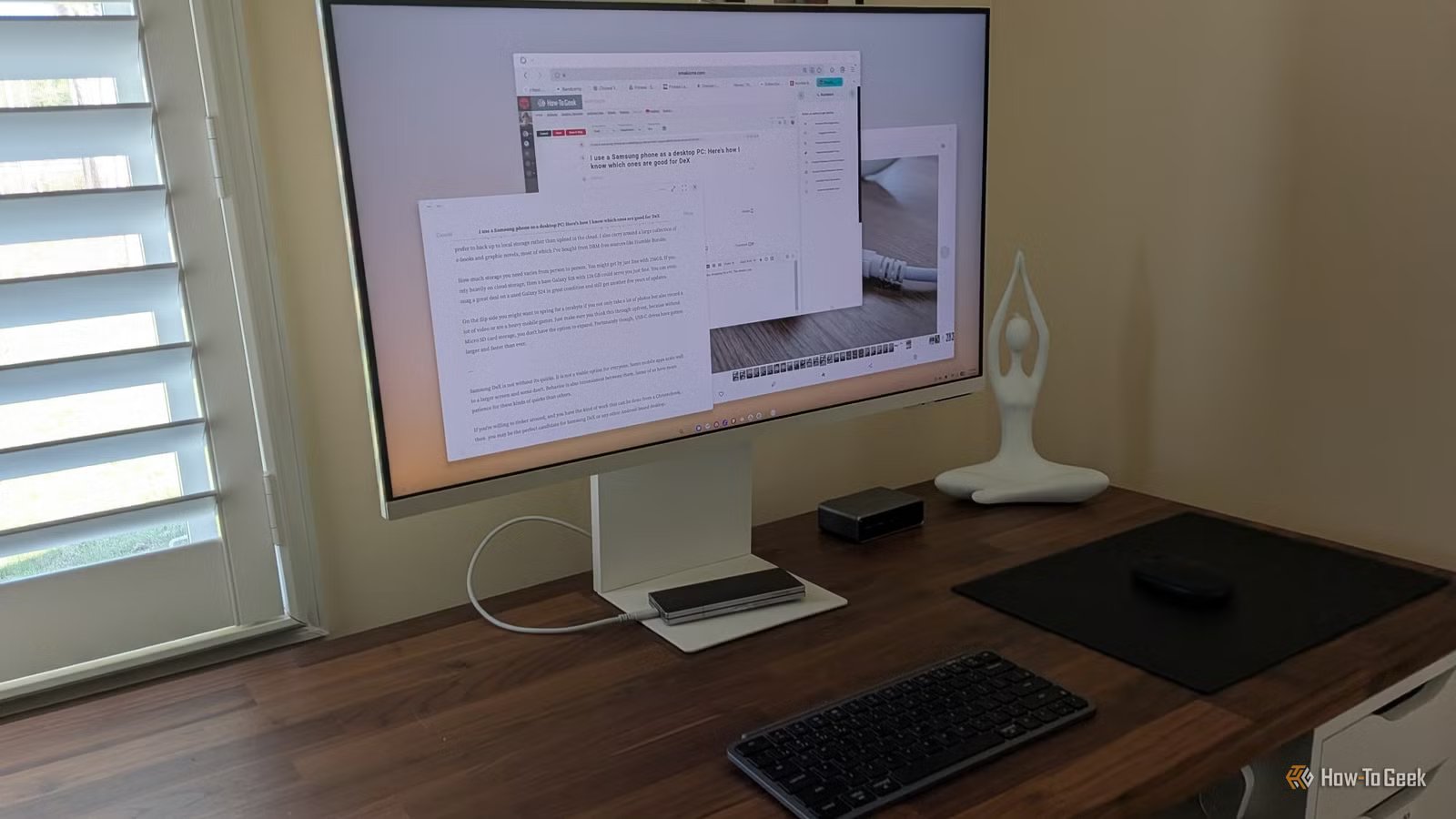
I use a Samsung Galaxy phone plugged into a monitor with DeX mode as my primary computer. This means when I shop for a new phone, I’m also shopping for a PC. The details I pay attention to are different from most. If you’re interested in this same setup, here’s what to look out for.
DeX only comes to the flagships, foldables, and tablets
Samsung’s budget models are off the table
Credit: Bertel King / How-To Geek
For starters, Samsung DeX is not available on every Samsung Galaxy device. The company makes many mid-range and budget phones starting at under $200, but those phones do not come with the necessary power to run Samsung DeX smoothly. So even though the Galaxy A56 might be good enough to satisfy my needs as a phone, it doesn’t have DeX, so it’s a no-go.
DeX only ships on Samsung’s most premium devices. This means I limit my options to the Galaxy S series of phones as well as the Galaxy Z Flip and Fold foldables. DeX is also available on the company’s tablets, such as the Galaxy Tab S10.
While shopping for Samsung Dex does mean I need to go for a top-of-the-line model, it does not mean I have to spend top dollar. I can purchase any of these devices second-hand, which is what I did. I am writing these words on a Samsung Galaxy Z Fold 6 with 512 GB of storage that I purchased for around $1,000, just under half of its MSRP.
Pay attention to the USB port
A USB 2.0 port is a non-starter
Credit: Bertel King / How-To Geek
To be honest, before using an Android-based desktop, I never paid much attention to my phone’s USB-C port. Since I didn’t transfer files all that often, it was mainly used for charging.
Now is a different story. My phone needs to come with a USB 3.0 port that supports display out over USB-C. If a phone comes with USB 2.0, it cannot display video when connected to an external display. This means even a software update can’t give it the ability to use Samsung DeX.
You need a more powerful chip to run DeX on a 4K monitor
This limits the appeal of older phones
Credit: Bertel King / How-To Geek
Picking a high-end phone does not mean you’re out of the woods just yet. Samsung has been making phones for many years, and DeX runs better on some of them than others. This is one area where a powerful processor actually makes a difference.
For many years now, the chip in my phone hasn’t made much of a difference, since even budget phones now feel blazing fast in casual use. But when plugging into a large monitor, that is when the strain starts to show. Samsung DeX ran very smoothly when I plugged my Galaxy Z Fold 5 into a 1080p display, but it started to slow down when I bumped the resolution up to 4K.
This is why I decided to make the jump to a used Galaxy Z Fold 6 after less than a year of owning the Z Fold 5. I wanted the performance bump that would come from the more powerful Snapdragon 8 Gen 3 processor. I now plug this phone into a 4K Samsung Smart Monitor M8, and it runs smoothly.
If you’re looking to run DeX on this high of a resolution, I recommend going no lower than the Snapdragon 8 Gen 3. If you’re sticking with a 1080p display, then older Samsung phones will suit you just fine. 1080p has not been a challenge in years—most phones push more pixels than that on their built-in display.
The more RAM the better
RAM is always useful, but it’s even more useful on DeX
Credit: Bertel King / How-To Geek
Smartphones, even foldable ones, are primarily single-task devices. I occasionally navigate multiple windows as though I’m on a PC, but that is not my everyday use.
The story is different when you’re using DeX. When at a desktop, I can easily open half a dozen apps at one time—or at least I used to back before the One UI 8.5 update limited the number of open apps back to five at a time. Sadly, there isn’t yet a way to override it. Hopefully, that option makes its way back into Samsung Good Lock.
With or without more than five apps open, having more RAM makes a difference. More RAM means I can not only have more apps open at the same time, but these apps last longer before they refresh in the background. Even now, with only five apps open, I know I can only open so many windows before the tabs in Samsung Internet start to refresh themselves. This is less than ideal when one of those tabs might be the one I’m writing these words in.
I’m going for at least a 512GB model
256GB just isn’t enough
Credit: Bertel King / How-To Geek
Phones start with 128 or 256GB of storage. For me, that no longer cuts it. Since my phone is my PC and where I store all of my files, I want at least 512GB. Much of this is taken up by years of photos, which I prefer to back up to local storage rather than upload to the cloud. I also carry around a large collection of e-books and graphic novels, most of which I’ve bought from DRM-free sources like Humble Bundle.
How much storage you need varies from person to person. You might get by just fine with 256GB. If you rely heavily on cloud storage, then a base Galaxy S26 with 128 GB could serve you just fine. You can even snag a great deal on a used Galaxy S24 in great condition and still get another five years of updates.
On the flip side, you might want to spring for a terabyte if you not only take a lot of photos but also regularly record video or are a heavy mobile gamer. Just make sure you consider this beforehand, because without a MicroSD card slot, you don’t have the option to expand. Fortunately, USB-C drives have gotten larger and faster than ever.
Know that DeX isn’t perfect
Samsung DeX is not without its quirks, and it is not a viable option for everyone. Many apps were clearly only ever intended to be used on phones, and how well they work with a keyboard and mouse can be quite inconsistent. Some of us have more patience for these kinds of quirks than others.
If you’re willing to tinker around, and you’re doing the kind of work that can be done from a Chromebook, then you may be the perfect candidate for Samsung DeX or any other Android-based desktop. You don’t have to be chained to a desk either—a wireless lapdock may be all the laptop you need.
