

AC thVRsday
In his weekly column, Android Central Senior Content Producer Nick Sutrich delves into all things VR, from new hardware to new games, upcoming technologies, and so much more.
Choosing the right pair of smart glasses can be tricky, but if you’re looking at the “wearable TV” segment, no company has offered a better combination of products than Viture. Sure, Xreal and RayNeo offer compelling options and even won best smart glasses picks for several reasons, but Viture makes a whole ecosystem of products, while the other guys mainly focus on the glasses.
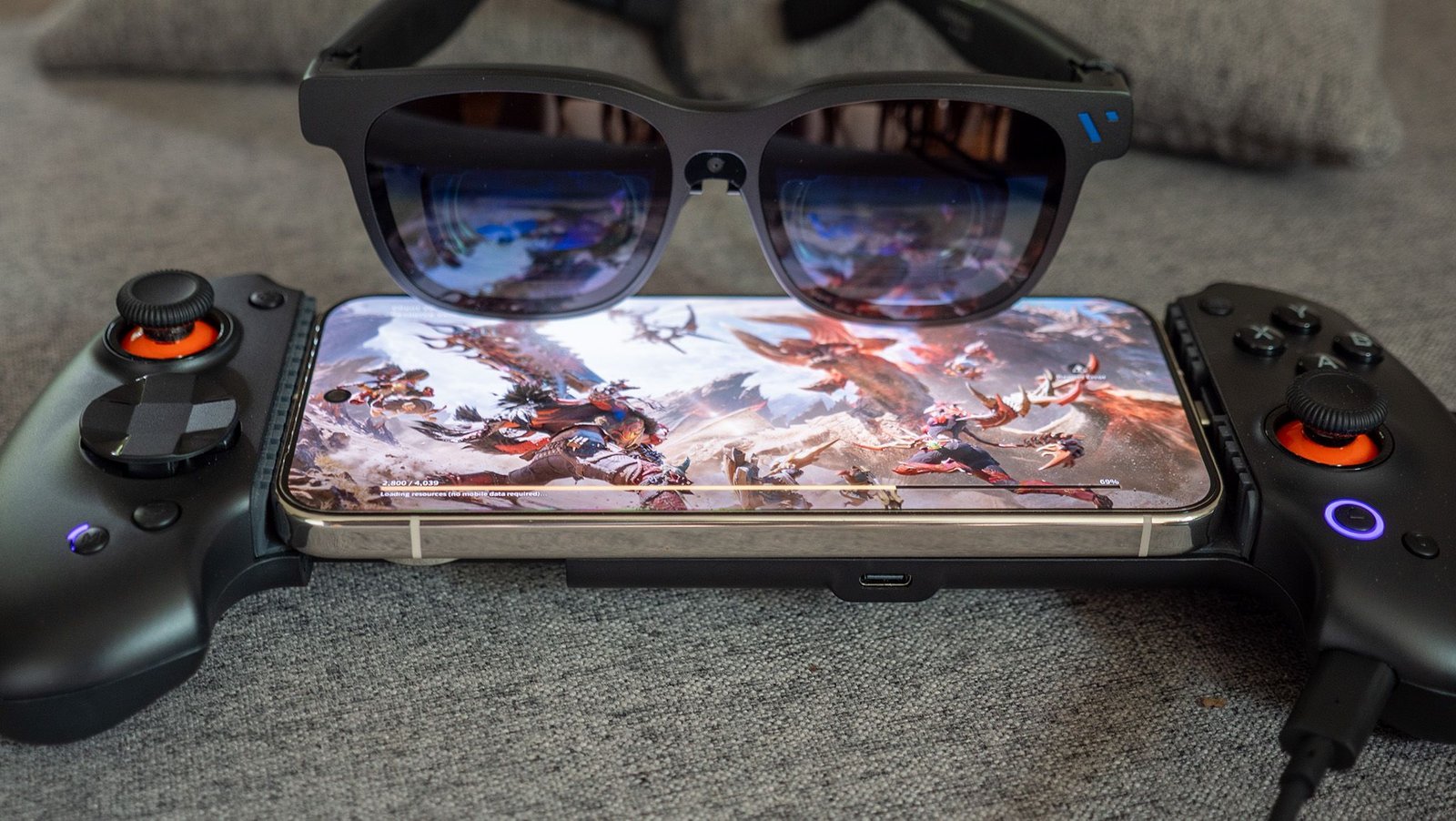
Not only that, but Viture partnered with ABXY to release a brand-new smart glasses gaming controller, giving users an upgrade over the previous Viture x 8BitDo controller released last May. When paired together, these turn your smartphone into the ultimate portable gaming machine, giving you ultimate comfort for your hands and neck, plus the power of a customizable controller.
You may like
Latest Videos From
Today’s best Viture Beast deals
Viture Beast upgrades
(Image credit: Nicholas Sutrich / Android Central)
Viture Beast had a great start with its initial January release to early adopters, but they was missing some of the promised features. Now, with the full retail release, Viture has released a firmware update that delivers on all the initial promises, and it means this is now on par with Xreal’s best offerings, and even better if you combine it with Viture’s excellent ecosystem. Here’s everything new:
(Image credit: Nicholas Sutrich / Android Central)
- No more 3DoF drifting: Yep, it’s true! 3DoF drifting has been fixed, which means your virtual monitor will stay in place in Anchored mode just as if it were a real monitor or TV mounted to a wall. This was arguably Viture Beast’s biggest weakness at launch.
- 1200p resolution: Viture Beast launched with a 16:9 aspect ratio and 1920 x 1080 resolution. The glasses now default to 16:10 at 1920 x 1200, making them identical to the Xreal 1S in this regard.
- Upgraded side mode: Double-tapping the L1 button previously would shrink the virtual display to the bottom-left or bottom-right corner, making it easier to see through the glasses without missing what’s happening on your screen. You can now shrink the display to the top-left or top-right, which might be preferable for watching cooking videos while cooking, for example.
- Instant display mode switching: You can now hold the left plus button to switch between default, ultrawide, 3D, and side mode. Previously, you had to open the menu and scroll for a bit to do this.
- Better memory: Annoyingly, the glasses previously would forget important settings like refresh rate, resolution, and positioning modes. Thankfully, Viture fixed this, and now these settings will all persist.
- Pro Neckband compatibility: Viture’s Pro Neckband is a wearable computer that connects to your glasses, and now Viture Beast fully supports it. This way, you don’t have to use your phone to use your glasses, which might be optimal for entertainment while traveling.
- Firmware changes and a new language: Firmware updates are now faster, although you’ll still need to use a computer and update through Viture’s firmware update website. Additionally, Mandarin is now available in the glasses’ OSD menu.
Abxylute-ly the best controller
(Image credit: Nicholas Sutrich / Android Central)
Abxylute has been making a name for itself lately with a host of fantastic, often unique controllers and handheld gaming systems. From Game Boy Advance SP-style controllers to the new S9V, this company makes something special worth a look. The S9V is the first controller I’ve used from them, and it’s ready to dethrone my previous favorite, the GameSir G8 Galileo.
The design is similar to other Switch-style controllers, breaking a traditional controller into two “halves” connected via a spring-loaded bridge. That bridge sports a nice rubberized coating to better hold your phone in place while it’s connected to the flexible USB-C port, which helps account for varying phone sizes and shapes. There are even a few adjuster pieces in the box to help level phones with oversized camera islands or that are too small to fit.
Abxylute ingeniously designed this controller with several replaceable parts, including three different d-pads in the box (each with a very different design), entire joysticks, buttons, and even the faceplates on the left and right. Those faceplates come off with a simple set of magnets, but are designed so they won’t pop off while playing.
Image 1 of 5
(Image credit: Nicholas Sutrich / Android Central)(Image credit: Nicholas Sutrich / Android Central)(Image credit: Nicholas Sutrich / Android Central)(Image credit: Nicholas Sutrich / Android Central)(Image credit: Nicholas Sutrich / Android Central)
The buttons, triggers, joystick height and rigidity, and the contours of the controller are all perfect. The USB-C port that connects to your phone not only tilts to accommodate different phone shapes, but it’s also quite long, so you can still use it with a case on your phone. Most mobile controllers forget that. Nothing feels cheap or half-heartedly designed, and that’s something that’s simply not always the case with mobile controllers.
But enough about the design, how about what makes this controller more unique: the ability to connect your Viture glasses to it. This gives you the advantages of USB-C controllers — lower latency, charging while playing, and no battery to charge for Bluetooth connectivity — while still letting you use your Viture glasses to get a massive floating screen in front of you, helping avoid neck and back strain after long gaming sessions.
All you have to do is connect your phone to the controller, then plug your Viture glasses into the glasses port on the inside of the right grip. No config, no nonsense. I did find that it works better with some phone models than others — Samsung, Google, and OnePlus phones all worked perfectly, while Nothing and Honor didn’t display video, so your mileage might vary there.
Image 1 of 6
(Image credit: Nicholas Sutrich / Android Central)(Image credit: Nicholas Sutrich / Android Central)(Image credit: Nicholas Sutrich / Android Central)(Image credit: Nicholas Sutrich / Android Central)(Image credit: Nicholas Sutrich / Android Central)(Image credit: Nicholas Sutrich / Android Central)
In addition to that heckin nifty concept, you can remap buttons and even set specific macros to each of the two back buttons using the Abxylute app. Amazingly enough, you can even turn on gyro aiming and customize how it works, making this controller feel a bit more like a Steam Controller.
This one’s currently available for $79.99 on the official Abxylute site, making it about $15 more expensive than the standard Abxylute S9.
