

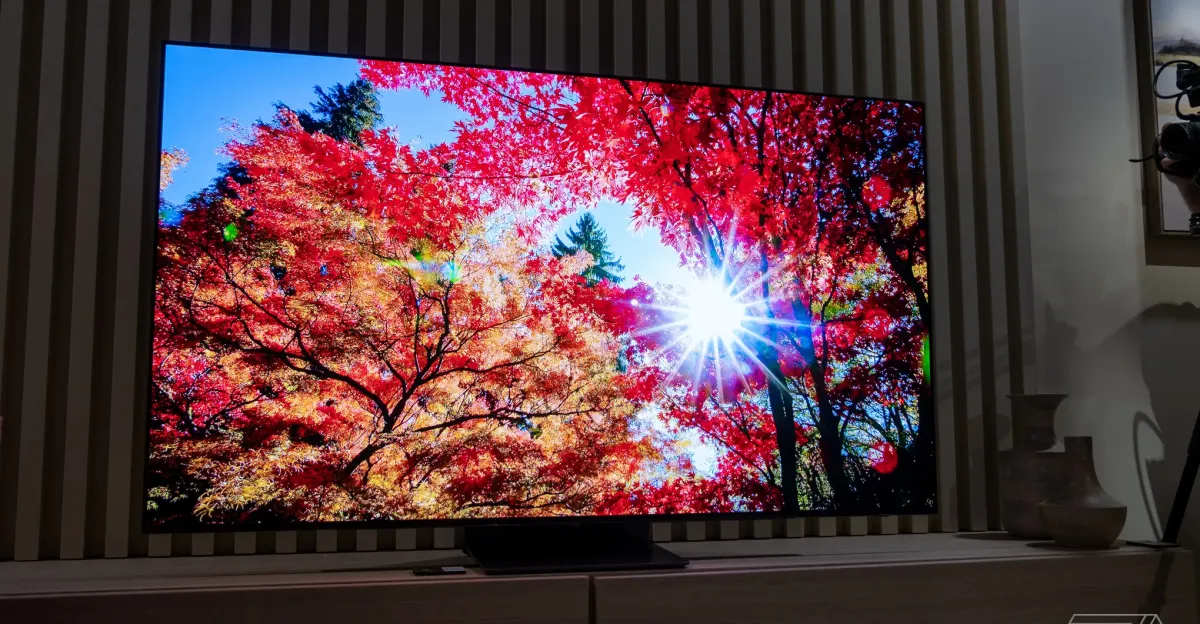
In June 2024, in a dusty TV shop empty of customers save myself, my wife, and my kids, I stared deep into the LG C3 and Samsung S90C. I went back and forth between the two OLED screens for easily 20 minutes, happily paralyzed by the choice in front of me. The Video Only salesperson attempted to explain that there was no wrong decision.
A year and a half later, I disagree: I regret picking the Samsung over the LG. I regret it every time I adjust the volume on my TV, every time I plug in a new device, and especially ever since the Logitech Harmony Amazon Alexa integration shit the bed and I have to fumble a Samsung remote to switch inputs.
Samsung’s QD-OLED panel itself is phenomenal, if nothing special in 2026. The problem is the software. I would pay Samsung $100, right now, for this “smart” TV to be as dumb as the ones I grew up with.
Heck, I’d give Samsung 50 bucks just to let us disable the volume indicator. Failing that, let’s see if shame works.
Let me be clear: One of the final deciding reasons I chose the Samsung S90C over the LG C3 was that LG had failed me before. My LG E7 OLED, purchased from a not-long-for-this-world Fry’s Electronics in 2018, eventually developed a large heat blemish (not your typical burn-in) that sometimes discolored the picture. Before that, my previous Sony TV developed a line of dark pixels shortly after the warranty expired.
But both Sony and LG had unobtrusive onscreen volume indicators, just little icons near the edge of the screen. Samsung believes that anyone who ever needs things a little louder or quieter is willing to tolerate this aberration:
This eyesore stretches nearly a third of the way across the screen, vertically and horizontally, obscuring the incredible moving art I’m trying to watch underneath. And if you’re using a receiver, it consumes all this screen space to convey basically zero information. Not the current volume level, unless you’re using the TV’s built-in speakers, and not whether I’m getting a stereo or surround or Dolby Atmos signal.
It is the Samsung equivalent of Microsoft Clippy, but worse: “Looks like you’re trying to adjust the volume!”
We watch plenty of movies that contain both too-loud action and too-quiet dialogue, at an hour when kids are supposed to be in bed, so we’re adjusting that volume all the time.
In 2023, user “1544CT” on the Samsung Community forums complained that “as a person that watches a lot of Movies and shows I can no longer recommend Samsung until this annoyance is fixed.” But they didn’t seem optimistic. After all, the company hadn’t yet acted on a 26-page thread about the annoyance from 2020, one that now has over 130,000 views.
1/13Gallery: 12 places on the internet I found people complaining about the volume OSD.
There are numerous Reddit threads and even a Change.org petition to fix it. Though a Samsung moderator promised to deliver the complaint to the company’s engineers, it’s been three more years and nearly 50,000 more views without a resolution. Some users reported getting a v2203 update that reduced the size of the overlay, at least, but it appears that update may have been paused in December due to issues. Will we ever get it?
Problem number two: Samsung has no proper concept of an HDMI input, so I’m fumbling with a remote every time I plug a new gadget in.
Here is how my Samsung TV works in 2026:
- Step 1: Plug a game console into an HDMI port.
- Step 2: Wait for the Samsung TV to autodetect the game console. And if it doesn’t have good HDMI-CEC, which I’ll explain in a sec:
- Step 3: Press the home button on the remote to see a forest of colorful Smart TV app icons, none of which are my game console.
- Step 4: Press left on the D-pad to ignore those icons and instead summon the vertical sidebar. Press down, and then right, to summon a different horizontal bar of Connected Devices. If it’s an unknown one like the Analogue 3D, hope it’s the one I labeled “PC” last time.
- Step 5: Set that “PC” to game mode for the umpteenth time by summoning a basic settings menu, then an advanced settings menu, then scrolling to the game mode toggle.
- Step 6: Play.
- Step 7: Repeat steps 2–5 each time I unplug and plug in a new device.
I suspect not everyone’s always plugging in new gaming handhelds and Analogue 3Ds and mini-SNESes over HDMI like me. But on my LG TV set, and every HDMI-capable set I’ve ever owned before, I could just press a button to cycle through HDMI inputs until the right picture showed up.
Thankfully, my PS5 and Switch 2 have pretty decent implementations of HDMI-CEC, the communications protocol that lets them send commands to my TV. When the kids want to watch Netflix or fire up Astro Bot, the power button on the DualSense pad or Switch 2 Joy-Con will do it. But weirdly, they won’t turn my TV and receiver off.
I used to get around most of this by setting up complicated Logitech Harmony Hub routines that’d fire when I said “Alexa, turn off the TV” or “Alexa, turn on the Nintendo Switch.” But since that infrared Wi-Fi remote stopped syncing to Amazon and Logitech’s servers properly this year, I’ve had to use Samsung’s software and remote more than ever.
I sure miss when this li’l dude just worked.
One day, I had the idea to try Home Assistant, when the Samsung TV and Samsung’s SmartThings showed up in a list of possible integrations. Maybe I could switch HDMI devices from my phone? But Samsung doesn’t expose individual HDMI ports there, either; I could only tell my screen to switch to “TV” or “HDMI,” no other sources or channels.
Those other HDMI sources do exist in Samsung’s API, because a homebrew third-party integration made my other Connected Devices like “PlayStation 5” and “AV Receiver” appear in Home Assistant — but only after connecting my TV to Samsung’s cloud and generating a custom API key. Yes, I have to reach out over the internet through Samsung’s cloud and back into my home to change HDMI inputs. And it’s still not reliable, because Samsung’s cloud sometimes tells me I’ve made too many requests, and sometimes needs a whole new token before it’ll accept commands again.
I’m about ready to go looking for an old-school infrared universal remote at this rate and teach my kids some pointing skills. But hey, Samsung, how about $50 for a fix? I have PayPal, Venmo, hell, I’ll type my card number into the TV itself if you’ll let me.
I asked Samsung a couple days ago about possible updates, but it didn’t have an answer by publish time.
Follow topics and authors from this story to see more like this in your personalized homepage feed and to receive email updates.
- ColumnClose
Column
Posts from this topic will be added to your daily email digest and your homepage feed.
FollowFollow
See All Column
- GadgetsClose
Gadgets
Posts from this topic will be added to your daily email digest and your homepage feed.
FollowFollow
See All Gadgets
- TechClose
Tech
Posts from this topic will be added to your daily email digest and your homepage feed.
FollowFollow
See All Tech
- TVsClose
TVs
Posts from this topic will be added to your daily email digest and your homepage feed.
FollowFollow
See All TVs
