

Home Assistant has many features and functions that can be easy to overlook. Something I hadn’t done until recently was group similar devices together in order to control multiple things at once. This solved a problem I was having with my smart home.
You don’t have to rely on scenes all the time
Scenes are the go-to solution for controlling multiple accessories at once, and they certainly have their place. But scenes are purpose or time-driven whole-home device configurations. They’re great for specific needs like going to bed, watching a movie, or eating dinner.
Groups, on the other hand, offer more granular control. You might have a scene that you use for relaxing in the evening, which you activate when you collapse in front of the TV. Sometimes you might want to make changes to multiple devices, like a set of lights, without swapping scenes (or creating a new one).
With a group, you can do that quickly and get contextual controls for the devices within that group. For lights, it’s brightness and color; for fans, it’s speed; for window coverings, it’s how much light you’re letting in. The primary aim here is to control two or more accessories as if they were one.
You can group all sorts of things within Home Assistant, as long as they belong to the same class of device. Most importantly, you still have access to individual device controls even after you have created your group. The group does not replace the device, so you can still control things individually if you want (alternatively, you can hide these devices from your dashboard to tidy things up).
It’s fair to say that, for most people, lighting is the best use for this particular Home Assistant feature.
How I use a group to solve a lighting problem
My situation is a bit unique in that I use Apple Home as a means of controlling Home Assistant via the HomeKit Bridge integration. This makes it easy to control my Home Assistant smart home using any iPhone, Apple Watch, Mac, or HomePod in the house as if each device were native to Apple’s platform.
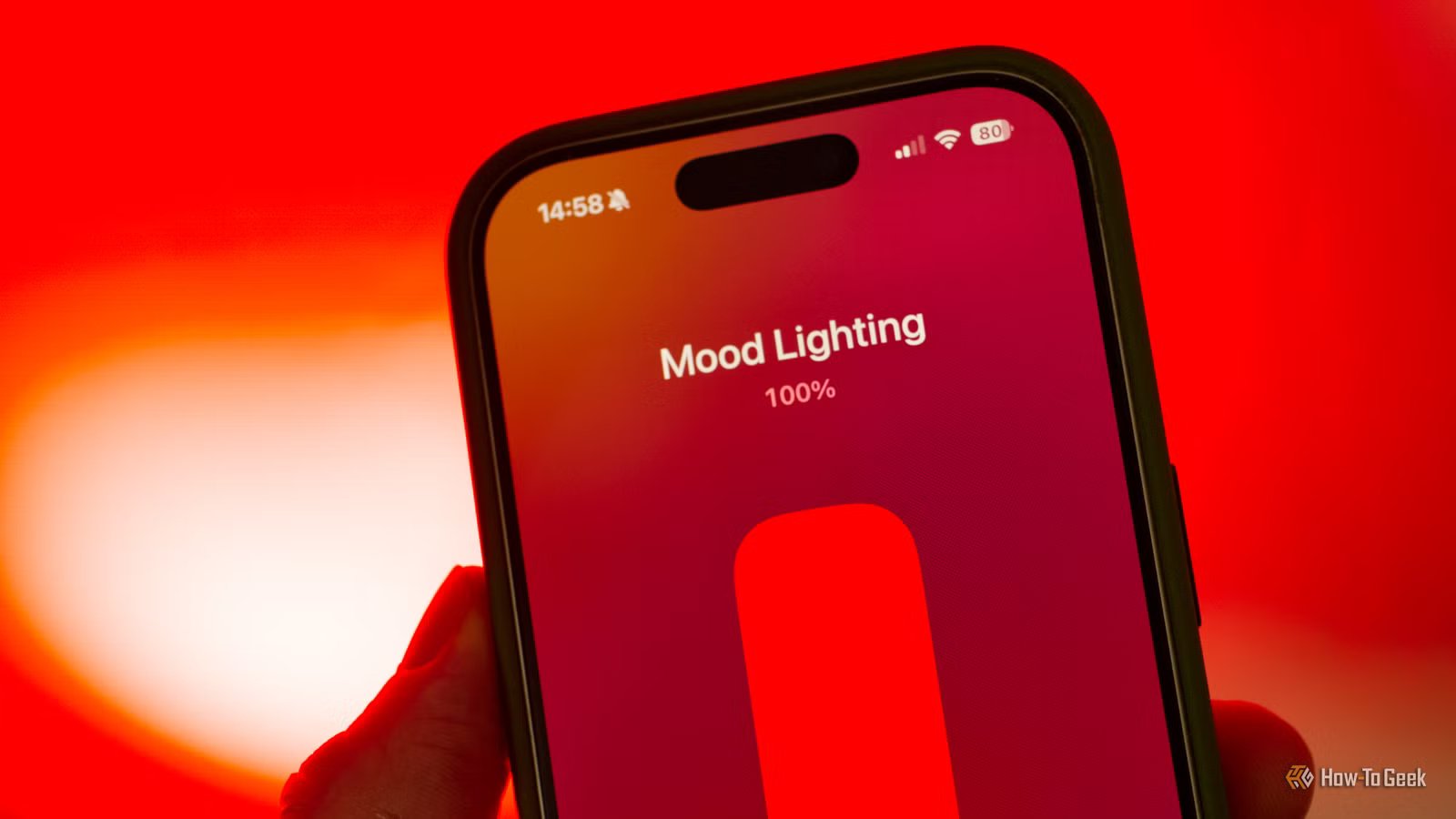
My aim was to control a set of IKEA Tradfri color-changing bulbs as one device. I wanted a set of mood lights, where I could sync the colors and brightness of the bias lighting behind my work monitor and the TV in the other corner of the room. This is mostly to brighten up the place on overcast days, but the TV light is used every evening to create a dim but relaxing mood.
Credit: Tim Brookes / How-To Geek
When I tried to group accessories in Apple Home, I realized that Apple Home removes individual device control once you link devices into a single unit. It’s the whole group or nothing at all.
So I created a group in Home Assistant and shared it as a device within HomeKit Bridge, just as I would any other. I now have a brand new device in Apple Home called “Mood Lighting” that lets me set color and brightness, and I didn’t have to sacrifice device control or scenes to do it (since my evening Relax scene targets a single light, and stopped working when I made the group).
Though this is an Apple Home-specific use case, there’s no reason it couldn’t work with MatterBridge for other smart home systems like Google Home, SmartThings, and more.
How to create groups (and what to group together)
You can use Home Assistant’s helpers to create groups. Do this under Settings > Devices and services by clicking the “Helpers” tab and using the “+ Create helper” button.
Choose “Group” in the box that appears on screen, then pick your group type. Name your group, then add the devices that you want to control using the “Members” drop-down box.
A new device will be created, with which you can control multiple things at once. From here, you can add it to a dashboard of your choice, use it in automations and scenes, or expose it to Apple Home or similar platforms using HomeKit Bridge or MatterBridge.
Group color-changing lights and LED strips to match settings between devices, bind fans to quickly turn on or off ventilation for parts of your house, or link blinds and curtain controllers so that you can control light levels in multiple places using a single command.
You can also link buttons and sensors to get more in-depth controls. The “All entities” toggle marks a sensor group as “On” only if all sensors are triggered, it will read “Off” if you have a mix of readings. You can also combine sensor readings (like temperature) by different means, including median, minimum, mean, and sum.
Creating a group for my mood lighting overcame Apple Home’s limitations, which is exactly why I’d choose Home Assistant every time.
