

Open Task Manager on your Windows PC right now and chances are you’ll see apps like Discord, Slack, or Teams sitting at the top of the memory list, even if they’re not active. It’s not a bug in their code, and it’s not because your PC is old. It’s really the consequence of more than 30 years of choices on how Windows apps are built.
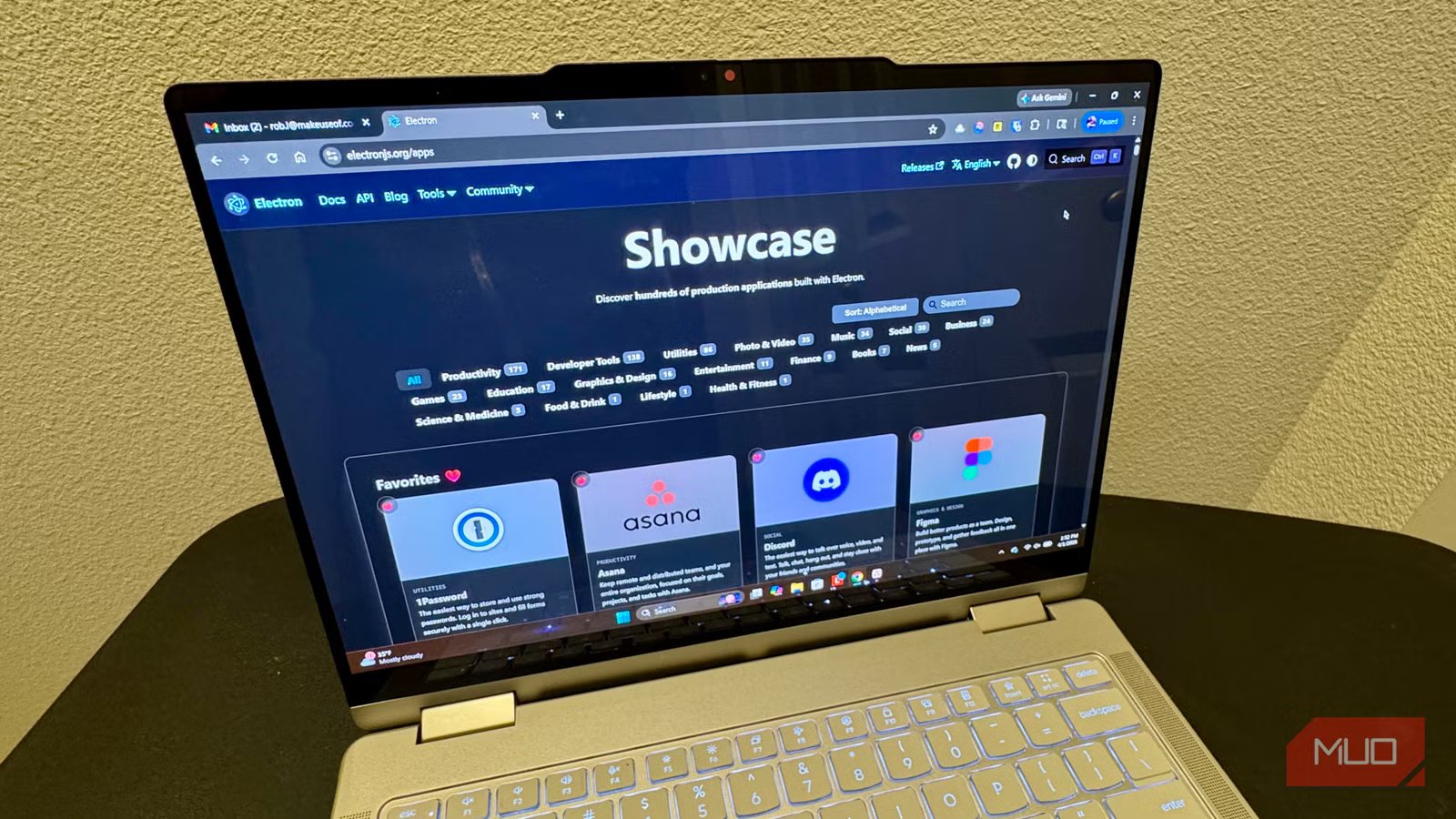
Microsoft has rewritten its recommended app development framework at least seven times since the ’90s, according to longtime Chromium engineer Dominic Denicola in a recent trending blog post. Each new framework, he said, was abandoned before developers could really dig in and create a stable system. The result is that many modern Windows apps are websites dressed up as native apps using a framework called Electron, which ends up bundling a full copy of the Chromium browser engine into every app like this. It costs users RAM, battery life, and responsiveness with each installed app.
Microsoft’s framework graveyard
What each pivot cost
Tashreef Shareef / MakeUseOfCredit: Tashreef Shareef / MakeUseOf
The core problem here is framework churn. As Denicola points out, the Windows dev stack has fractured across a ton of attempted coding revolutions, from Win32 C APIs to MFC, to WinForms and WPF, to WinRT XAML and UWP XAML, to WinUI 3. With each new start, developers need to begin again, at least until the framework was abandoned or added into something new.
That’s not just a hassle, either. Each time Microsoft pivoted, there was a whole bunch of apps stuck with the deprecated platform, leaving devs without a safe foundation to build on long-term. Former Microsoft CTO Jeffrey Snover calls it a systemic failure, and the resulting current situation a “boof-a-rama,” i.e., smart people doing dumb things. The technology, he argued, wasn’t ever bad, per se, but ended up being abandoned due to internal politics, premature pivots at developer conferences, and confusing business strategies that left devs out in the cold.
“A few years ago I was in a meeting with developers and someone asked a simple question: ‘What’s the right framework for a new Windows desktop app?'” Snover wrote in the blog post. “Dead silence. One person suggested WPF. Another said WinUI 3. A third asked if they should just use Electron. The meeting went sideways and we never did answer the question. That silence is the story. And the story goes back thirty-plus years.”
The .NET gap that’s still not fixed
Windows 11 ships with .NET 4.8.1, but developers need .NET 10
image credit – self captured (Tashreef Shareef) – No Attribution Required
Denicola’s most concrete issue is with the .NET version problem. In 2026, the current version of .NET is 10, but even the latest versions of Windows 11 only ships with .NET 4.8.1 preinstalled. That creates a problem for devs and their users. When users download any app made with the modern runtime, Windows forces users to download .NET 10. The alternative is for developers to bundle the entire .NET runtime inside the app binary, which increases the file size. Denicola uses the example of a small utility he created that ends up almost 10 MB due to the bundling of the whole virtual machine, garbage collector, and standard libraries.
Why, then, does Microsoft not just ship .NET 10 with Windows 11? Ioic Sharma, a developer in a discussion thread says it clearly: “Windows bundles .NET 4.8 as it’s bug-for-bug compatible with legacy apps.”
This makes sense on the surface, but it leaves modern developers in a bind without a clean resolution.
Why developers turned to Electron — and what it costs you
You’re secretly running Chrome for each app
Without a stable native path, developers reach for Electron, a framework that lets you build apps using web tech like HTML, CSS, and JavaScript and then ship them like standalone programs. It makes development fast, works on Windoes, Mac, and Linux from the same codebase, and just avoids the whole WIndows framework issue.
The catch is that each Electron app has its own JavaScript engine, GPU renderer, networking stack, audio pipeline, and sandboxed subprocesses. Each app opens like a full browser. That’s where all your RAM goes, as each Chromium browser instance adds to the load on your PC. Discord tried to solve this known issue with an auto restart when the app hits four MB RAM.
If you have Discord, Teams, Slack, and Visual Studio Code, you’re basically running multiple instances of the Chromium engine at the same time, each consuming an alarming chunk of RAM. That’s not all, either. Your CPU and battery life, not to mention running hotter, are all results of this development cost.
Still, we can’t blame developers. Electron is so ubiquitous because it at lest gives them a predictable target that helps solve the fragmentation problem.
Is Microsoft doing anything about it?
Kind of
Copilot in Windows 11Credit: Kanika Gogia / MUO
In January 2026, Microsoft announced the Windows App Development CLI (winapp), a new open-source commanmd line tool created to simplify the development lifecycle of Windows apps across a wide range of frameworks and toolchains. It helps with the current tooling issue, but not the underlying framework fragmentation. Here’s hoping that Microsoft’s promises of improving things like scaling back Copilot and fixing RAM optimization will also help.
What this means for you
If nothing else, knowing about Electron apps will help you figure out why your RAM usage is spiking and starting up slowly. Just buying more RAM or getting a better battery won’t fix the underlying cause, either.
For now, you can prefer browser versions of apps for casual use (Discord and Teams work great on the web), check which of your apps are Electron based, and manage your background permissions. A real fix needs to include Microsoft committing to a stable platforme, though the last three decades have shown an inability to do so.
