

Hardwired
(Image credit: Nicholas Sutrich / Android Central)
In Hardwired, AC Senior Editor Harish Jonnalagadda delves into all things hardware, including phones, audio products, storage servers, and networking gear.
I don’t prefer using mesh Wi-Fi systems, and while I tested plenty of models over the course of the last decade — including Netgear’s Orbi 970 series — I generally switch over to a standalone router after the testing window. We moved to a bigger house last year, and I realized the router I was using didn’t quite manage to cover the entire home, so I turned my attention to Wi-Fi 7 mesh router systems once again.
This is where TP-Link’s Deco BE65 Pro comes in. I used several TP-Link routers over the years and like the value-focused positioning of its products, and the BE65 Pro is no different. This is a Wi-Fi 7 mesh system that costs just $299 for a router and a satellite, and that’s the configuration I’m using. If you need additional coverage, TP-Link sells a bundle with a router and two satellites, and that costs a very reasonable $399.
Article continues below
You may like
Image 1 of 3
(Image credit: Apoorva Bhardwaj / Android Central)(Image credit: Apoorva Bhardwaj / Android Central)(Image credit: Apoorva Bhardwaj / Android Central)
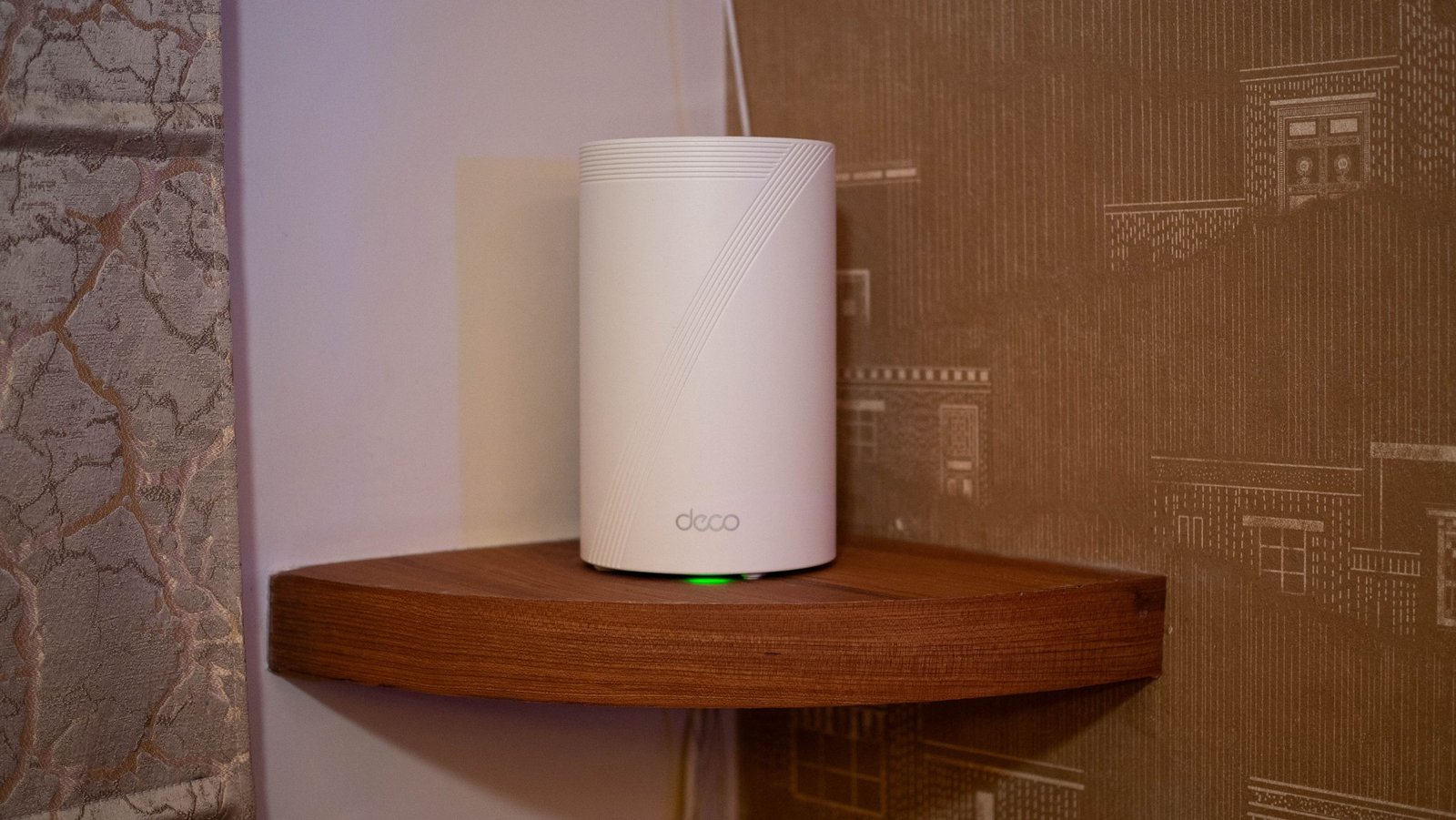
The Deco BE65 Pro is interchangeably called the Deco 7 Pro BE11000, but I’ll stick to the model name. The mesh system has a clean design that blends in well with modern decor; TP-Link did a good job in this area, and the router is considerably smaller than most mesh nodes. This is a key consideration as the previous standalone router I set up stood out for all the wrong reasons; sure, the BE65 Pro doesn’t quite have the same stunning design as Huawei’s Mesh X3 Pro, but it is elegant in its own right.
What I also like is that each node gets three Ethernet ports, and all ports get 2.5GbE connectivity as standard — most mesh systems just have a single multi-Gigabit port, so this is a welcome addition. Each node gets a USB-A port as well, giving you the ability to plug in a drive and use it as a home streaming server.
(Image credit: Apoorva Bhardwaj / Android Central)
Setting up the BE65 Pro is about as easy as it gets; TP-Link’s Deco app has a modern interface, and it gives you extensive customization when it comes to tailoring the network to your preferences. More than anything else, it’s because of this configurability that I used the BE65 Pro as my main router over the last six months.
I have a static IP and a private DNS, and I was able to set up all of that via the app, and it was hassle-free. TP-Link also has meaningful parental controls built into the Deco app, and it has a Security+ intrusion prevention plan that monitors IoT devices and provides protection against online threats. I didn’t see any need to use the paid plan, but it’s available should you want it.
Image 1 of 3
(Image credit: Apoorva Bhardwaj / Android Central)(Image credit: Apoorva Bhardwaj / Android Central)(Image credit: Apoorva Bhardwaj / Android Central)
The BE65 Pro is a Wi-Fi 7 mesh system, and it has excellent bandwidth over the 6GHz (5765Mbps) and 5GHz channels (4324 Mbps). The 2.4GHz mode is a little limited, but I didn’t see any problems in this regard even after connecting a few dozen smart home devices to the network. Coverage itself is outstanding, and the mesh system was able to provide stable coverage throughout my home without any issues.
I like that the BE65 Pro provides Multi-Link Operation (MLO), allowing it to combine all three channels into a single SSID to maximize coverage and bandwidth. Of course, you’ll need to use a Wi-Fi 7 client device, but most phones these days leverage the protocol, and it’s great to be able to take advantage of this feature — I didn’t see any problems using it with the Vivo X300 Pro, Find X9 Pro, and a dozen or so Android phones I used in the last six months.
On the whole, the BE65 Pro proved to be a revelation; the mesh system is just as powerful as standalone routers, and you don’t miss out on any of the configurability either. TP-Link deserves credit for getting this right, and when you combine the feature-set with the pricing, it’s easy to see why the BE65 Pro is one of the best Wi-Fi 7 mesh systems you can buy today.
The Deco BE65 Pro has excellent coverage, comes with all the features you want in a high-end Wi-Fi 7 mesh system, and doesn’t cost as much as its rivals.
