

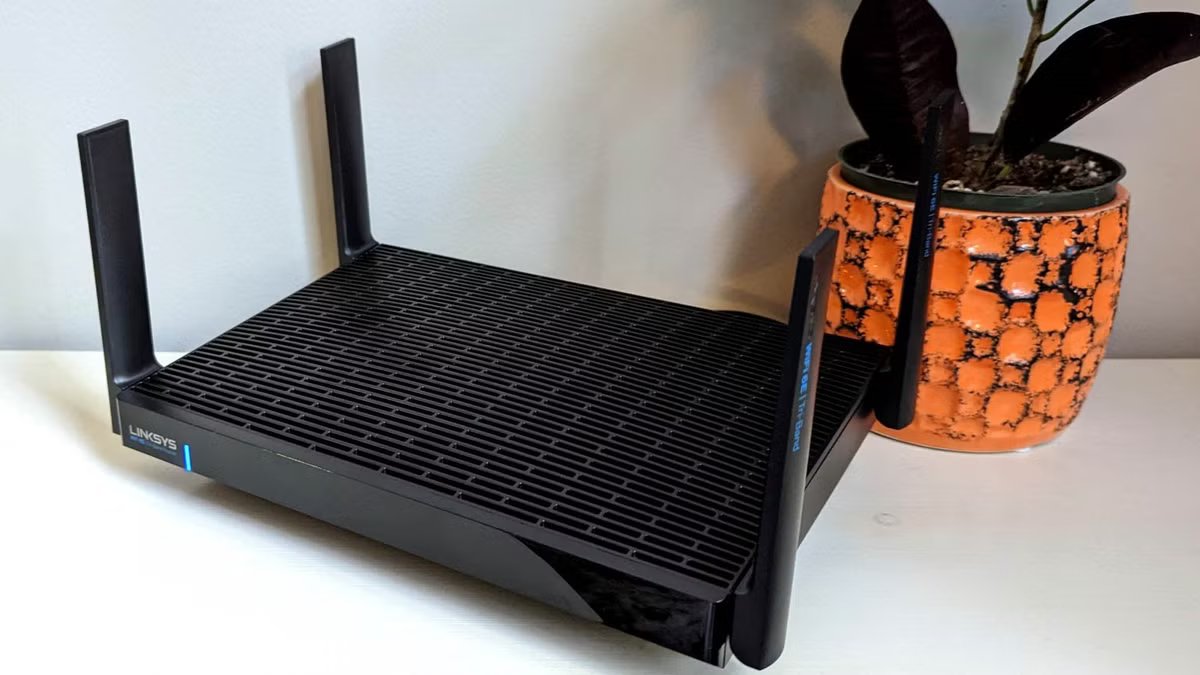
In my old house, my router was the problem, and it took me longer than I’d like to admit to figure that out. I’d just upgraded to 1,200Mbps service and assumed faster speeds meant, well, faster everything. Half the house disagreed. Netflix buffered constantly in the bedrooms — felt like we’d time-traveled back to DSL days. I blamed the smart TV for a while. Then the cables. Then I called my ISP twice, convinced they’d botched something. Turns out the fix was free — I just needed to move the router to a better spot. Where you position that box matters way more than the speed you’re paying for.
Why router placement trumps raw speed
Your signal loses strength faster than you’d think
Credit: Bertel King / MakeUseOf
People assume Wi-Fi works like a light bulb. Flip the switch, the room fills with light, done. Wireless signals behave differently. They weaken with distance, and walls absorb them. Floors do too, along with big furniture, kitchen appliances, fish tanks, etc.—basically anything solid between the router and your device. By the time that signal reaches a phone or laptop three rooms away, you’re often getting a fraction of what the router actually broadcasts.
My house is a single-story ranch with a lot of square footage, and before I sorted out placement, the far ends felt disconnected from the modern internet entirely. The kitchen showed full Wi-Fi bars on my phone. In the main bedroom, my phone could barely load a basic webpage without spinning. I’d paid for 1,200Mbps, and the rooms I cared about most were seeing maybe a tenth of that speed. That’s the thing about router placement—every single device on your network depends on where you put that one box.
The obstacles killing your Wi-Fi signal
Not all walls are created equal
Composite image from Pixabay:
No attribution is required; sourced from
URL: House Plank Garage – Free vector graphic on Pixabay
No attribution is required; sourced from
URL: Audio Signal Wifi – Free vector graphic on Pixabay
Building materials make a huge difference. Drywall is mostly fine. Brick and concrete are a different story — those materials crush Wi-Fi signals. Metal studs don’t help either. Neither does foil-backed insulation nor that big decorative mirror in the hallway. They bounce and scatter the signal instead of letting it pass through cleanly. I’ve seen people struggle with dead zones caused by nothing more than a fridge standing between the router and a home office.
My basement was the real education. I’d finished it myself, and part of that project involved stuffing double layers of rockwool insulation into the ceiling joists. It’s fantastic for soundproofing — my kids can run around upstairs, and I barely hear it. But rockwool blocks wireless signals almost as well as it blocks noise, and I didn’t realize that until the basement became a connectivity black hole.
I ended up installing a dedicated access point down there because nothing else worked. It’s worth remembering if your home has unusual construction or you’ve done any renovations involving heavy insulation — your router placement options might be more limited than you think.
Finding the optimal spot for your router
Central and elevated beats hidden and tucked away
Credit: Chris Hachey / MakeUseOf
Everyone wants to hide the router. They’re not exactly decorative pieces. The problem is, sticking one in a closet, putting it on the floor, or tucking it behind a TV stand forces the signal to push through obstacles before reaching anything you actually want connected. Basement corners are even worse. Central placement works best because the signal radiates outward in every direction. Somewhere elevated, with clear sight lines to the rooms you use most — that’s the sweet spot. There is less signal wasted broadcasting into walls and floors.
Height makes more of a difference than people expect. Routers on the floor end up pumping most of their signal into the carpet and whatever’s below. A shelf at chest height changes things noticeably. One more thing: microwaves, baby monitors, and some older cordless phones — they all use frequencies that bump up against Wi-Fi bands. You won’t see error messages or dropped connections necessarily. Just this vague sluggishness that’s hard to pin down until you move something.
When one router isn’t enough
Larger homes need a different approach
A single router can only cover so much space. Doesn’t matter what you paid for it or what the specs claim. Your floor plan, square footage, and wall materials set hard limits that no antenna upgrade will fix. Small apartments and compact homes usually do fine with one router in a decent spot. Bigger or more complicated layouts need help.
Mesh systems seem like the obvious answer, but they’ve got downsides many people don’t know about. There are scenarios where mesh Wi-Fi can make things worse — especially when the nodes rely on wireless connections to talk to each other.
Every hop between nodes costs you bandwidth. I replaced my mesh Wi-Fi with a wired AP setup and the speed difference hit me right away. I’ve got four access points now: basement, garage, plus two on the main floor at opposite ends of the house. All of them hardwired back to a central switch with Ethernet. Because there’s no wireless backhaul eating into bandwidth, each AP delivers full speed on its own.
Related
The internet bullied me into fixing my cable management—here’s my new setup
Here’s how I organized my networking cables after facing critiques online.
Test before you commit to a permanent spot
A few speed tests save hours of frustration later
Credit: Chris Hachey / MakeUseOf
Before you mount anything to a wall or drill holes for cable runs, spend some time with temporary placement. An extension cord and a few days of real-world testing will tell you more about optimal positioning than any coverage calculator. Run speed tests from the rooms where you actually use devices most often. Do it during peak hours when everyone in the household streams, games, or video calls simultaneously — that’s when placement weaknesses reveal themselves.
Compare your wireless results against wired connections to establish what your network can actually deliver. If hardwired devices underperform too, the issue might not be placement at all. An old Ethernet cable in my house slowed several devices connected to a small network switch. I spent weeks blaming other hardware before I thought to check the cable ratings. Your router’s app or web interface probably shows signal strength by room, which beats guessing.
Stop paying for speed your placement wastes
Gigabit internet delivers exactly what you’re paying for — right up until poor router positioning throws most of it away. Sometimes the fix is just moving equipment you already own. A central spot, elevated position, and clear sight lines to the rooms that matter most are what you need. If you’ve got a larger home, wired access points tend to outperform stacking mesh node after mesh node. What separates good Wi-Fi from bad Wi-Fi isn’t usually the router you bought — it’s where you decided to put it.
