

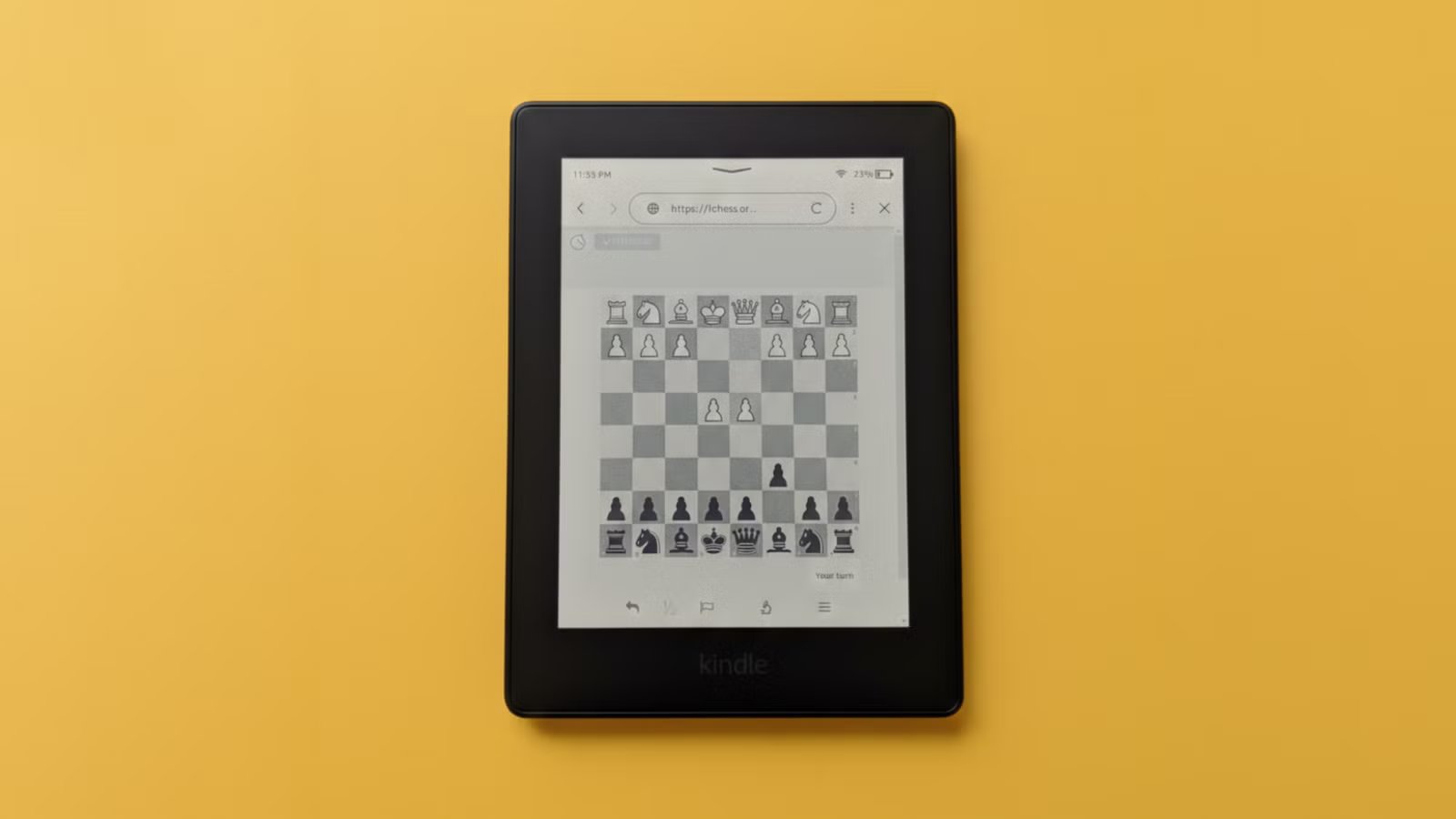
Your Kindle can do way more than just read e-books. Modern Kindles come with a web browser, which can load basic websites and web apps. Today I’ll show you how I play chess on my Kindle, and why it rocks.
How it works
The browser built into Kindles isn’t the full-fat browser you get with a smartphone. It’s pretty basic and mostly good for browsing lightweight websites. It doesn’t render complex CSS or JavaScript code, so it won’t load any animations or fancy layouts. What it can do is load simple web apps for games like chess or checkers and word puzzles like Wordle.
I see this limitation as a strength. Unlike playing on my phone or my computer, I know I won’t be distracted by notifications on my Kindle. I can also play in bed without worrying about the harmful blue light of regular screens. You can launch this browser by clicking the three dots in the corner and tapping “Browser.”
That said, not all chess apps will render correctly on your Kindle model.
These online chess variants work best
I’ve tested five websites that work pretty well. Allow me to share them with you.
Lichess
http://lichess.org
Lichess is probably the most feature-rich and polished of all the chess web apps I’ve found. It also renders perfectly on my Paperwhite.
Basically, it’s a free and open-source chess server without any ads. You don’t even need to register an account to play. Just open the website and start a game against a computer, a friend, or enter an online lobby. If you sign up for an account, you can earn a rating and track your wins and losses.
When starting a game, you can also choose if you want to play by standard rules or any of the 8 chess variants. You can tap on a piece to select it and then tap a square to move the selected piece to that square. It’s pretty intuitive
You can also participate in tournament arenas with thousands of players. Lichess also has interactive chess lessons and training resources if you want to sharpen your skills.
Chess for Kindle
https://artemartemenko.github.io/chess-for-kindle/
As its name suggests, this Chess for Kindle is optimized for Kindle devices. It doesn’t have different playable modes or online gameplay. You can’t even play against a computer, but it’s perfect playing against an opponent sitting next to you since it turns your Kindle into a chess board. The orientation of the pieces is mirrored, so the person sitting opposite you can still see all the pieces clearly. It also indicates whose turn it is, and you can flip the board.
Visit the website then select “Chess” from the list and it’ll load a game right away. It renders in a perfect layout and size on my Paperwhite.
eInk Chess
https://yourchaoschris.github.io/eInkChess/
Just like Chess for Kindle, eInk Chess is also designed for e-readers, but it has more features. You can play online or offline. In offline mode, you can either play against the computer or play against an opponent in person.
The URL is case-sensitive.
You’ll see buttons for offline and online games. If you click “Offline,” you’ll see a dropdown menu with different difficulty settings for your opponent chess bot. Level 1 is the easiest, and level 5 is the hardest. You can also choose “2 Player” to play against an opponent in real life.
The board is a little smaller than other apps, but it still fits my Paperwhite screen.
To play online, you’ll need to register an account on Lichess and create a Lichess API token. I suggest you do that on a computer or on your phone. Then you can click the “Connect (Lichess)” button on your Kindle browser and type the API token. Once it’s connected, you’ll be able to play against real people online and track your progress.
Plain Chess
https://plainchess.timwoelfle.de/
If you want to play online but don’t want to register for Lichess or deal with API tokens, try Plain Chess. You just need to type this URL into the Kindle browser and hit Enter.
Select if you want to play white or black, give it a username, and tap “Go.” The only downside is that it’s a small website and not a lot of people know about it. So it might take a while before you get an opponent.
There’s also an offline mode for playing against people in person. The board fits perfectly, and the controls are pretty intuitive. True to its name, it’s as simple as it gets. Plain Chess also autosaves the game, so even if you return to it after days or weeks, you can pick up the game where you left off.
If you enjoy chess, and you own a Kindle, you’re missing out until you try playing it on an e-reader. The black and white e-ink display lends itself perfectly to a virtual chessboard. With Lichess, you can even play with other people online.
