

My AirPods Pro and AirPods Max are genuinely impressive earbuds. The noise cancellation alone justified the price. But after fumbling through yet another Zoom call — three minutes of Bluetooth troubleshooting before the meeting even started — I finally got tired of defending the setup to myself.
It turns out the better solution was already sitting on my desk. A monitor with built-in speakers and a wired Blue Yeti USB mic sounds unglamorous, but it solved every problem I’d been working around for months. I’d spent a lot of time upgrading my home office hardware, and somehow this low-tech audio shift ended up mattering more than any of the expensive changes I’d planned.
AirPods on work calls were a problem I kept excusing
The connection issues that finally broke me
Here’s the thing about AirPods: they’re built for a different use case. Commuting, working out, tuning out a noisy coffee shop — all of that works great. Sitting at a fixed desk, jumping between Zoom, Google Meet, and Teams all day, is where Bluetooth starts to show its limits.
Three problems kept coming up. The first: AirPods that simply wouldn’t connect at call time, even though the Mac insisted they were paired and ready. I’d click Join, hear nothing, and spend the first few minutes of the meeting cycling Bluetooth on and off while someone on the other end wondered if I’d dropped.
The second problem was worse — mid-call, if my iPhone received audio for any reason, the AirPods would silently jump over to it. No warning. One second, I was talking; the next, my mic was gone. The third issue I only caught after switching setups: Bluetooth can’t carry mic and speaker audio at full quality simultaneously. The bandwidth just isn’t there. So AirPods in call mode — despite costing several hundred dollars — sound noticeably worse than a cheap wired alternative.
Apple’s ecosystem hands things off between devices better than anything else I’ve used. That same logic, applied to earbuds during a live call, becomes a liability.
Related
Why I Regret Buying the AirPods Max
Don’t make my same mistake.
Monitor speakers handle the listening side just fine
Audio that’s always ready when you are
Credit: Jonathon Jachura / MUO
The monitors at my workstation — a pair of Samsung M8 displays — have built-in speakers. Nothing audiophile-grade, but call audio doesn’t need to be. Voices come through clearly, and that’s what matters.
What built-in speakers have over AirPods in this context isn’t sound quality. It’s that they have no connection state. Nothing is pairing, no device logic is running in the background, and nothing is going to redirect audio to my phone because a notification came in. The Mac outputs to them by default. That’s it. Joining a meeting means opening the link — not running a pre-call checklist.
The limitation is real and worth saying plainly: monitor speakers do nothing to block out ambient noise. If your home office isn’t quiet, or you share a space, this doesn’t work the same way. Noise cancellation has genuine value. I’m not dismissing it. But in a dedicated home office with the door closed, the case for earbuds gets a lot thinner.
The Blue Yeti handles the mic side of the equation
Why a USB connection changes everything
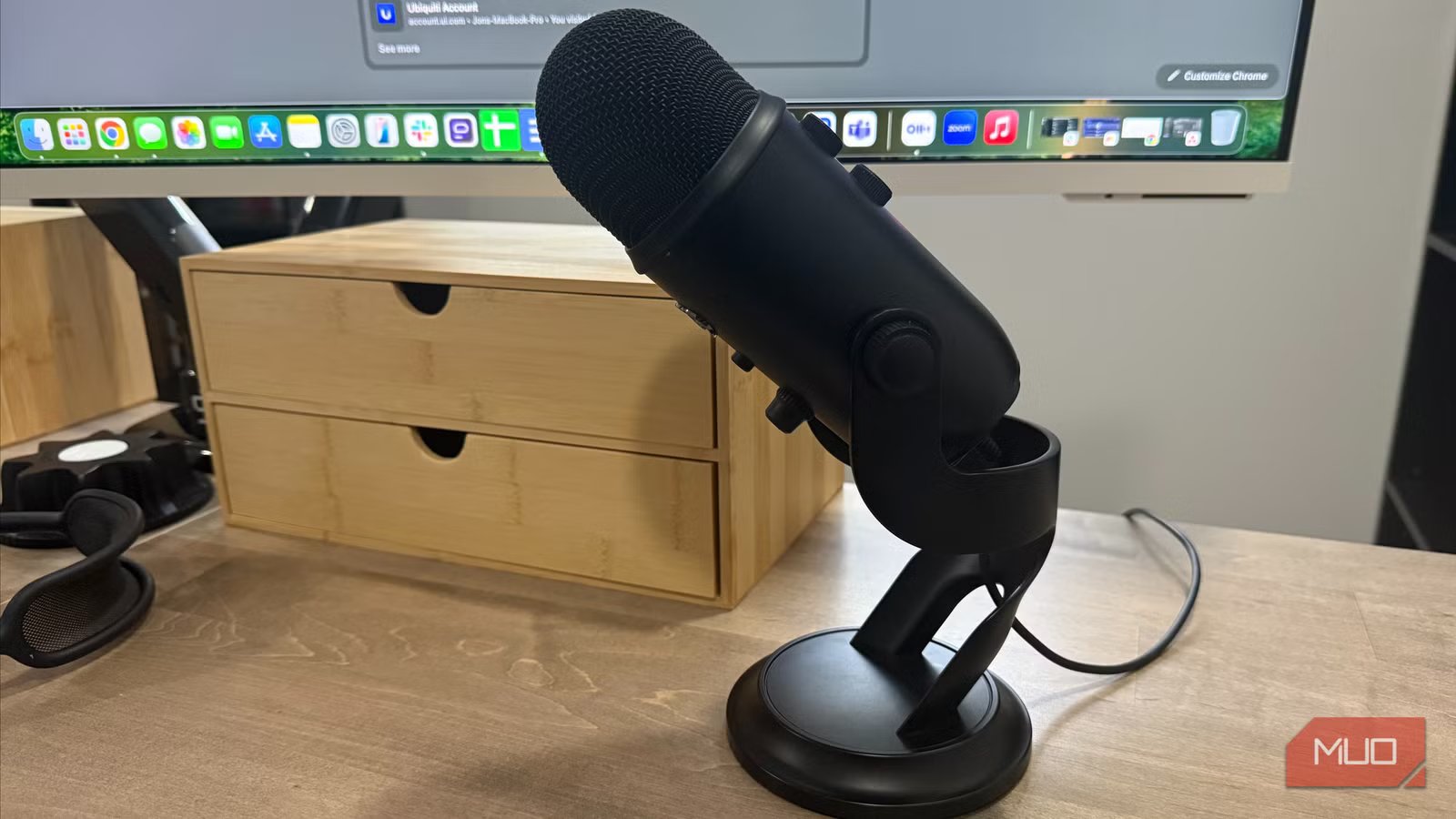
Fixing what I hear was the easy half. Fixing what everyone else hears required a dedicated microphone. I’ve had a Blue Yeti at my main workstation for a while now — it connects over USB, shows up as a fixed audio input, and has never once gone missing before a call. There’s no comparison between how this sounds and how AirPods sound in call mode. USB carries the full audio signal. Bluetooth, when it’s handling both playback and recording at the same time, has to compress. The Yeti doesn’t make that trade-off. People noticed the difference within the first week — a couple of colleagues mentioned the audio unprompted, which had never happened before. The mic is large and stays on the desk. You’re committed to sitting in front of it. For a home office setup, that’s a non-issue.
Brand
Blue Yeti
Power
USB
What you actually give up going wired
The real cost of ditching wireless
Credit: Jonathon Jachura / MUO
This setup has real trade-offs, and glossing over them would be dishonest. No noise cancellation means ambient sounds come through — a barking dog, a lawnmower outside, kids in another room. If your home is noisy during the workday, monitor speakers alone won’t cut it. There’s also no mobility. This only works at the desk, which rules it out for anyone who likes to pace during calls or move between rooms.
My AirPods Max still have a permanent spot on the desk. Long writing blocks, music, situations where I need to actually focus — they still earn their place. The difference is I don’t reach for them by default when a calendar invite pops up. They come out for the right reasons rather than out of habit.
Wired audio won’t earn any style points, but it never lets you down
Nothing about this setup is exciting to describe. A mic plugged into a USB port and speakers built into a monitor — that’s not much of a pitch. What it delivers, though, is a call setup that simply works. Every time. No pre-meeting rituals, no mid-call scrambles, no wondering on the way to your desk whether today is going to be one of the bad Bluetooth days.
The AirPods are better hardware on paper. But paper specs don’t matter when a call starts and nothing works. For anyone who spends most of their workday at a fixed desk, reliability ends up being the feature that actually matters most.
