

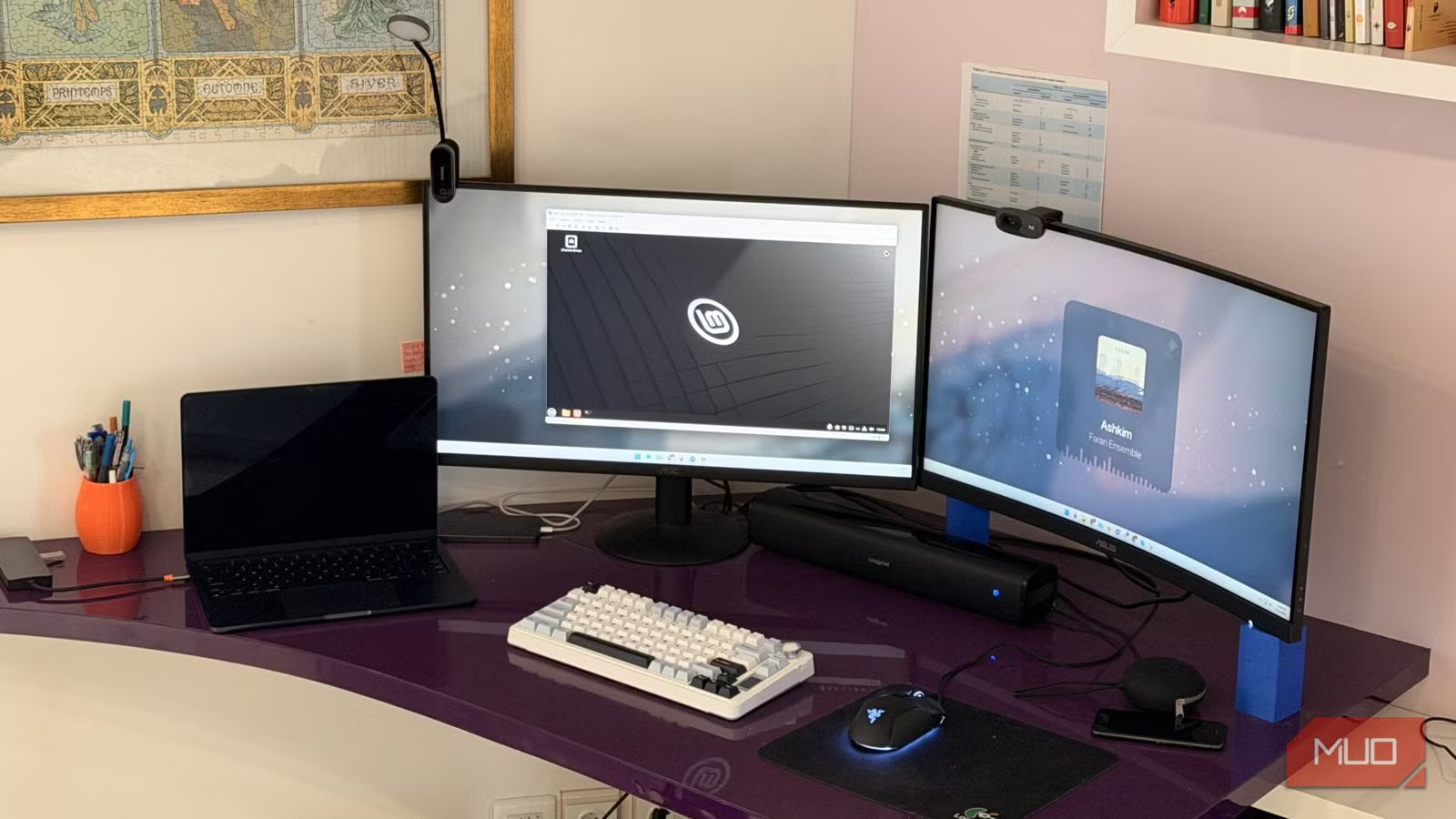
We have a lot of folks here on the MUO team that love and adore Linux like it was their firstborn child. There are many, many reasons to love the operating system, but even in 2026, there are some strange myths that make Linux feel like this mythical being that requires a degree in Linuxology to understand how to use it. I’ll be the first to admit that I fell for many of these myths for far too long.
But after using Linux on a Chromebook that I converted into a Home Assistant server, I’ve learned that it’s an incredibly competent operating system. You don’t need to hack the mainframe to change your wallpaper, as the memes say, and I’m sad that it took me this long to realize Linux is actually incredible for most daily tasks.
Related
The state of Linux gaming in 2026: how close are we to 100% compatibility?
Take notes, Epic Games.
Myth 1: The command line
No, I don’t need to master the command line just to open a web browser
One of the biggest Linux myths that kept me from trying the OS for the longest time was the oft-repeated “command line” situation. If you wanted to use Linux to its full potential, you’d need to master the command line to do basically anything. This just isn’t true, especially in more modern Linux installations. Using Linux Mint, Pop!_OS, or even Fedora distros, you can simply use your computer like a computer. If you’ve used any modern release of Windows, using Mint is going to feel just like second nature, only without the AI bloatware. You won’t find Copilot or Recall on any Linux distro, and that may be reason enough for some folks to move over. Plus, with App Stores being on most modern Linux installations, you don’t have to worry about maintaining random files that you’ve downloaded from the internet. Download it from the Discover store, and let the software update apps for you.
Modern Linux desktops have proper GUIs for stores and hardware settings, installers that work normally and similarly to Windows, and more. I came to this realization the first time I had to use desktop mode in SteamOS on my Steam Deck when my desktop’s power supply randomly died on me, and I was able to get my daily workflow done without any fuss. Cameras, microphones, and everything in between worked exactly as they did on my Windows installation on my main desktop, and I was shocked that I never had to open the terminal once.
Myth 2: Gaming is terrible
On the contrary, gaming may actually be slightly better on Linux
To be fair, roughly a decade ago, this may have been more true. I remember trying to play Minecraft with a friend who was fully ingrained in the Linux ecosystem, and it was a bit of a nightmare. They would run into issues that I had never experienced before, while I was placing blocks with the best of them. But at this point in time, I think it would be safe to say that Linux has caught up to Windows, and in some ways, surpassed it on the gaming front. But with gaming-centric distros like SteamOS and Bazzite leading the charge, single-player gaming is smoother than ever, with better frame rates, lower latency, and more. Seeing as the Steam Deck is popular, more and more developers are striving to ensure their games work on Linux. Multiplayer gaming, on the other hand, can be a bit more difficult on Linux than on Windows.
This is primarily due to anti-cheat at the kernel level. Since Linux lets users tweak their kernel settings however they’d like, many popular multiplayer games are incompatible with it. Call of Duty, Escape from Tarkov, and plenty of other titles aren’t playable on any Linux installation, so keep that in mind if you’re primarily a multiplayer gamer. You can check sites like AreWeAntiCheatYet or ProtonDB to verify whether your favorite game will work on Linux.
Myth 3: Hardware support is lackluster
Most drivers, at this point, just work with Linux without any tinkering
Image by Jayric Maning –no attributions requiredCredit: Jayric Maning / MakeUseOf
Linux has made massive improvements in this sector over the past few years. While some things may still not work as intended on a Linux system, the vast majority of hardware should work on nearly every distro at this point. You may have a fancy gaming keyboard that requires Razer or ASUS software on Windows to control the RGB functions, but open-source software like OpenRGB should do the job just as well on Linux. Seeing as Linux firmware updates often include driver updates, your devices may still update without your specific software. Unlike Windows, where you often have to hunt down drivers on manufacturer websites, the Linux kernel includes most drivers by default. This means your hardware often works as soon as you plug it in. Thankfully, going back to point number one, I don’t need to mess with the command line to get these programs working.
Many programs I use on Windows, like LibreOffice, DaVinci Resolve, Android Studio, VLC, and Jellyfin, have native Linux clients that work just as well as their Windows counterparts. Many open-source tools are developed with Linux in mind, so if you’re curious about taking the plunge from Windows to Linux yourself, be sure to check whether your favorite apps are available.
You’d be surprised at the number of times I’ve heard this
Image taken by Yadullah Abidi | No attribution required.
As someone who is genuinely very curious and contemplative about switching from a Windows build to a full Linux operating system, I’ve spent a lot of time browsing forums. Much like gaming, if you were to ask me about a decade ago to switch to Linux, I might agree that the community could be unhelpful at times. There was a bit of a “git gud” mentality surrounding Linux back in the day, but now? You can hop onto a forum like Reddit and get tons of help turning Linux into your dream OS. Check out r/Linux if you’re curious to see for yourself, but I’m seeing a lot more help and a lot less “check the manual”. Check the Arch Wiki or Ubuntu Documentation for even more help than you may have ever imagined, too.
I’ve been checking this out every once in a while, and while I’m not posting there myself, the community surrounding different distros seems very welcoming and excited to see new members join the Linux crew. It may be a bit before I finally take the plunge myself, as I have a lot of data to back up, but I know where I’ll turn if I have any questions in the future.
Linux keeps calling my name more and more every day
I’ve been curious about Linux for quite some time. It’s an intriguing OS that keeps getting better with age. While I have a lot of time invested in Windows, the gaming benefits that I’ve seen, alongside the overall “bloatless” design, are calling my name more and more. It may finally be time for me to jump from Windows to Penguins.
