

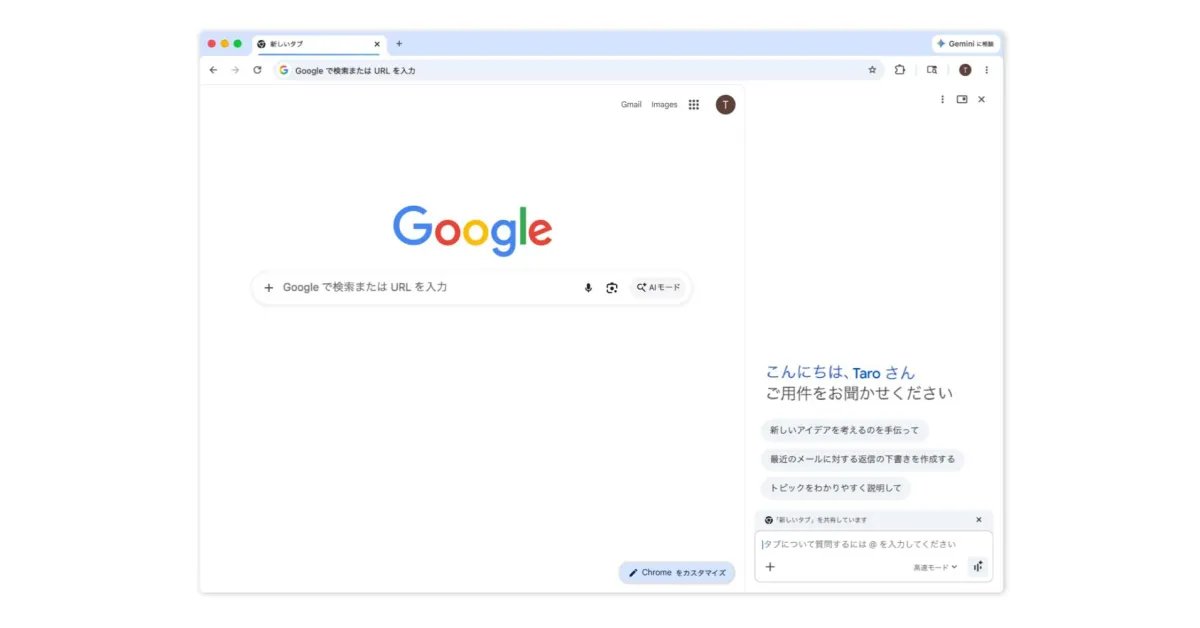
Gemini in Chrome is now coming to users in Asia Pacific after previously only being available in four countries.
After the US launch, Gemini in Chrome came to Canada, India, and New Zealand in March. Starting today, it’s rolling out to Australia, Indonesia, Japan, Philippines, Singapore, South Korea, Vietnam, and other countries in the region.
On desktop (Mac, Windows, and Chromebook Plus), Gemini’s awareness of the current tab lets you:
- “summarize lengthy content, compare information across multiple tabs, and more.”
- “schedule meetings with Calendar, check location details with Maps, draft and send emails with Gmail, and ask questions about YouTube videos.”
- “Nano Banana 2 capabilities allow you to transform images on the web using a text prompt in the Gemini in Chrome side panel.”
- “with Personal Intelligence, Gemini in Chrome can remember context from past conversations, so you get uniquely tailored answers to whatever you’re looking for across the web.”
On desktop, you can launch Gemini in Chrome from the top-right corner of every window. There’s also the keyboard shortcut, Mac menu bar, and Windows system tray. Go to Chrome Settings > AI innovations > Gemini in Chrome to customize.
Gemini opens as a side panel next to what you’re browsing or as a floating window.
Gemini in Chrome is also rolling out to the iOS browser (though not in Japan). It can be accessed from the left of the address bar.
More on Chrome:
FTC: We use income earning auto affiliate links. More.
