

What you need to know
- The Google Fitbit Air is a screenless fitness tracker with a low profile designed for constant health monitoring.
- It offers an optical heart rate sensor for 24/7 monitoring, plus red and infrared sensors for SpO2 blood-oxygen monitoring.
- The Fitbit Air costs $99, works with iOS and Android, and pairs with the Google Health app. You can pair the Fitbit Air and a Pixel Watch to the app simultaneously.
- Some Fitbit Air features, like Google Health Coach, require the Health Premium subscription. Most are free, however.
The newest Fitbit tracker is here, and it’s a long-awaited competitor to the Whoop 5.0 and Whoop MG. Low-profile, distraction-free fitness bands are popular again thanks to emerging brands like Whoop, but it’s a market segment Fitbit is quite familiar with. The Google Fitbit Air is official as a $99 wearable without a screen designed to passively collect health and fitness data all the time.
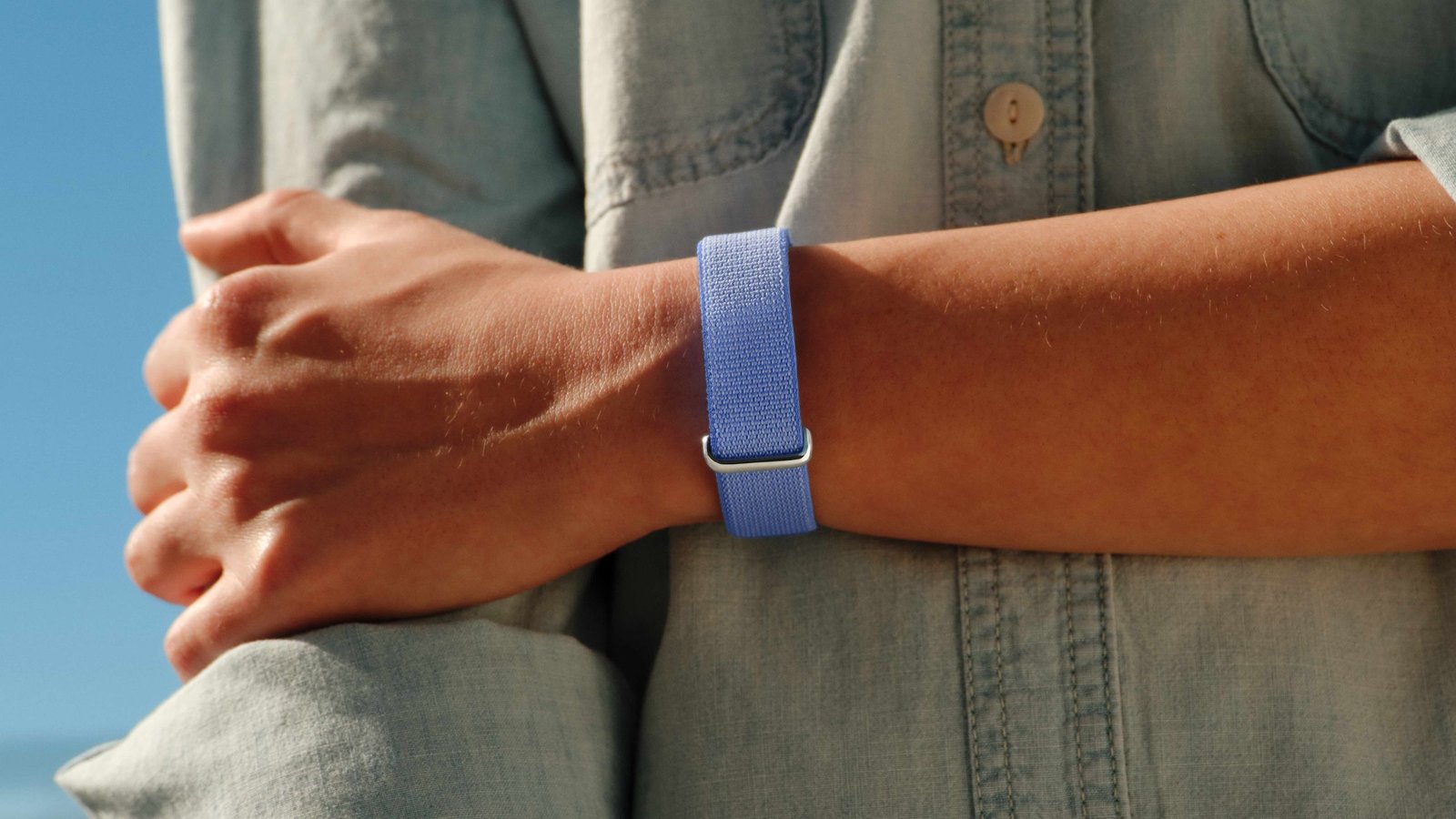
The Fitbit Air is a tiny tracking device that slots into swappable wristbands. The bands are available in Obsidian, Fog, Lavender, or Berry colorways, with a stainless steel buckle for easy adjustments. The tracker comes with a fabric Performance Loop Band, but there are optional silicone Active Bands and stylish Modern Bands sold separately. The idea is that Fitbit Air can be worn in any situation by simply changing out the band style, whether you’re getting ready for a run or heading to a dinner party.
Perhaps the best thing about the Fitbit Air is its versatility — it plays nice with both iOS and Android using the new Google Health app. You can subscribe to Google Health Premium for additional Google Health Coach insights in the app, too. It’ll also work with a Google Pixel Watch seamlessly. For the first time, you can pair multiple devices to the Google Health (formerly Fitbit) app simultaneously, switching between the wearables if you own both.
You may like
Latest Videos From
Here’s everything you need to know about the Fitbit Air, and whether it’s worth the $99 cost. You can pre-order it now, and it’ll be available May 26.
Everything the Google Fitbit Air can do
(Image credit: Google)
Since the Fitbit Air doesn’t have a screen, it’s not designed to provide real-time activity data or offer “smart” features like notifications. Instead, the Fitbit Air’s job is to passively collect health data, including automatically detected activities, that will be processed and presented in the Google Health app on a companion device. It doesn’t have an inbuilt GPS sensor — you’ll need to use your phone for that.
Now that we’ve got the limitations out of the way, it’s impressive what the Fitbit Air can do, considering its price point and size. The Fitbit Air has an optical heart rate sensor for 24/7 monitoring, plus red and infrared sensors for SpO2 blood-oxygen monitoring. It has a device temperature sensor that can be used to estimate skin temperature variation. Additionally, there’s a three-axis accelerometer, gyroscope, and vibration motor.
That’s quite the sensor suite for a minimalist health tracker. It enables features like irregular heart rhythm notifications, high and low heart rate notifications, heart-rate variability, and cardio load management. Fitbit Air also tracks basic metrics like steps, distance, and calories burned.
(Image credit: Google)
The Fitbit Air’s low profile makes it an excellent companion for sleep tracking. The wearable is just 8.3mm thick and 5.2 grams without the band attached. Throw on a band, and the Fitbit Air is still only 12 grams. If you’ve found smartwatches too thick and heavy to wear during workouts or sleep, something like the Fitbit Air could be the solution.
Speaking of sleep tracking, the health band supports a new Sleep Score feature that Google says is 15% more accurate thanks to a new machine learning model. Using the sensors and that vibration motor, Fitbit Air has a Smart Wake feature that wakes you up during the ideal portion of your sleep cycle.
Battery life is a key part of any wearable, and the Fitbit Air lasts a full week on a single charge. The wearable charges with a proprietary magnetic charger, but it works in any direction. All you need to do is drop the Fitbit Air on the magnetic charger, and a five-minute charge will give you an extra day of battery life. A full charge takes about 90 minutes.
What to read next
The Fitbit Air works with iOS, Android, and Pixel Watch
(Image credit: Google)
Google’s Fitbit Air isn’t an Android exclusive — it works with iPhones running iOS 16.4 or higher and most phones running Android 11 or newer. You need the Google Health app and a Google account, but it’s nice to see Fitbit Air debut as a crossplatform fitness tracker. More importantly, it’s a companion to the Google Pixel Watch rather than an alternative.
Historically, you could only pair one Pixel Watch or Fitbit device to a Fitbit app (now Google Health app) at a time. Using a multi-wearable solution to track daily activity or sleep wasn’t seamless. That changes with the new Google Health app, which supports connecting a Fitbit Air and Pixel Watch simultaneously. You can wear them both or switch between them, and the companion app won’t miss a beat.
The fresh app redesign supports device filtering, so you can view Fitbit Air and Pixel Watch data separately if you’d like.
Use Google Health Coach with the Health Premium subscription
(Image credit: Google)
The bulk of the Fitbit Air’s feature set is available with only a free Google account, but some features require a Google Health Premium subscription. This is the evolution of the Fitbit Premium service, and it costs $9.99 monthly or $99.99 yearly. Health Premium’s monthly subscription price is identical to Fitbit Premium pricing, but the annual cost is $20 more expensive.
The big advantage of subscribing is gaining access to the Google Health Coach (announced in preview as the Fitbit Health Coach last year). Essentially, this is an AI-powered coach that provides personalized tips and training plans using your health data. It’s a neat feature that continues to gain functionality, but I wouldn’t say Health Coach or Health Premium are required to use the Fitbit Air.
Android Central’s Take
I, for one, am through the moon about the Fitbit Air’s launch. I tested the Whoop 4.0 years ago, and while I loved the idea of a screenless fitness tracker, I didn’t love the high price and subscription-only model. It wasn’t something I’d pay for in perpetuity as a secondary device to whatever wearable is primarily on my wrist, whether that is an Apple Watch, Garmin, or Samsung Galaxy Watch.
I’m perhaps the target audience for the Fitbit Air. I don’t use a smartwatch daily anymore, despite buying the original Apple Watch over a decade ago. Now, I only put a smartwatch on specifically for workouts or sleep tracking. That said, I miss the constant fitness tracking and activity data. It’s a bummer when I realize I’ve walked miles and have no data to show for it (first-world problem, I know).
The Fitbit Air sounds like the perfect wearable for my needs. I can still use my Apple Watch Ultra for training runs and a Garmin for hiking or racing. However, I could also keep the Fitbit Air on to connect with both my Android phones and iPhone. When I’m not wearing another smartwatch, the Fitbit Air is a fallback that maintains a consistent data set — crucial for tracking long-term health trends.
Best of all, Google Health Premium is included for Google AI Pro and Ultra subscribers free-of-charge, and that’s a very pleasant surprise. I wouldn’t have paid for it separately, but it makes the $99 Fitbit Air and the $20/month Google AI Pro much more valuable together.
Slim fitness tracker
The Google Fitbit Air is a tiny, screenless fitness tracker designed to detect health data with 24/7 heart-rate monitoring. Battery life lasts a week, and a five-minute charge gets you another day of power. You can pick up swappable straps for as low as $35 each.
