

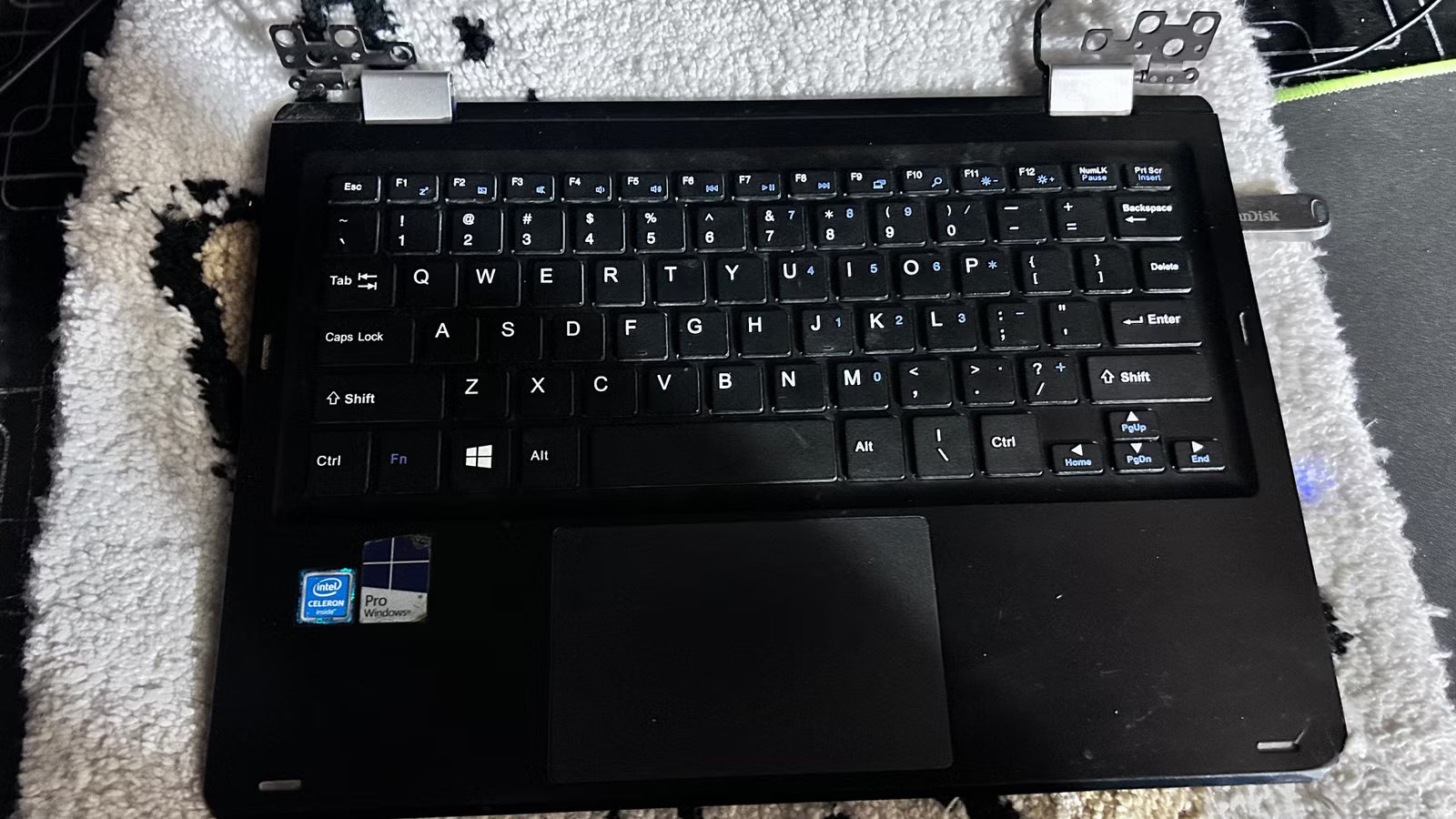
I have an old 11.6″ mini laptop that had been gathering dust because it couldn’t upgrade to Windows 11. I didn’t want to chuck it because I love its compact form factor. So I tried to save it with a lightweight Linux distro, and it worked, kind of. Even with Windows 10, its performance wasn’t that great.
This laptop almost ended up in the bin
I kept it because it was tiny and lightweight
It has a basic Intel Celeron chip inside (built for budget computers) and 4GB of memory. After a while, it started showing its age, despite the optimized Linux OS. It couldn’t open more than a couple of browser tabs without struggling. Eventually, its screen died too. It still wasn’t a paperweight though, because you could technically use it if you hooked it up to a monitor and peripherals. For me, that would’ve defeated the purpose because I was only keeping it for its slim, tiny frame. So into the storage drawer it went for a couple of years.
Last year, I started experimenting with self-hosting. At first, I tested the waters on my main desktop—spun up a few Docker containers and tested a few server operating systems inside virtual machines. I quickly realized just how useful (and fun) it would be to have a 24/7 server running.
I wanted something power efficient, so I was looking into a single-board computer like a Raspberry Pi. While researching Raspberry Pi computers, I came across an OS called DietPi. It’s a headless server OS (meaning it’s just a text-based console without a graphical interface) that boots quickly and barely consumes any RAM when idling. You can even install it on regular computers. That’s when I realized my mini laptop could be just right for this job.
What makes it a good server
It needs very little power, and it has built-in battery backup
Even though the laptop doesn’t have a working display, I would only ever use ssh to interact with it, once the server OS is set up. The missing display goes in the “pro” column in this case, because it lowers the power consumption even further. So I took it out of storage and tried booting it up. However, to my dismay, the SSD drive inside had died too.
Credit: Jordan Gloor / How-To Geek
At that point, I had a mini laptop with no working display and no working storage. Believe it or not, it could still be salvaged without repairs or replacements. Since DietPi is built for single-board computers which are designed to boot off microSD cards, all I had to do was insert a microSD card into the laptop (it has a dedicated slot for it!) and install DietPi on that microSD card.
Transforming it into my first home server
Ripped off the screen and got Docker running on it
So that’s exactly what I did. I made a bootable USB with DietPi on it and plugged it into the laptop, and plugged the laptop into a monitor. DietPi comes with a simplified text-based installer. It’ll automatically partition and install DietPi on the microSD.
During the setup process, you’ll see a tool called “dietpi-config,” which lets you adjust things like network settings, ssh logins, performance, autostart, and so on. It makes things a lot more convenient, especially if it’s your first time using a headless server environment. Once you’ve configured things to your liking, you just have to hit the “install” button and wait for it to reboot. I quickly tested that ssh was working and then unplugged my mini server from the monitor.
If you’re setting up a DietPi server like this, make sure you set a static IP address for it. Otherwise, you won’t be able to consistently remote into the DietPi or access hosted services on the same address.
The next step is getting some software installed on this tiny server. DietPi makes that super easy too. It has a text-based tool called dietpi-software that lets you bulk-install packages from the Dietpi library. These packages are optimized for Dietpi and the hardware it runs on. Compared to regular APT packages, you supposedly get better performance. At any rate, it saves you the trouble of manually configuring stuff like firewalls, ports, permissions, and users.
Here’s what it looks like today
Runs a handful of services comfortably
I mostly run Docker containers on the server anyway, so I installed Docker and Docker Compose using Dietpi-Software. Moved my containers over, and they’re running 24/7 on it. I have some four containers running on this laptop, as well as a reverse proxy and a tiny web server. I’ve not faced any overheating issues, power issues, or borked updates. The RAM usage typically stays under 1GB (I have about 4GB total.)
It’s been a few months since then, and I have not connected the laptop to a monitor since. I removed the back cover (for better cooling) and the screen, and plugged in the charging cable. It’s tucked under a desk and connected to Wi-Fi, so there are no cable management issues. Ethernet would be a better choice, but this mini laptop does not have an Ethernet port.
Docker constantly writes to the microSD card, which wears it out faster. So I plugged in a spare USB stick and moved the Docker containers there. It gave me extra storage, and it feels a little bit faster.
This is what you see when you ssh into this DietPi server. There’s a handy dietpi-update tool for updating everything. The dietpi-cleaner tool for clearing space and dietpi-services for managing systemd services.
Brand
Raspberry Pi
Storage
8GB
CPU
Cortex A7
Memory
8GB
This little machine can do a lot
I use this repurposed mini laptop to self-host a note-taking app, a workspace dashboard, a private web search engine, and a Bitwarden server. There’s still some headroom, so I might be able to squeeze in a couple more lightweight containers. I would also like to thank the Dietpi community for developing and maintaining this wonderful operating system for free.
