

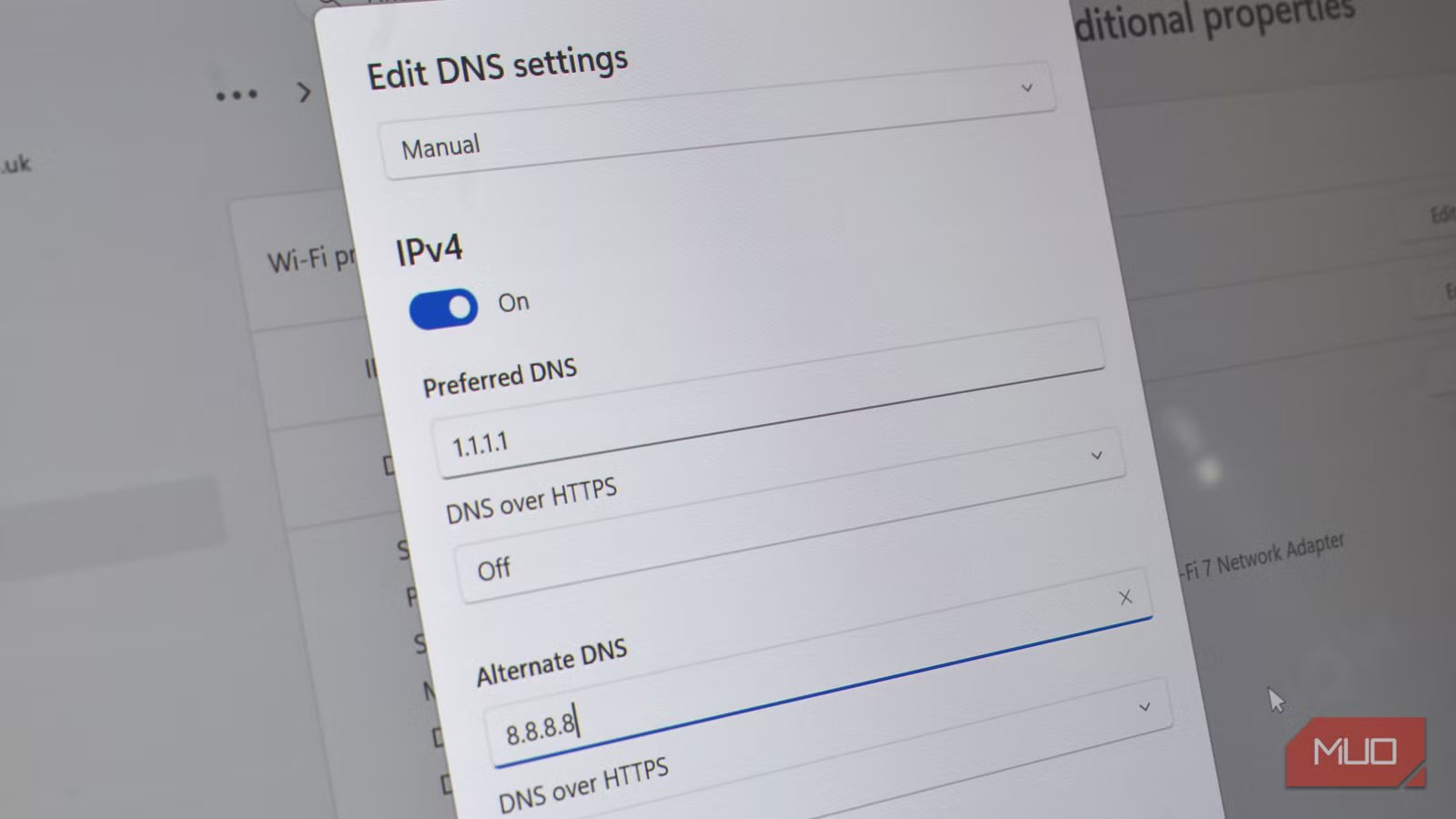
Google vs. Cloudflare. A clash of the titans, one for the memories, up there with the all-time greats. Or something like that, if Google and Cloudflare were MMA fighters or boxers.
But they’re not: they’re both DNS providers, and they both want your attention.
Switching your DNS resolver is one of those tweaks that gets recommended constantly. Change 8.8.8.8 to 1.1.1.1, they say, and your browsing gets faster. So I ran the actual numbers — and the speed story is almost completely irrelevant.
Related
I replaced my ISP’s DNS without touching my router and got faster, safer browsing
You’re probably using the wrong DNS and don’t know it.
What DNS does
And speed is always the key talking point
Afam Onyimadu / MUO
Every time you type a web address, your device needs to translate that human-readable domain into a numerical IP address before it can connect. That translation is handled by a DNS resolver, and by default, you’re using whatever your ISP provides, which is often slow, poorly maintained, and logs everything you do.
That’s why we constantly advise our readers to switch to an alternative DNS provider. You get more security, more privacy, and typically, faster internet, for free. What’s not to love?
Now, when it comes to DNS, there are many options, but two of the biggest and most popular are Google’s Public DNS 8.8.8.8 and Cloudflare’s 1.1.1.1.
These two public resolvers became massively popular because they’re both fast and free, and partly because ISP DNS just isn’t that great.
But at this point, the speed difference between the two, at least for me, is entirely negligible, to the point where it makes effectively zero difference. Both Google and Cloudflare run massive anycast networks with nodes distributed globally, meaning your query almost always hits a server that’s geographically close to you — and that’s exactly what my testing revealed.
8.8.8.8 vs. 1.1.1.1
How I tested Google and Cloudflare on my wired PC
Credit: Brady Snyder / MakeUseOf
I’m testing this on a wired connection on my Windows 10 PC, as I didn’t want my Wi-Fi connection to interfere with the results. I manually set the I manually set the DNS server in the network adapter settings to each resolver in turn, flushed the DNS cache between runs with ipconfig /flushdns, and used PowerShell to measure average resolution time across five domains:
$domains = @(“google.com”,”bbc.co.uk”,”reddit.com”,”amazon.com”,”github.com”) $times = $domains | ForEach-Object { (Measure-Command { Resolve-DnsName -Name $_ -ErrorAction SilentlyContinue }).TotalMilliseconds } $avg = [math]::Round(($times | Measure-Object -Average).Average, 1) Write-Host “Average: $avg ms”
I used those five domains to provide a representative average for some of the main sites I visit regularly, and using a single domain doesn’t really provide a proper indicator either.
The results are in
Which is the fastest DNS?
I ran the tests a few times, and the results are ridiculously close:
- Google Public DNS 8.8.8.8: 6.1ms average
- Cloudflare 1.1.1.1: 5.9ms average
You’ll never notice that 0.2ms difference; it’s impossible to tell at a human level. Note also that during my testing, the services swapped over but were always within a very fine margin of each other. From the UK, both resolvers have nearby infrastructure, and in practice, neither has a real edge over the other on raw speed. I’d expect very similar results in the US.
So, when you see benchmarks claiming Cloudflare is insanely fast compared to Google DNS, those results typically come from testing at scale across many global locations, where Cloudflare’s anycast network historically edged ahead. For any individual in a specific location, the difference ranges from negligible to non-existent.
These are my results, mind. I’ll caveat this by saying that your mileage will vary, and you have to do what’s right for you. But when it comes to Cloudflare vs. Google for me, there are other differences that help me decide.
Cloudflare vs. Google DNS
Privacy, features, and more
Google and Cloudflare have fundamentally different relationships with your DNS data — and since every site you visit generates a DNS query, that data is a detailed map of your browsing habits.
- Cloudflare 1.1.1.1: This DNS is built with privacy at its core, with commitments to not log your IP Address, sell your data, or use your DNS for ad targeting. Cloudflare’s core business is network infrastructure, not advertising — there’s no financial incentive to monetize what you’re querying.
- Google DNS 8.8.8.8: Google’s DNS is free to use, but it does use your data. At least, it uses it a bit; Google maintains that DNS isn’t used for ad targeting. As Google’s core business is advertising built on any data it can get its hands on, it’s harder to put trust in that basket.
If you’re already deep in the Google ecosystem and comfortable with that trade-off, 8.8.8.8 is a solid, reliable resolver. If you’d rather your DNS queries weren’t touching Google’s infrastructure at all, Cloudflare is the cleaner choice.
Features
That leads me to the next differentiator: features.
Both Cloudflare and Google Public DNS offer encrypted DNS. Basically, normally, your DNS requests are sent in plaintext, meaning that they could be intercepted and read, and your ISP, network provider, and so on, can all see exactly what you’re up to on the internet.
Encrypting your DNS requests (DNS-over-HTTPS) means that those prying eyes can no longer peek at what you’re up to. It’s a small change, but it’s worth making, especially given how easy setting up encrypted DNS is.
Cloudflare offers variant addresses for filtering: 1.1.1.2 blocks malware, and 1.1.1.3 blocks malware and adult content — useful if you want basic network-level filtering without installing anything. The 1.1.1.1 app for iOS and Android also bundles WARP, Cloudflare’s privacy-focused VPN layer, which routes your traffic through Cloudflare’s network on top of encrypted DNS.
Google’s offering leans more on reliability and ecosystem integration. 8.8.8.8 has been running since 2009, has an exceptional uptime track record, and supports Google’s broader infrastructure. If you’re running Google Workspace or heavily Google-integrated environments, it integrates cleanly.
So, what DNS provider should I use?
For most folks, Cloudflare’s 1.1.1.1 is the better option, even if you’re not particularly privacy-focused. Not that Cloudflare is an enormous boost to your privacy, but it’s more private than Google.
When it comes to it, though, both Google’s 8.8.8.8 and Cloudflare’s 1.1.1.1 DNS are both fast, reliable, and an actual upgrade over most ISP resolvers. For me, the speed factor isn’t worth considering, given how insanely tight the numbers were. But for others, that could be more significant, so I suggest you run your own test using the PowerShell command provided above.
Related
I didn’t believe this tiny tweak would actually speed up my internet
Don’t expect magically faster speeds, but it’s worth making this tweak for the incremental speed boosts.
