

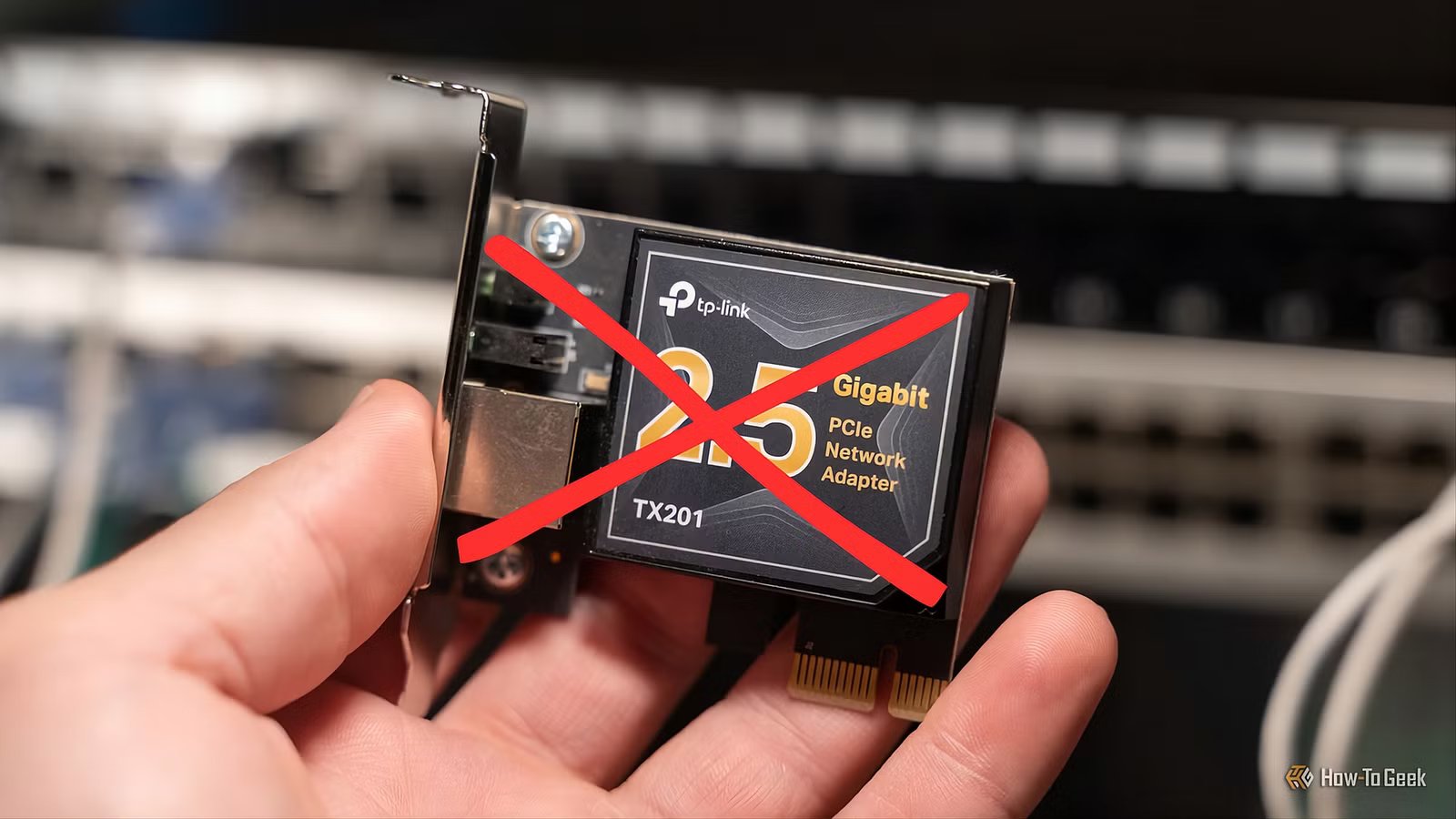
Gigabit Ethernet was introduced in 1999, which is why it sometimes gets a lot of flak. But just because it’s a 27-year-old standard doesn’t mean it’s outdated or obsolete. For most people, there’s little need for 2.5-gigabit Ethernet. Here’s why.
Your internet won’t see a boost from more than a gigabit
The vast majority of internet plans top out well below 1Gbps. If you have a 1Gbps plan or lower, you won’t see any benefits from using 2.5GbE (2.5-gigabit Ethernet) whatsoever.
Well, technically speaking, most ISPs overprovision to provide some overhead, so you could be paying for 1Gbps but end up with up to 1.2Gbps if you’re lucky, in which case you would lose out on that extra speed if you want maximum download speeds on your PC—though if someone else is using your Wi-Fi network, they could easily consume that overhead.
Credit: Jordan Gloor / How-To Geek
However, not many people have 1Gbps plans. The average download speed in the US is 214Mbps, so even at four times that speed, you’re still not fully saturating 1Gbps Ethernet.
So, if your goal is to improve internet speeds by upgrading to a faster Ethernet standard like 2.5GbE, you can forget about it. The “ancient” 1GbE standard is still more than enough for everyday use, and it’s far from being fully saturated.
A gigabit Ethernet connection easily handles everyday data transfers
What you actually get from Ethernet speeds above 1Gbps isn’t faster internet—it’s faster local networking. 2.5GbE (or faster) enables quicker file transfers between your PC and NAS or multiple PCs, smoother local streaming, and similar workloads. Self-hosting is becoming more popular, so for some users, that can be a valid reason to upgrade their Ethernet.
For example, if you’re downloading a game from Steam and another PC on your network already has it installed, Steam can transfer the files directly from one PC to another, completely bypassing your internet connection.
This can significantly reduce the time it takes to install a large game. At a theoretical maximum of 312.5MB/s, 2.5GbE can transfer a 100GB-plus title like Forza Horizon 5 in roughly six to seven minutes, while a 1GbE connection takes closer to 16 minutes.
However, the real question is how often transfers like this actually happen. Unless you’re a YouTuber moving hundreds of gigabytes of raw 4K footage on a weekly basis, the real-world time savings are likely less than an hour per month, if that.
Credit: Corbin Davenport / How-To Geek
By the way, if you’re transferring lots of smaller files instead of a single large one, the benefits of 2.5GbE are even smaller due to other limiting factors, like storage speed.
Another argument I often hear comes from people who self-host Jellyfin or Plex media servers. While a typical 4K streaming service like Netflix only requires around 15–25Mbps for smooth 4K playback, full-quality 4K Blu-ray can reach much higher bitrates, with a theoretical maximum of about 144Mbps.
Even so, unless you’re actively streaming five or more 4K Blu-ray movies to different devices at the same time, you’re unlikely to come anywhere close to saturating gigabit Ethernet.
On top of that, most 4K Blu-ray rips average far below the maximum bitrate, and compressed versions use far less bandwidth.
Related
Why Gigabit Ethernet is no longer enough for the modern home
Your home network speed is becoming obsolete
Fast local transfers require upgrading every link in the chain
Credit: Patrick Campanale / How-To Geek
The real “problem” when upgrading your home network from 1GbE to 2.5GbE is that buying a compatible router or switch is just the start. Every other link in the chain also has to support 2.5GbE before you can actually take advantage of it.
This isn’t always difficult, as many modern motherboards, particularly gaming boards, come with 2.5GbE ports by default, and 2.5GbE NAS enclosures are fairly common.
If you’re using an older PC or a budget system without a compatible Ethernet port, you’ll need to add support with a 2.5GbE PCIe network card or a USB-C to Ethernet adapter, which adds to the total cost. And that’s assuming your system even has space for a PCIe card or a free USB-C port.
The trickiest upgrade might be your Ethernet cables. If your home hasn’t been renovated since the 90s or early 2000s, there’s a chance you still have Cat5 cabling, whereas 2.5GbE requires at least Cat5e or Cat6 if the cable runs exceed 100m (328ft).
All told, upgrading your home network from 1GbE to 2.5GbE could cost well over $100. Unless you’re transferring massive files on a weekly basis, that probably isn’t money well spent.
Theoretically, if you just want a single 2.5GbE link between two PCs or between a PC and a NAS, you could bypass a new switch or router using separate network adapters and the right setup, but a switch makes things easier.
I’ve focused on 2.5GbE here because it’s the next logical step up from 1GbE. If you were to jump all the way to a blazing-fast standard like 10GbE, the prices would skyrocket!
Related
This Is the Best $49 I’ve Spent on My Homelab
Who knew small upgrades could have such a big impact?
Wi-Fi is the real bottleneck in most homes
Let’s be honest: most of our devices aren’t even connected via Ethernet cables. Instead of trying to improve the already fast wired connection between your PCs and your NAS, you’re often better off focusing on upgrading your Wi-Fi instead.
Credit: Justin Duino / How-To Geek
Wi-Fi 6, and especially tri-band Wi-Fi 7 routers, offer a substantial bandwidth boost over older Wi-Fi 5 hardware. Wi-Fi 5 has a theoretical maximum bandwidth of 3.5Gbps across multiple channels, which is dwarfed by Wi-Fi 6’s 9.6Gbps and Wi-Fi 7’s 46Gbps.
While real-world speeds never come close to those figures, you still gain more usable bandwidth, along with a host of generational improvements in performance, efficiency, security, and signal handling. In any case, a router upgrade is a much wiser investment than an Ethernet upgrade.
