

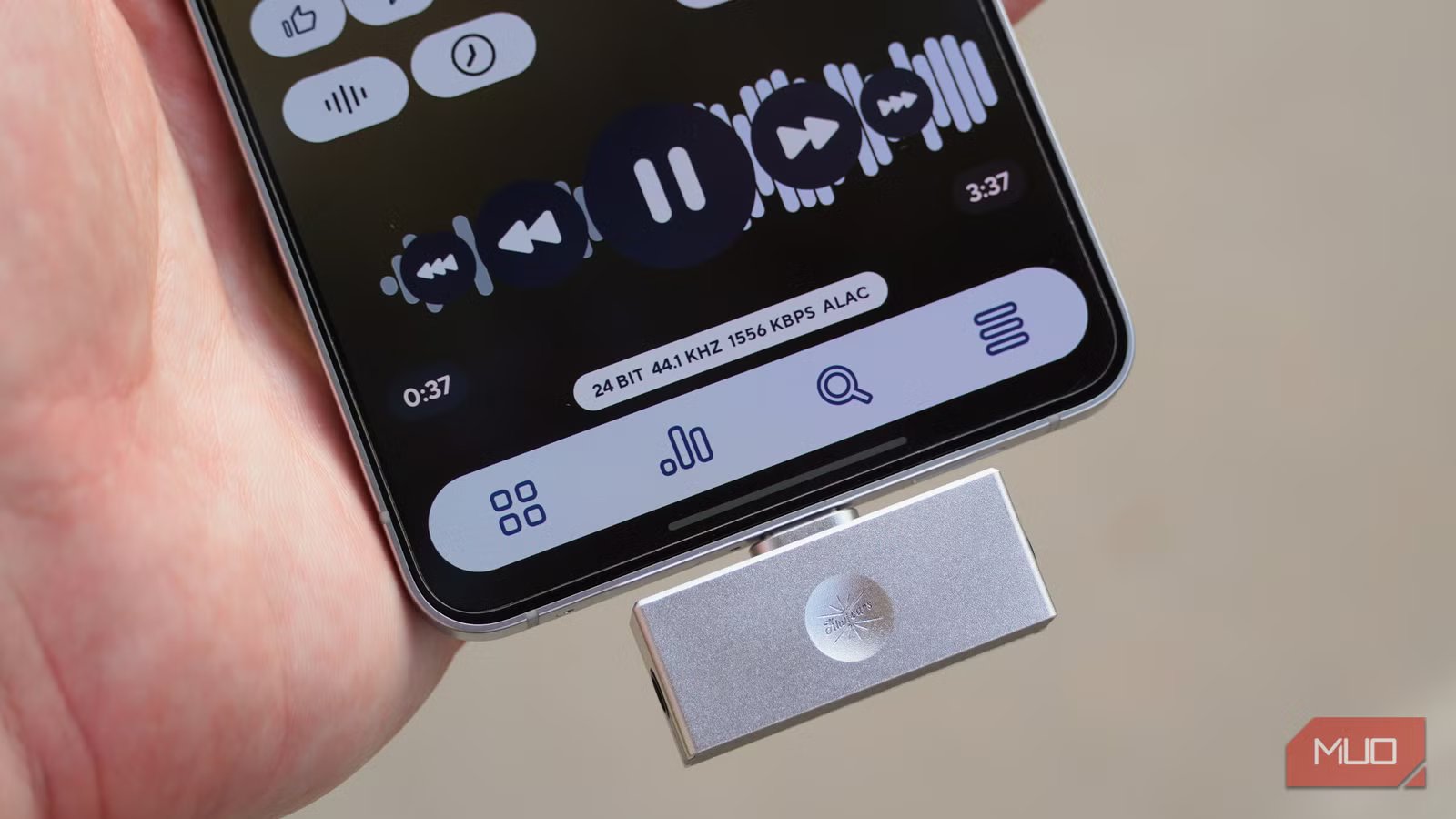
For the casual music listener, certain audiophile terms have a connotation that might not accurately reflect their true meaning. You hear the term “lossless” and immediately think of a high-fidelity listening experience. Seeing that an audio file is “compressed” might make you think that it’s available at a lower quality than the lossless file. In actuality, compression is merely a method of reducing file sizes by getting rid of redundant data. It has little to do with the quality of the data compressed, since lossless compression techniques allow the original data to be perfectly restored.
The only major uncompressed audio format used for music listening is WAV (Waveform Audio File Format). However, that doesn’t mean WAV is any better or more detailed than the Free Lossless Audio Codec (FLAC) or the Apple Lossless Audio Codec (ALAC). Both of those formats are lossless, but compressed, offering true fidelity at roughly half the size of a WAV file. It’s a big misconception that compression in itself is a bad thing — here’s how lossless files are compressed, how they compare to lossy files, and why you actually want compressed lossless audio codecs.
Related
Don’t bother with Spotify Lossless unless you do this first
It’s not as simple as just firing up Spotify Lossless making your music magically better.
“Lossless” and “compressed” aren’t opposites
Your favorite lossless audio formats are, in fact, compressed
“Lossless audio” is a relatively vague moniker that doesn’t tell you a lot about an audio file or how your hardware plays it. The benchmark for lossless audio is usually based on the quality of a CD. CDs are encoded at 16-bit, 44.1kHz and audio files at or above this bit depth and sample rate are considered lossless.
For instance, Spotify’s lossless files are available in up to 16-bit or 24-bit, 44.1kHz quality. These files meet the standard for lossless audio. Tidal, Apple Music, and Amazon Music all offer files in up to 24-bit, 192kHz quality — these are still described as lossless, even if they offer a higher bit depth and sample rate than CD-quality files.
This is not to say that you need to listen to audio files encoded as 24-bit or 192kHz, but rather, to emphasize that “lossless” is not a granular term. It simply means no original data is lost compared to the original file, and lets you know a recording is encoded at or above CD quality. It doesn’t tell you the audio format, bit depth, or sample rate of a particular file.
It also isn’t a perfect term for describing how human ears will perceive a file’s playback. The delivery of the audio file is crucial, too. It should be a bit-perfect delivery, which simply means audio data is transmitted to a digital-to-analog converter (DAC) without things like unsampling or reprocessing. For example, Bluetooth audio is not bit-perfect because lossless files are re-compressed to account for the bitrate limitations of wireless streaming. In other words, a lossless audio file isn’t as useful if Android is downsampling it and Bluetooth is re-compressing it before the sound reaches your ears.
Finally, the term lossless audio is wrongly associated with uncompressed files. Depending on the format used — which the word “lossless” doesn’t tell you — a lossless audio file could be compressed or uncompressed.
Related
This audio format is actually better than lossless
Lossless formats like ALAC and FLAC grab headlines, but AAC is the best audio format for most everyday listeners.
The difference between lossy and lossless compression
Lossless compression techniques allow the files to be fully restored
Most audio file formats use compression techniques to make their file sizes more manageable. Yes, lossless files are larger than their lossy counterparts, because they have more data to store. However, compressed formats like FLAC or ALAC would be even bigger if they didn’t use compression at all. If you need proof, try storing your music collection in WAV — a three-minute song in that uncompressed format is usually between 30MB or 50MB in size. Compression is absolutely necessary to store lossless audio files without spending a fortune on storage devices or using a ton of streaming bandwidth.
When people think of compression, lossy compression usually comes to mind, and that explains the misconception. Formats like AAC, SBC, and MP3 all use lossy compression to reduce file sizes. However, they achieve smaller file sizes by permanently eliminating data. This data is referred to as “non-essential,” and that’s why you can still hear a song perfectly fine with an MP3 file. It simply won’t have the same level of detail as a lossless file.
Critically, compressed lossless files don’t permanently erase any data. Similarly to how a ZIP file works, lossless compression shrinks file sizes in ways that allow the files to be perfectly reconstructed upon playback. This means that a compressed FLAC or ALAC file will match an uncompressed WAV file with all the original quality.
There’s an easy way to test this for yourself. Take a CD and rip it in FLAC and WAV formats separately. Then, convert the FLAC file into a WAV file. Your once-compressed FLAC file that you converted into WAV will match the WAV file you ripped directly from the CD. Despite the compression, the two files will be identical, proving that lossless compression discards zero data. It’s a completely reversible process.
Related
The easiest way to rip lossless audio from CDs isn’t software — it’s this accessory
Forget iTunes or Exact Audio Copy, this portable CD player handles ripping by itself.
FLAC and ALAC are just as good as WAV
Don’t let the word “compression” scare you
Image Credit: Jhet BorjaImage Credit: Jhet Borja
The term “lossless audio” is just a snapshot of a file’s audio quality. Similarly to terms like “hi-res audio” or “CD-quality,” it’s just a baseline that tells you a file has at least a 16-bit depth and a 44.1kHz sampling rate. It has nothing to do with compression, because compressed audio files can still be lossless, provided no information is lost during the compression process. As such, FLAC and ALAC are great file formats that provide lossless quality at smaller file sizes than WAV files.
This also explains why lossless formats are better than lossy ones, because the latter permanently discard audio data for the sake of file size. Since lossless files can be a waste if they are resampled or compressed during the delivery (playback) process, this is an important reminder to look past terms like “lossless” or “hi-res.” Instead, consider your gear and how your files will be played before choosing a lossless or lossy file format. And, make sure terms like “compression” don’t scare you away from lossless files with manageable sizes.
