

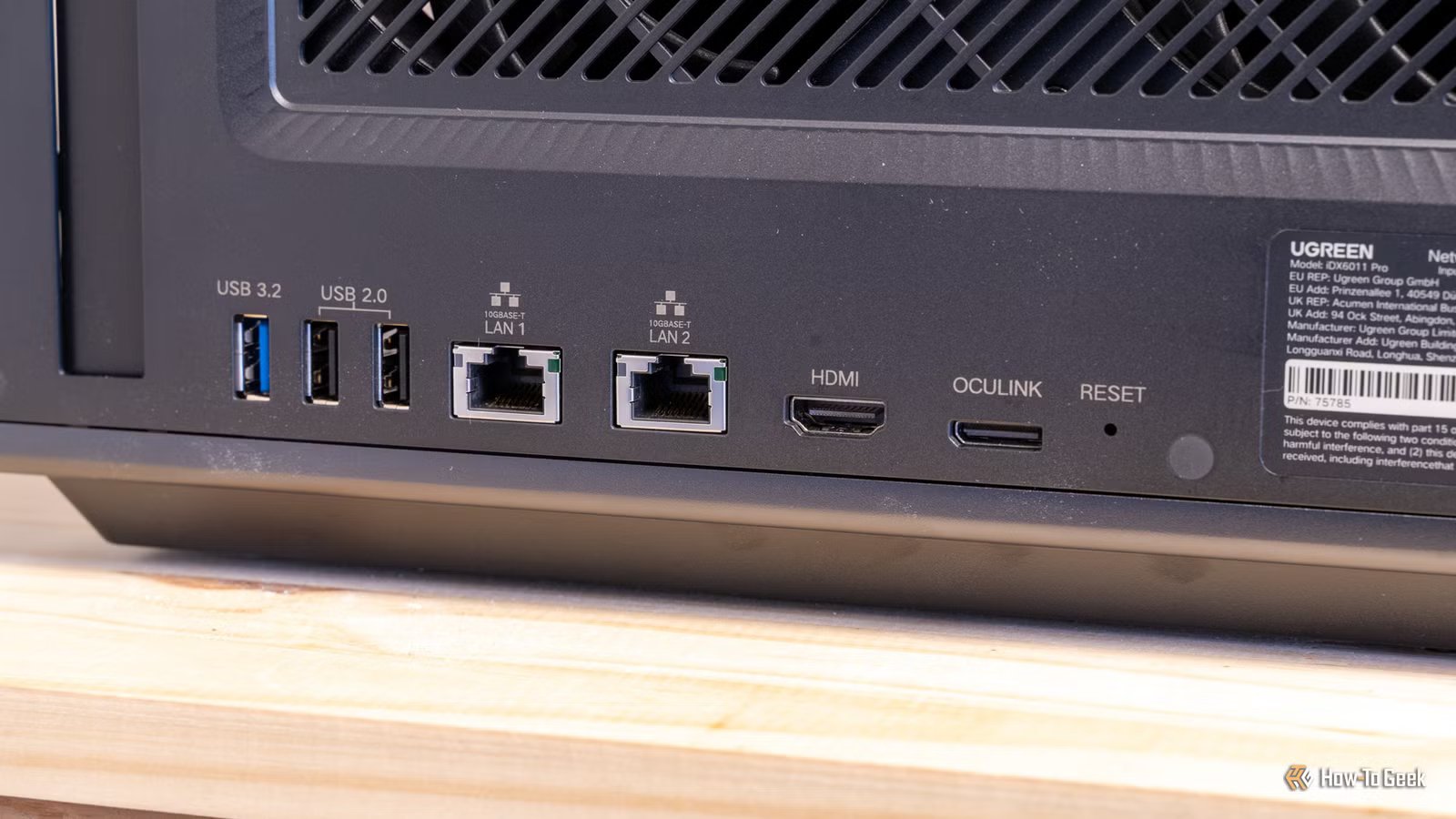
While multi-gig WAN (wide area network, your connection to the outside world) sounds great, it’s entirely unnecessary right now, at least, for getting multi-gig speeds on your LAN. A LAN is a local area network, and you can easily achieve multi-gig speeds using various other methods instead of replacing your router. In fact, replacing your router is the most expensive way to achieve 2.5GbE speeds on your LAN.
A 2.5GbE router is only necessary for multi-gig internet
You don’t need a multi-gig WAN to enjoy multi-gig LAN
Credit: Patrick Campanale / How-To Geek
You might think that you need to upgrade your router to upgrade your networking speed—and you’re partially right. Routers are the default way that we access the internet, and also the default way that we access our local network.
The thing is, a router isn’t the only way for devices on your local network to talk to each other. The router handles handing out IP addresses (typically), but network switches are the real backbone of any network.
While routers with 2.5GbE are definitely becoming more common, they’re not necessary at all for multi-gig connections to your NAS. Instead, here are two other ways that you can achieve 2.5GbE connections with your computer and NAS.
Quiz8 Questions · Test Your Knowledge
Unique and creative DIY NAS setups
Trivia challenge
From old laptops to dusty routers — find out how well you know the wild world of homemade network storage.
HardwareNetworkingSoftwareDIY BuildsStorage
Begin
Which major advantage makes an old laptop a surprisingly good candidate for a DIY NAS build?
ALaptops have more PCIe slots than desktopsBLaptops have a built-in UPS in the form of their batteryCLaptops natively support 10GbE networkingDLaptops use ECC RAM by default
Correct! A laptop’s built-in battery acts like a mini UPS (uninterruptible power supply), protecting your data from sudden power outages. This is a significant perk that desktop-based NAS builds don’t get for free.
Not quite. The big hidden advantage of a laptop NAS is its built-in battery, which functions as a natural UPS. This keeps the system running briefly during power cuts, protecting data integrity without any extra hardware.
Continue
Which open-source firmware is most commonly flashed onto compatible routers to enable NAS-like USB storage sharing features?
ApfSenseBOpenWrtCFreeNASDTrueNAS Core
Correct! OpenWrt is a Linux-based open-source firmware that replaces stock router firmware and adds powerful features, including USB storage sharing via Samba or NFS, turning a basic router into a lightweight NAS.
Not quite. OpenWrt is the go-to open-source firmware for repurposing routers. Once flashed, it supports USB drives connected to the router’s USB port, enabling basic NAS functionality like Samba file sharing on a very small budget.
Continue
Which NAS operating system is specifically designed to run well on low-power ARM-based single-board computers like the Raspberry Pi?
ATrueNAS ScaleBUnraidCOpenMediaVaultDWindows Server Essentials
Correct! OpenMediaVault (OMV) is a Debian-based NAS OS that supports ARM architectures, making it a popular choice for Raspberry Pi NAS builds. It’s lightweight, free, and has a web-based GUI that simplifies setup.
Not quite. OpenMediaVault is the answer. Unlike TrueNAS or Unraid, OMV is optimized to run on ARM processors, which is why it’s the community favorite for Raspberry Pi-powered NAS projects.
Continue
When building a NAS using a Raspberry Pi, what is the most common bottleneck that limits file transfer speeds?
AThe Pi’s CPU clock speedBThe shared USB and Ethernet bus on older Pi modelsCThe lack of HDMI outputDThe Pi’s inability to run ext4 file systems
Correct! On older Raspberry Pi models (prior to the Pi 4), both the USB ports and the Ethernet port shared the same USB 2.0 bus, creating a significant bottleneck when transferring data between network and storage simultaneously.
Not quite. The real culprit on older Raspberry Pi models is the shared USB and Ethernet bus. Because both the network adapter and USB storage competed for the same bandwidth, real-world NAS speeds were often far below what the hardware theoretically promised.
Continue
What is a ‘Franken-NAS’ commonly referred to in DIY storage communities?
AA NAS built exclusively from server-grade rack hardwareBA NAS assembled from mismatched salvaged or repurposed parts from multiple old machinesCA NAS that uses a cloud backup service as its primary storageDA commercial NAS device with its firmware replaced
Correct! A ‘Franken-NAS’ is a beloved DIY term for a NAS cobbled together from spare and salvaged parts — old desktop cases, mixed hard drives, and recycled motherboards all stitched together into one functional (if ugly) storage machine.
Not quite. A Franken-NAS refers to a storage build assembled from mismatched, salvaged components — think old desktop parts, second-hand drives, and whatever case happens to fit. It’s a badge of honor in the DIY NAS community.
Continue
Which RAID level is recommended for a small 2-drive DIY NAS that prioritizes data redundancy over total storage capacity?
ARAID 0BRAID 5CRAID 1DRAID 6
Correct! RAID 1 mirrors data identically across two drives, meaning if one drive fails, your data survives on the other. It cuts your total usable capacity in half but provides simple, reliable redundancy — perfect for a two-drive home NAS.
Not quite. RAID 1 is the right answer for a two-drive redundancy setup. RAID 0 stripes data for speed but has zero redundancy, and RAID 5 or 6 require three or more drives. RAID 1 mirrors your data across both drives for straightforward protection.
Continue
What protocol do most DIY NAS builders configure to allow Windows PCs on the local network to browse shared folders like a network drive?
AFTPBSamba (SMB)CSFTPDWebDAV
Correct! Samba implements the SMB (Server Message Block) protocol on Linux and Unix systems, enabling seamless file sharing with Windows machines. It’s the standard choice for home NAS builds because Windows natively understands SMB shares.
Not quite. Samba, which uses the SMB protocol, is the standard answer here. It allows Linux-based NAS systems to present their shares in a way Windows PCs understand natively, so you can map them as network drives without any extra client software.
Continue
Which low-power x86 platform became extremely popular for DIY NAS and home server builds due to its fanless design and efficient Intel Atom or Celeron processors?
AIntel NUCBODROID-N2CTopton/Cwwk mini PC N100 boardsDHP ProLiant DL380
Correct! Compact Chinese-manufactured mini PC boards from brands like Topton and Cwwk, featuring Intel’s N100 or N5105 processors, became hugely popular in the DIY NAS community around 2022–2024. They offer multiple 2.5GbE ports, low power draw, and multiple SATA connections at a very low price.
Not quite. The Topton and Cwwk N100-based mini PC motherboards became a community favorite for budget DIY NAS builds. They pack multiple Ethernet ports, SATA connections, and efficient modern CPUs into a tiny, affordable package that traditional options couldn’t match at the price.
See My Score
Challenge Complete
Your Score
/ 8
Thanks for playing!
Try Again
You don’t even need a switch to use 2.5GbE on your NAS
A direct connection from your PC to the NAS is all that’s required
To start with, you can actually achieve a multi-gig connection by plugging your computer directly into your NAS. Simply connect both devices via an Ethernet cable and you’ll create what’s called a direct connection using a link local address. This means that the computer and NAS will negotiate an IP address with each other, no switch or router needed.
This is honestly the simplest way to achieve a multi-gig connection between your NAS and computer. Many desktops and NAS systems these days ship with 2.5GbE networking onboard, and, if not, it’s fairly cheap to add it. I’ve purchased $15 PCIe adapters that added 2.5GbE to my computers, and I’ve also picked up $30 USB adapters to add 2.5GbE to systems.
Something to keep in mind when doing a connection like this, however, is that you will need to provide internet access to the systems separately, as the Ethernet connection between the devices is just a local connection.
So, if you just have a NAS plugged up directly to your computer, that NAS won’t have any external network access for other devices on the network to see or use it. Likewise, if you don’t have your computer on Wi-Fi or plugged up via another network interface, it won’t have any external internet access.
Brand
Plugable
Connection
USB-C/A
Price
29
Plugable’s universal plug-and-play USB-C/A 2.5G Ethernet adapter brings multi-gig networking to any computer you plug it into. Compatible with macOS, Windows, ChromeOS, and even iOS, this Ethernet adapter is perfect for adding Ethernet to a computer that doesn’t have it, or simply upgrading your system with multi-gig networking. It also is compatible with everything from Thunderbolt 5 all the way down to standard USB 3.0.
A 2.5GbE switch is the ideal solution
It provides both internet and LAN access easily
Credit: Patrick Campanale / How-To Geek
While you can directly connect a computer and NAS together over Ethernet, that’s not the optimal solution. Instead, buying a proper multi-gig switch is the route that I typically recommend people go. Having a multi-gig switch means that you can connect more than one device at multi-gig speeds, and also link those devices into the greater local network.
This is the route that I started out with and still the method I use today. I picked up the Unifi Flex Mini 2.5G switch for $49 over a year ago and have loved using it ever since. Sense it’s a full-on network switch, I have one cable going to my main router, which gives all of the devices on the switch access to the internet and the rest of my network at the same time.
This allows me to just have one Ethernet cable going from the switch to each NAS on it as well as my laptop and desktop, providing multi-gig access to my files for just $49. Eventually, I’ll expand my network to have a larger 2.5GbE switch (or possibly 10GbE), but, until then, the small Unifi Flex Mini 2.5G is a fantastic solution for me.
Multi-gig networking is basically a necessity for modern network transfers
You might be thinking to yourself that you don’t actually need a multi-gig network for your NAS—and you’re partially right. It’s definitely not needed to use a NAS, but it should be. Standard file transfers on gigabit networking is slow given how large of files we move in 2026.
Here’s the breakdown: if it takes you an hour to move files on a gigabit network, it should only take about 24 minutes to move the same amount of files on a 2.5GbE network. A transfer that takes 10 minutes will only take 4 minutes.
Using a normal gigabit network with my NAS really limited its use cases for me, but when I went to 2.5GbE, everything changed, and it made my NAS so much more usable.
