

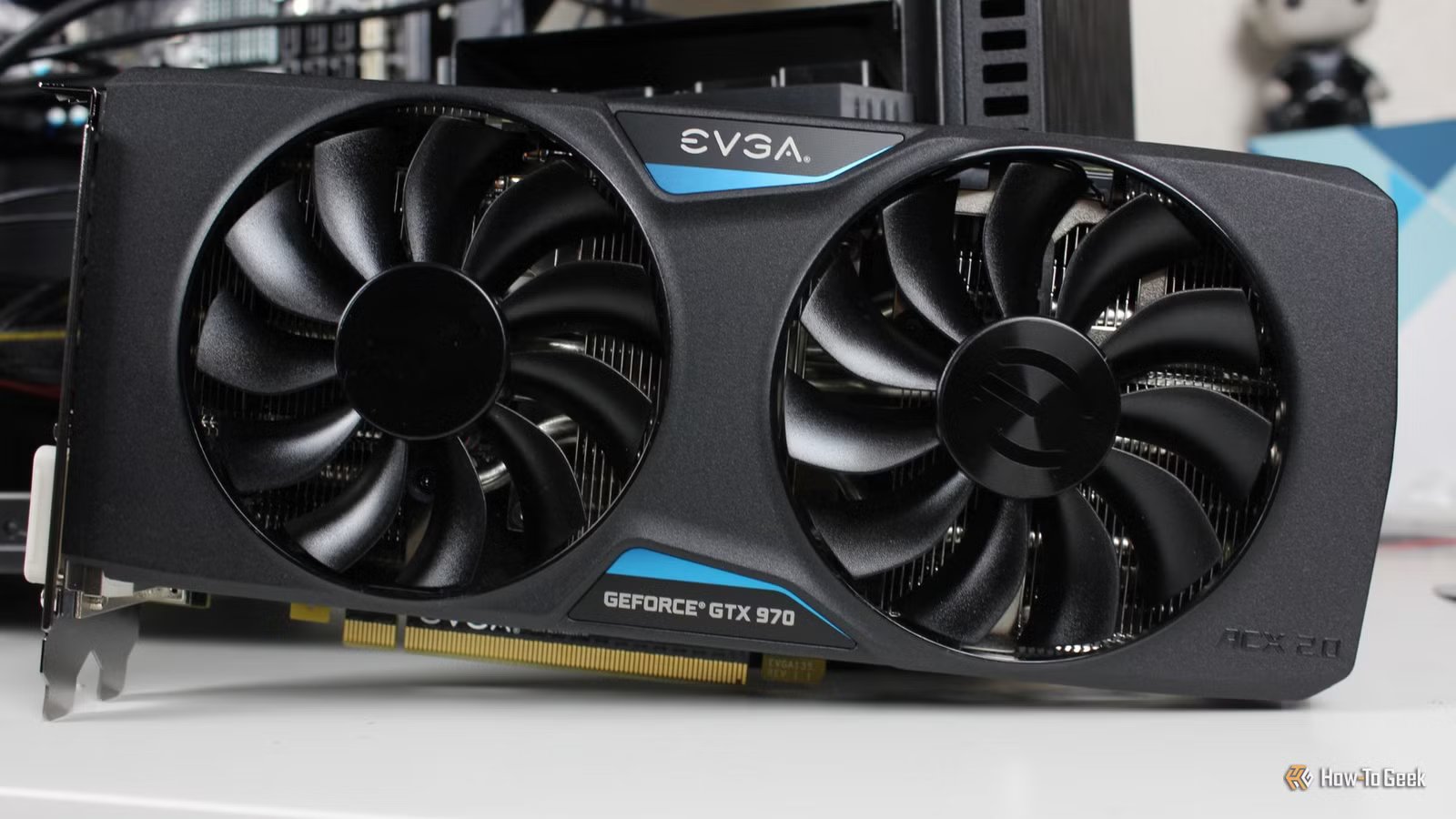
The thought of dual-GPU setups brings many of us back to the era of SLI and Crossfire, when such setups were a bit more common. They still weren’t everywhere—it was definitely more of a cutting-edge thing—but they were what most gamers yearned for. Those solutions are now irrelevant, but using two GPUs at once is far from forgotten.
Why dual GPUs are still relevant in 2026
They’re relevant in a whole new way
First, a little blast from the past. SLI and Crossfire worked by trying to split a single game’s rendering across two cards. Those dual GPU setups were what gamers, myself included, daydreamed about. But the whole idea of it was fragile, and modern tech has long since moved on.
But, what does still work (and arguably is a lot more useful) is workload separation. Instead of putting two GPUs on the exact same job, you can run two GPUs and have each do its own thing. This gives both graphics cards more room to perform well at their assigned tasks, unlocking a new level of performance for each.
This can mean that your main GPU (the better one) is focused on the more resource-heavy or important task, and the second GPU handles side tasks that would otherwise slow the main one down. Recording, encoding, AI inference, extra displays, and even frame generation all fit the bill here.
The best part of this setup is that you don’t need two identical GPUs. Even old graphics cards like the Nvidia GTX 1060 can be used as a secondary graphics card with a lot of success. Of course, everything depends on the use case and the tool.
Ways to use dual GPUs to boost your PC
It’s not all about gaming, but some of it is
Credit: Ismar Hrnjicevic / How-To Geek
Frame gen and upscaling via Lossless Scaling are two of the most popular dual-GPU use cases for gamers, but they’re far from the only thing. Let’s dig into what you can do if you get yourself a second GPU.
1. Offload recording and streaming
Credit: Patrick Campanale / How-To Geek
These days, gaming alone is quite heavy on the GPU, and modern games are often poorly optimized for a mainstream rig. 8GB VRAM is far from enough, so forcing one GPU to handle everything, from gaming to recording or streaming and watching videos, is a lot. Your render workload and your capture workload are competing for the same finite pool of resources. Yes, modern GPUs have dedicated hardware encoders, but encoding still needs frames to be buffered and processed, and that’s a lot to handle.
A second GPU is an easy win in this scenario. Let your main GPU handle rendering (the game) and let the second one take over the streaming or recording. In practice, that means your game is less likely to hitch, and you can hope for better fps.
2. Run displays on the second GPU
Credit: Jordan Gloor/How-To Geek
As I was upgrading my PC a couple of years ago, one of my concerns was whether my new GPU would be able to handle not one, but two or three monitors at my chosen 1440p resolution. Running an extra high-resolution display is a lot of work for one GPU, which is why games can get choppy if you’re also running a lot of other apps on your second display at the same time.
If you move your displays to a second GPU, your main GPU can focus on the task at hand. This leaves the secondary GPU to handle your second monitor, browser tabs, and videos. For someone who loves to relax with a combination of gaming and Netflix at the same time, it’s a tempting option.
3. Run Stable Diffusion and other AI tools
Credit: Lucas Gouveia/How-To Geek
It’s no secret that GPUs and AI workflows go hand in hand. (As does RAM, apparently, if the RAM-pocalypse is anything to go by.) Unless you have a truly expensive GPU, running AI-related tasks, such as a local LLM, an AI upscaler, or Stable Diffusion, can be taxing. You might be stuck with the GPU at 100% utilization for ages.
A second GPU can help fix that, replacing that extremely overpriced RTX 5090 with a pair of less ridiculous graphics cards. It’ll turn AI into a separate lane, letting you run your creative app or game on the main GPU, and dedicating the second GPU to AI inference.
This means that running AI tasks won’t drag everything else down with it, but the secondary GPU does need to be powerful enough to handle that type of thing in the first place. However, even a weaker spare GPU can still be useful for lighter jobs.
4. Use the second GPU as a dedicated transcode/export engine
Credit: Hannah Stryker / How-To Geek
Anyone who dabbles in video work knows that it’s a real PC performance killer, and it’s not like you’re dealing with one single task. Even when you’re not actively editing, you’re probably exporting clips, transcoding footage into something easier to scrub, converting recordings, or compressing files. And while you’re doing that, your GPU is probably dry-heaving from exhaustion, so it doesn’t have much in the way of resources to do anything else.
This is where that second GPU shines as a dedicated encode mule. Your main GPU handles the interactive stuff, meaning things you’re actively doing, and transcoding and exports are pushed onto GPU #2.
This is also a great use case for an older GPU, because you don’t really need cutting-edge raster performance. You just have to check whether your aged GPU supports the codec and the encoder you want to use.
5. Offload frame generation and upscaling with Lossless Scaling
Credit: Ismar Hrnjicevic / How-To Geek
Lossless Scaling is one of the things that makes dual-GPU fans who are gamers exclaim, “We’re so back.” It’s one of a short list of tools that can make such a setup feel instantly useful for gaming.
As you probably know, vendor-specific tech like Nvidia DLSS, AMD FSR, and Intel XeSS is great, but it’s also limited. Not all games support it, and even those that do will only use a single GPU to handle all that frame gen and upscaling.
But with Lossless Scaling, you can run frame gen and upscaling universally, regardless of game and GPU vendor. And then you can push all that LS work onto your second GPU, saving resources on the main graphics card, winning yourself some frame rates.
This is only the beginning
A lot can be achieved with two GPUs
Credit: Ismar Hrnjicevic / How-To Geek
Are dual-GPU setups going to become mainstream in the next few years? I highly doubt it. You need to consider many factors before jumping in; you’ll need a free PCIe slot, a beefy PSU, and enough airflow to keep two cards from setting your entire PC on fire. You’ll also want to be realistic about what you’re gaining, because while having two GPUs can be an amazing upgrade, it’s only useful if you have a plan for it.
Still, if you already have an older card lying around, it’s worth experimenting. It’s not about bragging rights like it was in the days of SLI, it’s more about solving a specific problem.
Graphics RAM Size
12GB
Brand
ASUS
The RTX 5070 went up in price, but you can still score a decent deal on it if you shop around. This GPU will make a solid daily driver for most users.
