

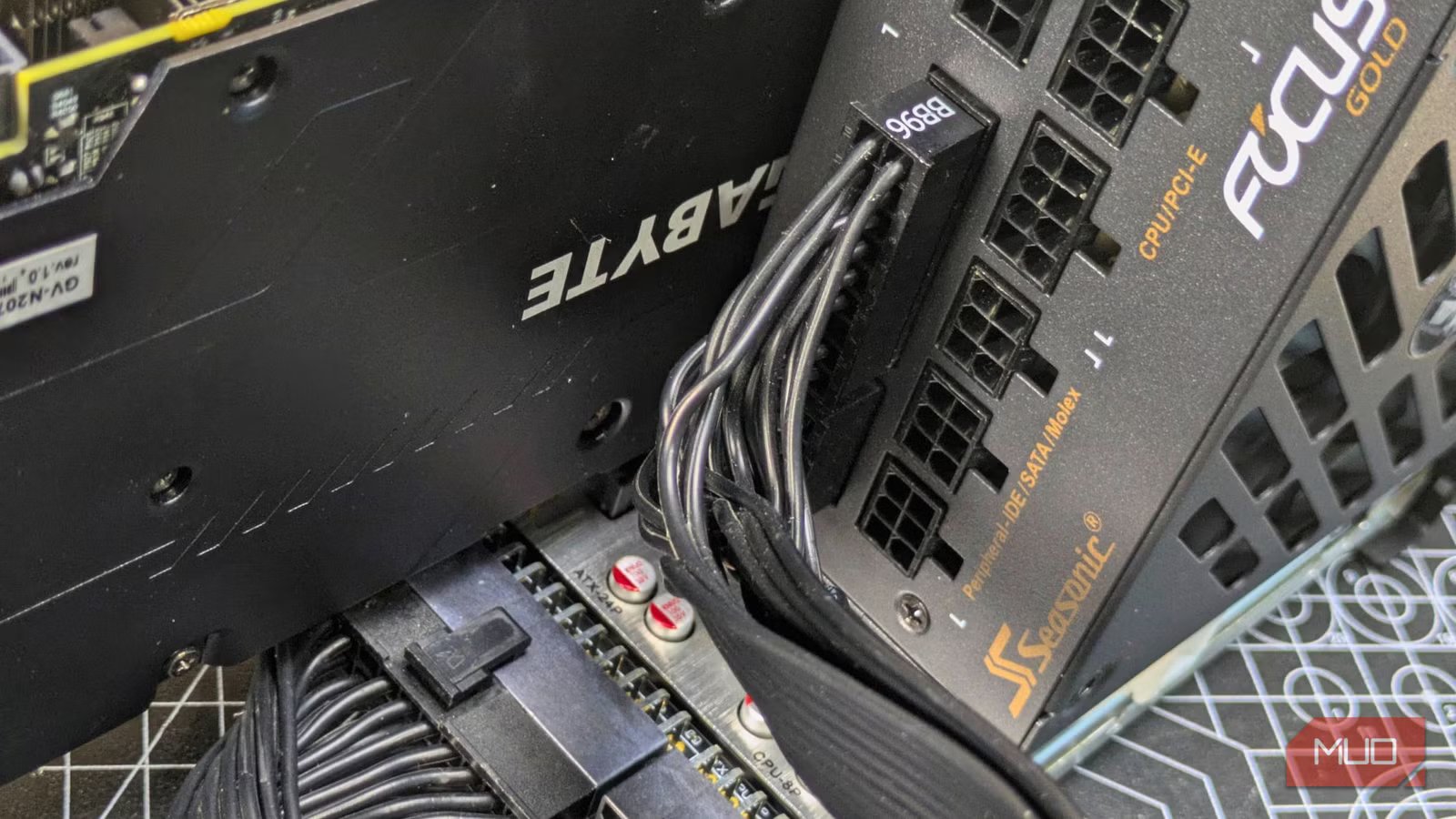
If you’re anything like me and upgrade your custom-built PC every few years, there’s a good chance you’ve probably owned multiple power supplies throughout your rig-assembling career. If that’s the case, you need to be mindful of what PSU cables you’re using.
Not too long ago, I put my expensive EVGA Supernova 1300W power supply at risk. That’s because I was tempted to reuse PSU-side pin-outs from a previous power supply that I just so happened to have lying around. Thankfully, common sense won out over my laziness, and I eventually went with the modular cables that came with my monstrous PSU.
Somewhat hazy about when it’s okay to hot-swap PSU-side pin-outs? Let’s get into a bit of an explainer.
Related
What Is a PSU Shroud? Should You Consider Using One?
If you’re building a new PC, do you need a PSU shroud?
Should you hot-swap PSU cables?
Breaking down a PSU-side pin-outs conundrum
Credit: Dave Meikleham /MakeUseOf
The short answer? Heck no. As PSU-side pin-outs are not standardized, they often vary depending on the manufacturer. Even if you own, say, two different Corsair power supplies, it’s almost never a good idea to try and hot-swap cables between different PSU models. If you’re in any doubt, here are the cables in your PC’s power supply, explained.
The confusion can kick in when it comes to differentiating between motherboard and PSU connectors. Your mobo’s 24-pin ATX and EPS connectors are always going to be the same, but the non-standardized nature of PSU-side pin-outs is a very different story.
As your power supply connectors are often proprietary, and thus bespoke to your model of PSU, trying to hot-swap them into a new power supply is almost always going to be a disastrous idea.
Even side-pin-outs from the same PSU manufacturer that look identical to the naked eye, and thus fit into different model power supplies from the same vendor, shouldn’t be swapped around. That’s because even though their Tweedledee and Tweedledum forms might try and fool you into hot-swapping, voltage requirements for PSU connectors are likely individual to a specific model.
The dangers of hot-swapping PSU connectors
PSU side-pin-outs were definitely not created equal
Credit: hodim/Shutterstock.com
The internals of power supplies vary between manufacturers. This means they often have different electrical layouts, and in turn, different voltage assignments. If you try and hot-swap PSU connectors, you’re begging for a world of hurt.
The very real risks of trying to jam PSU-side pin-outs into a supply they weren’t designed for include threats that make my inner hardware dweeb wince. Swapping in cables that could send the wrong voltage levels throughout your PC can easily brick not only your power supply but also your motherboard.
Brand
Corsair
Output
850W
Modular Cabling
Yes
The Corsair RM850e is a fully modular 850W ATX power supply. Thanks to its 120mm rifle bearing fan, this PSU will power your PC quietly and efficiently. It is Intel ATX 3.1 Certified and also PCIe 5.1 compliant.
By extension, this also puts any components connected to your mobo at risk. Depending on the rail distribution of your power supply, incorrectly delivered voltages can instantly ruin your SSDs, CPU, RAM or even your GPU.
As someone who pummeled his credit card balance buying an Nvidia RTX 5090, the thought of hot-swapped PSU-side pin-outs frying my graphics card makes me want to weep. Seeing as my PC cost more than my car, I’m glad I schooled myself on the dangers of reusing connectors before I accidentally zapped my EVGA PSU and all the precious components inside my rig.
Why are PSU-side pin-outs not standardized?
Manufacturers want to keep you in the fold
Credit: Dave Meikleham /MakeUseOf
The main reason PSU connectors aren’t standardized is that it’s the interests of manufacturers to keep their designs proprietary.
If the likes of Corsair and EVGA allowed you to hot-swap modular cables between their products, they’d massively increase their liability when it came to warranty claims. Ensuring connectors aren’t standardized also coaxes buyers into using cable kits that are specific to an individual PSU maker. And if you’re wondering how often you should upgrade your PSU, I’d say any time you undergo a system rebuild where your new configuration is a lot more power-hungry than your previous one.
Back to that liability issue, and there’s not just a risk to your entire PC when attempting to hot-swap PSU connectors, there’s also the threat of causing yourself physical damage. Despite most power supplies being relatively low voltage, plugging in a cable that isn’t supported by your PSU can cause sparks and thus potential burn damage.
Even if your power supply is unplugged (and obviously it always should be when hooking connectors up), it can still maintain a charge even when it’s not receiving any voltage. This risk increases the more powerful your PSU is. As the owner of a 1300W beast, I now never take chances when interacting with my power supply.
PSA: do not hot-swap PSU connectors
If all of the above hasn’t made it crystal clear that you should never be tempted to hot-swap PSU-side pin-outs … well, I’d perhaps double-check that you haven’t recently bumped your head. Through sheer laziness, my momentary unwillingness to untangle a bunch of new PSU connectors (because my existing ones were right next to my rig) almost fried my PC.
I’m oh-so glad my sloth-like impulses didn’t win out, because if I’d kiboshed an RTX 5090 because of PSU-side pin-outs, the tears would still be flowing.
