

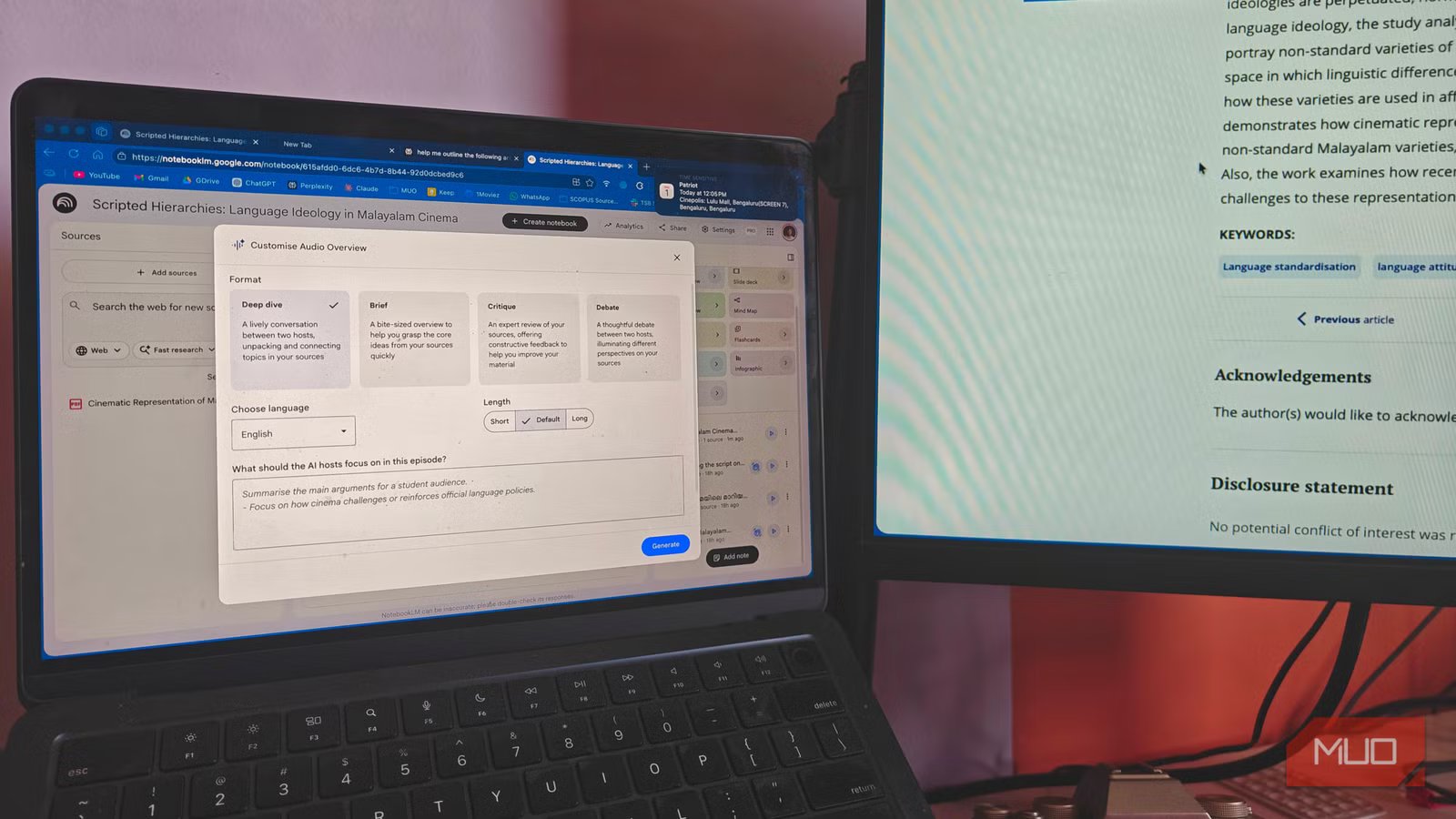
NotebookLM has been my go-to AI research tool for a while; something I rely on almost every day. In my line of work, research is the backbone of everything I do. For the most part, NotebookLM made that process smoother. I even went all in, pairing it with tools like Claude and ChatGPT to build a setup that felt complete.
But the longer I used it, the more a specific exporting limitation began to get in the way. What seemed like an inconvenience at first quickly became a real bottleneck, breaking my flow just when I needed things to move forward. Over time, that friction started to pile up. Eventually, it became clear that this was not something I could keep working around. If the tool couldn’t keep up with how I work, it simply wasn’t the right fit anymore. So, I made the switch.
Related
I hooked Obsidian to a local LLM and it beats NotebookLM at its own game
My notes now talk back and it’s terrifyingly useful.
My notes finally live where I am, not where an app decides
A workspace that feels like mine
Obsidian fits much more naturally into how I like to work. All my notes live as plain-text Markdown files inside a local folder. This one decision changes everything — it means I actually own my data, and more importantly, I can access it anytime, even if I stop using Obsidian altogether. There is no lock-in or dependency, just files sitting exactly where I expect them to be.
Every vault I create stays inside the Documents folder in Finder, so I always know where everything is. My notes, folders, drafts, half-baked ideas; everything sits there in a structure that makes sense to me. That familiarity matters a lot when you are relying on a system as your second brain.
What I really appreciate is how flexible this setup is. If I want to tweak something quickly or move things around, I do not need to rely on Obsidian at all. I can just open the files in TextEdit on my MacBook and make changes directly. It is fast, lightweight, and does not get in the way of the thought process. And when I want to use those notes elsewhere, sharing is just as straightforward. I simply pick them up from the Documents folder and move them into the Notes app or anywhere else I need them.
Over time, this way of working has become more dependable. There is a sense of clarity in knowing that everything is in one place, accessible, editable, and completely under my control. And that control extends beyond just where the files live — it shapes what I can actually do with them once I am ready to move forward.
Related
I started using Obsidian as a complete beginner and now I understand why people switch and never go back
It can be as simple, or as complex as you want it to be.
Getting my work out is finally as smooth as getting it in
The rare joy of things just working
Saikat Basu/MakeUseOf
With NotebookLM, exporting always felt like an afterthought baked into the product. Getting my work out of the app meant copy-pasting chunks of text, losing formatting along the way, and trying to reassemble things into another tool from scratch. It broke momentum at exactly the wrong moment, right when I had built up enough context to actually start writing.
Obsidian does not work like that. Since everything is already a Markdown file sitting on my machine, I am never really stuck inside the app. When I need a polished document, the Pandoc plugin converts my notes directly into a Word file or a PDF, fully formatted, without any manual touch. It takes seconds, and the output is clean enough to share or submit as-is.
What surprised me was how much this changed the way I take notes mid-research. Earlier, I would hold back on writing in detail because I knew getting things out later would be a hassle. Now I write more freely, knowing that whatever I put in will travel with me. A note I draft in Obsidian can become a section in a Word doc, a reference PDF, or a source I drop into Claude for further processing, and none of that requires workarounds or extra steps. The pipeline does not break anymore. It just keeps moving, and that has made all the difference.
OS
Windows, macOS, Linux, Android, iOS, iPadOS
Developer
Dynalist Inc.
Pricing model
Free
Initial release
March 30, 2020
Obsidian is a local-first, Markdown-based note-taking application that stores your notes as plain text files and lets you build interlinked “vaults” of knowledge. It supports plug-ins, graph visualisations, and full control of your data rather than locking you into a proprietary format.
Brilliant insights, until you try to take them with you
I am not saying NotebookLM is bad, it is genuinely impressive at what it does — pulling insights from sources, generating summaries, and helping you think through material quickly. If your research ends inside the app, it holds up well. But the moment you need to move that work somewhere else, the cracks show. There is no real export system apart from Google apps, no structured way to take your notes and feed them cleanly into the next stage of your workflow. For casual use, that is manageable. For anyone running a serious research pipeline, it is a deal-breaker.
Obsidian approaches the problem from the opposite direction. It is trying to be the most dependable one. Your notes are yours; they sit on your machine, and they move wherever you need them to go. Paired with the right plugins, it handles the full journey from raw research to finished document without forcing you to improvise at the edges. That combination of ownership, flexibility, and export reliability is what finally made it the right fit for how I work — and if your current setup is making you work around it rather than with it, it might be worth reconsidering what you actually need from a research tool.
