

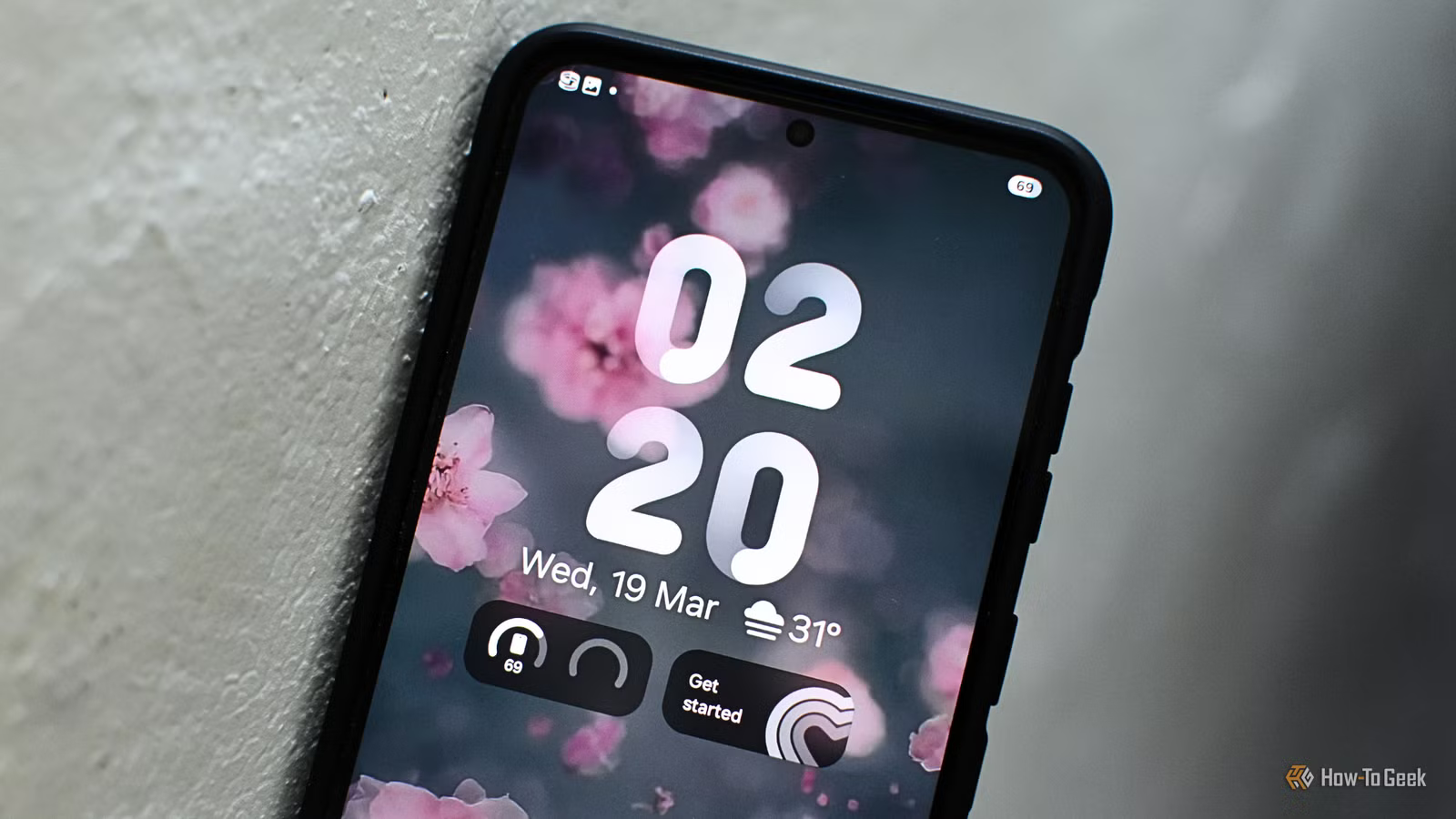
When the concept of an “always-on” display was first introduced, many people were immediately turned off by the idea due to battery concerns. I was one of those people. However, after spending years without it, and now owning a phone with an AOD, I’ve realized the feature is far more useful than it initially appears.
Smartphones needed a new notification indicator
Newer phone designs pushed out the iconic feature
Most people use the always-on display to quickly check the time without waking their phone. It’s useful when you’re just walking by your device or want to discreetly glance at the time without seeming rude.
However, the feature does much more than constantly display the clock. It’s also great for displaying notifications and letting you know when something new comes in.
Notifications still function the same way as when the phone is fully awake, but making them immediately visible on the always-on display makes checking them feel far more convenient and accessible.
Long live the LED notification light
Yet, before always-on displays became common, phone manufacturers used other methods to alert users. One of the most recognizable examples was the dedicated LED notification light at the top of the phone that would flash whenever you received an alert.
Credit: Samsung
It didn’t stop there either. You could also customize the LED with different colors and flashing patterns based on the type of notification.
For example, the light could blink one way for a text message and use a completely different color or pattern for an email. This functionality also extended beyond the phone’s built-in apps, with many third-party apps supporting customized notification lights.
However, this feature gradually disappeared as smartphones adopted thinner bezels and full-screen designs, and as manufacturers pushed for more minimalist hardware. As phones became almost entirely display, there was simply no longer enough room for a dedicated LED notification light.
Credit: Cory Gunther / How-To Geek
Even though it has largely disappeared, manufacturers have continued to try to recreate the feature in various ways. Samsung, for example, uses the phone’s rear camera flash as a notification indicator, while Google is reportedly planning to include a feature similar to the classic LED notification light with the Pixel 11.
Always-on displays are more useful than they look
They offer more features and are beneficial for staying focused
As phones became more screen than bezel, manufacturers had to reinvent the LED notification light, even if it wasn’t a light anymore.
Credit: Samsung
Samsung, for example, introduced its Galaxy Edge lineup, which featured curved edges along the side of the display. These curved sections could light up to show notifications and, when the phone was placed face down, emit different colors based on preset notification settings.
While that feature has been toned down, it is still accessible on newer Samsung devices. However, it’s not the main feature people use now, especially since it’s been muted by subsequent software updates.
Display
6.7-inches
RAM
12GB
With this shift, smartphones—whether on Android or iOS—started incorporating always-on displays and marketing them as more than just replacements for the old notification indicator light. These displays constantly show the time, any missed notifications, and which apps they came from, while also letting you quickly check your phone’s battery level without waking the device.
Always-on displays didn’t create entirely new phone habits, but they did reshape how we look at and interact with our devices in ways that are better suited to today’s fast-paced world.
They help keep your screen time low
Now, you can disable the always-on display feature on your device, but personally, I’ve kept mine enabled. Not only is it useful for seeing incoming or missed notifications, but it also influences how I interact with my phone afterward.
Credit: Justin Duino / How-To Geek
When I used devices without an always-on display, I would tap the screen to check all the notifications that had come through. Once I did that, I was far more likely to unlock the phone and open whichever app sent the alert. Since the phone was already in my hand, I was already halfway through using it.
That would often increase my screen time and make me less productive, especially if I was already in the middle of another task. Overall, it became an easy distraction that pulled my attention away from what I actually needed to get done.
With an always-on display enabled, though, I don’t even need to touch my phone to see a new or missed notification. While I’d still need to pick up the device to scroll through everything, I can usually glance at the latest notification and immediately decide whether it’s important enough to act right away.
Battery life will not suffer
One reason people may hesitate to enable the always-on display feature is the fear that it will heavily drain their battery. In reality, though, the impact is far less dramatic than many expect.
Credit: Bertel King / How-To Geek
While always-on displays do use additional battery life, modern screen technology has made them much more efficient. With OLED displays now more common in smartphones, only certain pixels need to be illuminated while black portions of the screen remain completely off.
This allows the display to show limited information—such as the time and notifications—without powering the entire screen.
Phones have also become smarter about managing always-on displays to reduce battery usage even further. You’ll see this in features like adaptive brightness, lower refresh rates, and automatic display power-saving modes when the phone is face down or in a pocket, all of which help conserve power.
That said, always-on displays still affect battery life to some degree. However, the impact is usually comparable to other background features people already leave enabled, such as Background App Refresh or Bluetooth.
While always-on displays aren’t new, they have become more useful by showing notifications without repeatedly waking your device. Even though many people may use the feature simply to check the time, it has become a replacement for the original LED notification indicator.
Yet, while many manufacturers have either experimented with alternatives or are planning new ones, the always-on display has become the best successor to the discontinued feature, which is why I find it essential in devices today.
