

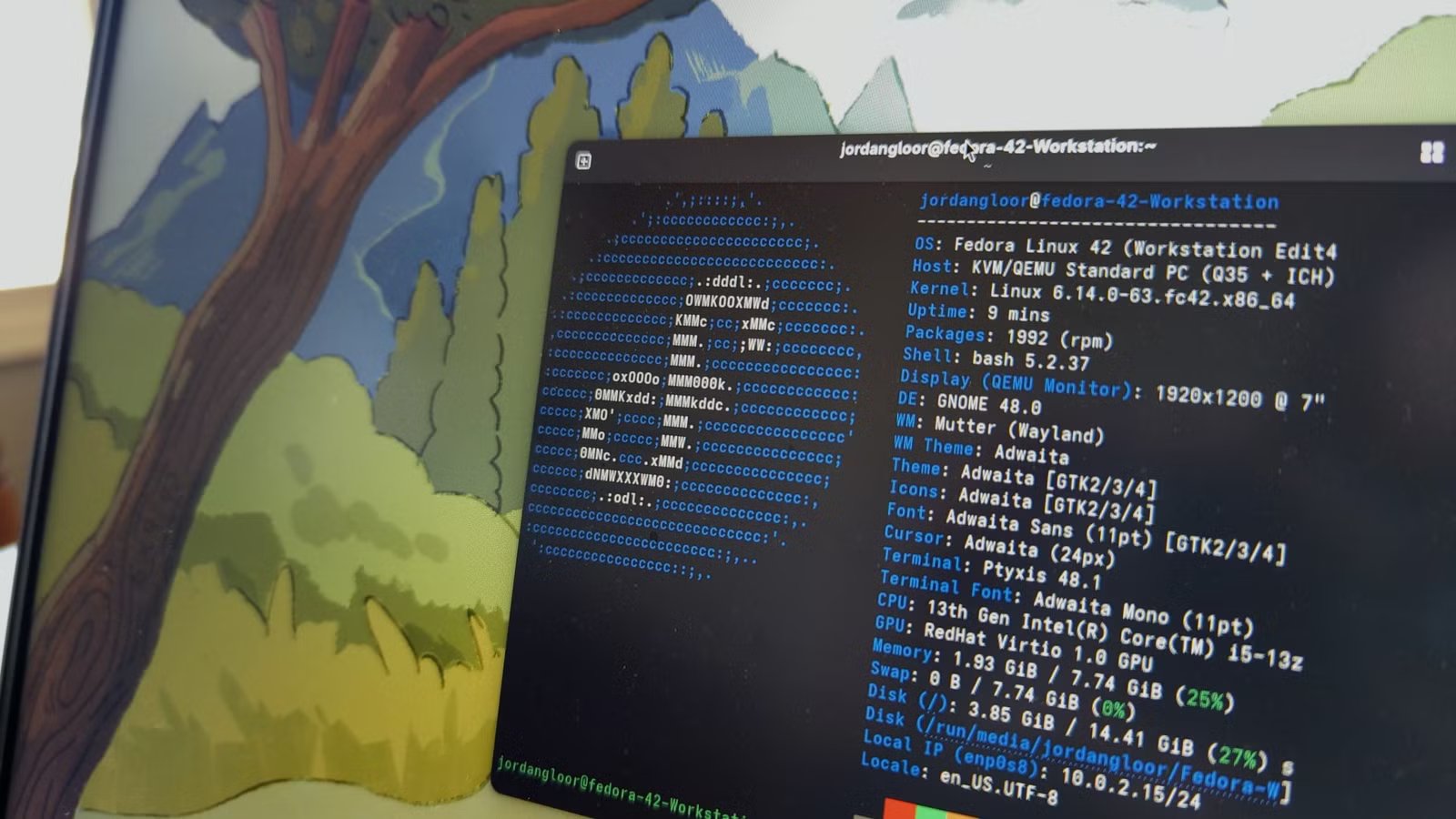
Most Linux distros are designed with a specific type of user in mind. In fact, that’s the reason we have so many different distributions—Ubuntu prioritizes accessibility, Arch focuses on freshness and customization, and Mint tries to make Linux more comfortable for Windows users. The problem is that when a distro optimizes itself for one workflow, it often becomes less flexible in the opposite direction.
Fedora doesn’t really have this problem. Instead of forcing you into a specific philosophy, it puts everything within your arm’s reach so you can shape the experience around your own needs. Rather than trying to dominate a single niche, Fedora quietly evolved into what I’d call the best “everything” distro.
The perfect balance between stability and cutting-edge software
Tested enough to trust—fresh enough to matter
Credit: Lucas Gouveia/How-To Geek
If you’ve spent any time in the Linux world, you’ve probably had to pick a side: stability and reliability vs. access to the latest software updates.
On the stable side, you have distros like Debian and Linux Mint. They’re rock-solid, well-tested, and unlikely to surprise you with a broken update. However, all that testing before release also means you’re often running packages that are months—or even an entire release cycle—behind.
On the other end, you have rolling-release distros like Arch and CachyOS, where you get the latest packages almost as soon as they’re available. The tradeoff is that newer packages can sometimes introduce untested bugs or dependency issues.
Fedora threads the needle between these two extremes. It ships a major release every six months, and when a new version arrives, it actually feels current instead of trailing behind by a year like some stable distros. The Fedora team does extensive testing before pushing packages to its repositories, which significantly reduces the chances of running into serious bugs or broken dependencies.
Related
Fedora quietly solved Linux’s update problem
Fedora’s innovative approach to system updates ensures that your desktop remains stable and unbroken, even in the face of network failures or power losses.
Every desktop environment you could want
You could spend years just distro-hopping Fedora
For many people, the choice of desktop environment (DE) can make or break their Linux experience. Take Ubuntu and Kubuntu, for example. Under the hood, they’re essentially the same operating system—same package base, same repositories, same core architecture. The biggest difference is that Ubuntu ships with GNOME while Kubuntu uses KDE Plasma. That single change is enough for users to have completely different opinions about what is technically the same distro.
Most Linux distros are closely tied to one—or maybe a handful of—desktop environments. Zorin OS, for example, ships with a heavily customized version of GNOME. Linux Mint gives you Cinnamon, Xfce, and MATE. MX Linux, currently one of the most popular Linux distros, offers KDE Plasma, Xfce, and Fluxbox.
Fedora, on the other hand, throws in everything, including the kitchen sink.
You’ve got the two flagship editions: Fedora Workstation with GNOME and Fedora KDE Plasma Desktop. Beyond that, Fedora also offers community-maintained “Spins” covering 11 popular desktop environments and window managers, including Xfce, Cinnamon, MATE, i3, LXQt, LXDE, SOAS, Sway, Budgie, Miracle, and COSMIC. And if none of those fit your workflow, you can install almost any other desktop environment or window manager directly from Fedora’s repositories.
Furthermore, what makes Fedora especially good for DE exploration is how clean and modular the distro feels. Fedora generally ships desktop environments in a near-vanilla state, with very little deep integration tying the OS to a specific interface. As a result, swapping desktop environments is usually far less painful than it is on many other distros.
Related
This is the most underrated Linux desktop environment of all time
The quiet desktop environment that might be the most practical in Linux.
Access almost-unbreakable Atomic desktops
When stability is non-negotiable
Credit: Zunaid Ali / How-To Geek
There’s been a lot of discussion lately about immutable distros being the future of the Linux desktop. I couldn’t tell you if that’s true or not, but what I can tell you is that Fedora’s implementation of the immutable desktop—called Atomic desktops—is one of the best examples of the concept done right.
Fedora currently offers several Atomic variants, including Silverblue (GNOME), Kinoite (KDE Plasma), along with editions for Sway, Budgie, and COSMIC. Even more interestingly, some of the most popular immutable distros today—like Bazzite, Aurora, and Bluefin—are all built on Fedora’s Atomic foundation.
Now, if you’re unfamiliar with immutable distros, the basic idea is that the core operating system is mounted as read-only. Instead of modifying the system directly, changes are handled through layered packages, containers, or isolated applications. The benefit is a desktop that’s significantly more resistant to accidental breakage, dependency conflicts, and system corruption.
This is especially useful for developers and new Linux users who like experimenting. On a traditional distro, it’s surprisingly easy to break core system components while tinkering with packages or configuration files. Atomic desktops dramatically reduce that risk.
The real advantage, though, is how updates work.
Instead of updating thousands of individual packages independently, Atomic desktops deploy the operating system as a complete image. This way, after an update, when you reboot, the system boots into the new image while the previous version remains available in the background. If something goes wrong—or you simply dislike the update—you can roll back to the earlier version in minutes.
Related
This immutable Linux solved my biggest technical frustrations
I prefer when my silver is blue.
The Nix repository is now available out-of-the-box
Access 100,000+ packages and reproducible dev environments
Credit: Lucas Gouveia / How-To Geek | agsaz / Shutterstock
One longstanding criticism of Fedora is that its official repositories aren’t nearly as expansive as AUR (Arch User Repository). You can partially solve that with RPM Fusion and Flatpaks—and most users do—but Fedora 44 introduces another particularly interesting option for developers: the Nix package manager. Nix is now available directly through Fedora’s official repositories, meaning you can install it with a single command and start using it immediately—no manual setup or unofficial workarounds required.
Now, it’s worth noting that Nix isn’t just another package manager.
Yes, it gives you access to the massive nixpkgs ecosystem with more than 100,000 packages, but its real strength lies in reproducible development environments. You define exactly what a project needs—specific compiler versions, libraries, dependencies, tools—and Nix creates an isolated environment that behaves identically across different machines.
Apart from giving you access to more packages, this also solves one of the most annoying problems in software development where projects work perfectly on one system but break on another because of mismatched dependencies or package versions.
Related
These are the only Linux distros I recommend for developers
From just learning to code to seasoned developers, these are your distros of choice.
It can potentially pass as a gaming distro
More gaming—less configuring
Credit: Lucas Gouveia/How-To Geek
Linux gaming is in a better place than ever—we’re seeing a new gaming distro come out every other day, and it seems like Fedora wants to join that list. With its latest release, Fedora 44, the distro is bringing automatic NTSYNC support, which should make Windows games a lot more accessible.
Without getting too technical, NTSYNC is a Linux kernel module that improves how Windows games run through compatibility layers like Wine and Proton. In CPU-heavy games, it can reduce overhead and help minimize stuttering, while also improving compatibility with certain titles.
Now, I should mention that NTSYNC already existed. On Fedora, you previously had to manually configure it yourself. But with Fedora 44, installing Steam or Wine automatically pulls in the required NTSYNC components and enables them at boot. That means users get the performance and compatibility benefits without touching the terminal or manually tweaking kernel modules.
To be clear, Fedora still isn’t a dedicated gaming distro in the same way Bazzite or Nobara are. But this change does show that Fedora is taking Linux gaming more seriously, and it makes Fedora far more practical as the foundation for a gaming setup than it used to be.
9/10
Dimensions
298mm x 117mm x 49mm
Playing Time
2-8 hours of gameplay (content-dependent)
The Steam Deck LCD is, hands down, the best budget handheld gaming PC you can get, thanks to its phenomenal price, top-notch build quality, excellent software support, and pretty solid gaming performance.
You’re getting “everything” in moderation
In the words of Buddha, “happiness is in moderation,” and that philosophy maps surprisingly well onto Fedora. The distro doesn’t make aggressive bets in any one direction. It doesn’t force you into immutability, rolling releases, or any particular workflow. Instead, Fedora focuses on giving you access to all of those options while keeping the overall experience balanced and approachable.
That flexibility is what makes Fedora such a compelling distro today.
It’s approachable enough for Linux newcomers who still don’t know what kind of setup they prefer, while also being powerful enough for developers and enthusiasts who want a modern platform that stays out of their way.
