

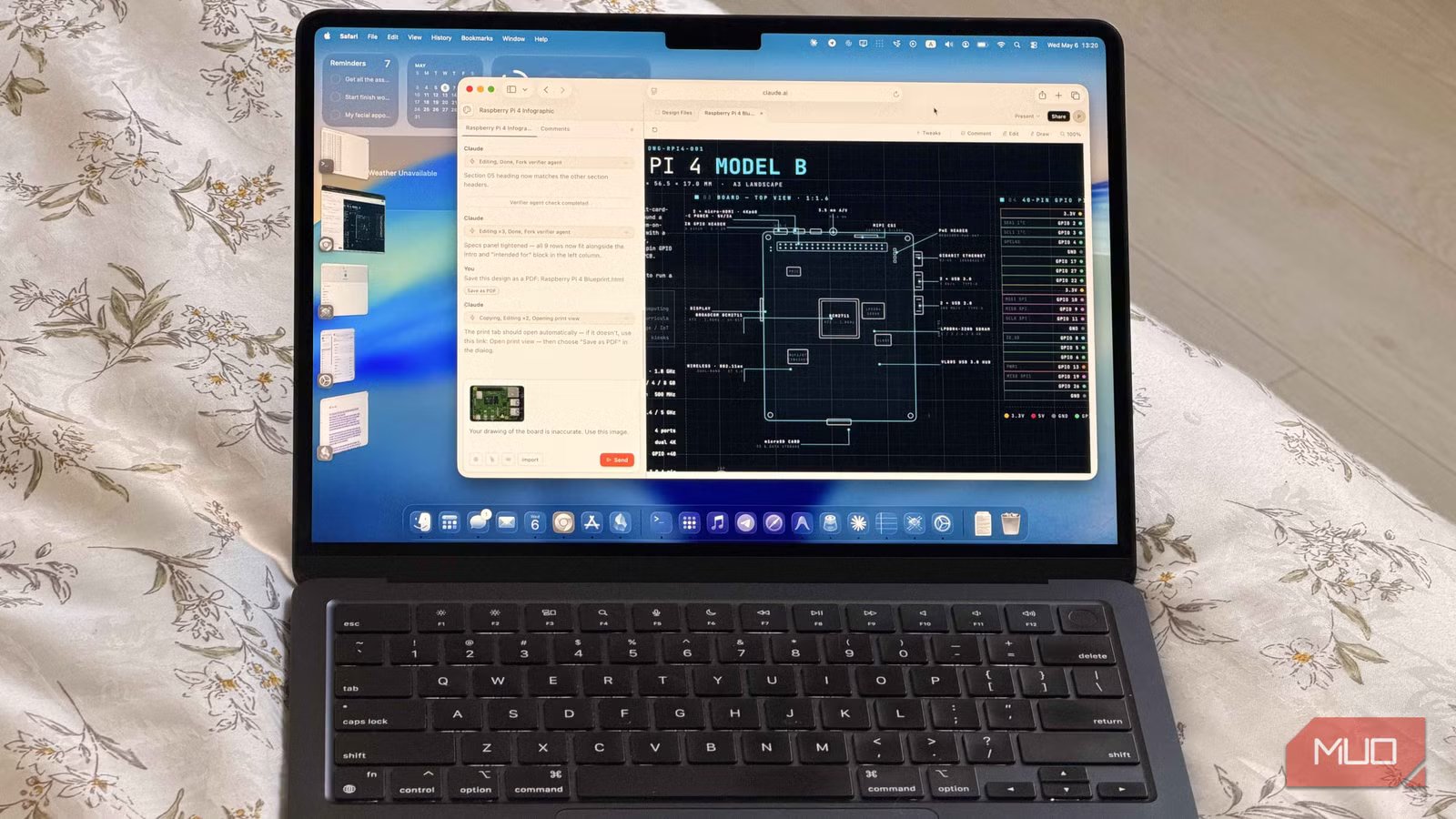
Claude Design arrived and immediately took the world by storm. Word on the street is that UI designers are already changing their LinkedIn titles to “prompt engineer.” I’m joking (mostly).
But Claude Design is genuinely impressive. Around the same time, OpenAI upgraded its already frontier-level image generation in ChatGPT with ChatGPT Images 2. It can follow prompts with much better accuracy, and it seems to have fixed one of the biggest problems with AI images: text.
NotebookLM, meanwhile, has been in the text-heavy image generation game for a while. It can generate slide decks, infographics, and other visual summaries from your source material.
Text has always been a strange weakness for image models. They generate text inside an image, which is already a little problematic, because text is something you’re supposed to write. Claude Design isn’t exactly in the same category as ChatGPT Images or NotebookLM, but I still wanted to put it to the test. They say it can design anything, after all.
I wanted something visual, but text heavy. And what better test than an infographic?
Related
I asked Claude, ChatGPT, and Gemini to build a simulation, and one winner was obvious
The LLM race stopped being a close contest pretty quickly.
Setting up the showdown
We want a cool infographic
Amir Bohlooli / MUO
The test is simple: design an infographic for the Raspberry Pi 4 Model B.
It’s a good benchmark. A blueprint-style tech infographic is dense with details. There’s a lot of text, a lot of labeling, and a lot of opportunities to get things subtly wrong. That makes it perfect for seeing which tool can write text properly, which one can point that text at the right shapes, and which one can actually draw those shapes correctly in the first place.
NotebookLM’s infographic tool in Studio uses Gemini’s image generation. ChatGPT uses ChatGPT Images 2. Both of those are image models.
Claude Design is different. It uses Opus 4.7, which is a text model, not an image model. In other words, Claude Design is really just the same Opus 4.7 you can chat with, except it’s been given tools and fine-tuned for UI design. Claude Design is the agent; Opus 4.7 is the model. So instead of generating an image in the usual sense, Claude Design builds the requested visual in HTML and CSS.
I wanted to test it anyway. Maybe Claude Design has some tricks up its sleeve. Maybe it can generate or assemble its own assets well enough to compete. There was only one way to find out.
For the test, I gave all three tools the same source material: a GPIO diagram of the Raspberry Pi 4, a text file with the Pi’s technical specifications, and the official Raspberry Pi product brief PDF. Then I gave them all the exact same prompt:
Create a blueprint-style infographic for the Raspberry Pi 4 Model B using a dark navy background, white and cyan line art, and a subtle grid overlay. Include a brief introduction covering what it is and who it’s for, a key specs block, an annotated top-down board diagram with labeled components, a color-coded 40-pin GPIO pinout, and a use-cases section. Use leader-line callouts, dashed section dividers, and a monospaced technical font throughout, laid out in A3 landscape orientation.
And then we judge the results. Let’s see what happened.
NotebookLM
Pretty, but very wrong
Amir Bohlooli
NotebookLM has been making slides and infographics long before the other two, so we have fairly high expectations. I could have asked it to research the Raspberry Pi 4 on its own and cite its sources, but for a fairer test, I created a new notebook and gave it the same three files as everyone else.
NotebookLM finished first, and at first glance, the result was visually impressive. It looked cool. The blueprint style was there and it included most of the sections I asked for. But the closer I looked, the worse it got.
The generated board schematic is more or less recognizable, but the labeling is very wrong. I’ve walked through the issues in the gallery above, but the short version is grim. The two micro-HDMI ports are drawn correctly, but one of them is labeled as a USB 3.0 port. Below them, the audio jack is labeled as a USB 2.0 port. Meanwhile, the actual USB ports next to the Ethernet port are labeled as the camera and display ports. Tragic.
Amir Bohlooli
NotebookLM’s design also includes a random price-to-performance comparison that doesn’t really make sense, but that’s nothing compared to the bigger problem.
The real dealbreaker is the GPIO pinout. On the diagram, NotebookLM labels it as a “48-pin” header, then in the pinout section, it calls it “40-pin.” That would already be bad enough, but the pinout itself is worse. Most of the labels are wrong, and the remaining are mangled gibberish. Look closely at the numerals inside the pins and you’ll see the usual AI-image melting.
NotebookLM made an impressive visual. But it didn’t make a usable infographic. You couldn’t print this out and rely on it. You’d fry your board.
Claude Design
Smart labels, bad board
Amir Bohlooli
Claude took the longest to finish. When it was done, the result looked impressive from a distance, but the illusion broke faster than NotebookLM’s. The board simply didn’t look like a Raspberry Pi 4.
That answers our question: Claude Design can’t really generate images. It can design around images, arrange assets, and build layouts, but when asked to create a technical board diagram from scratch, it draws one in code. And in this case, that drawing was a “Raspberry Pi-inspired rectangle” than a Raspberry Pi 4.
The layout had problems, too. The orientation was wrong. On the real Raspberry Pi 4, the USB stack sits across from the microSD slot. In Claude’s version, the GPIO header is there instead.
But once you look past the board shape, Claude does much better than expected. The ports are correctly labeled, and the callouts include useful, accurate details. It clearly understood what the components were supposed to be, even if it couldn’t draw the board itself properly.
The most impressive part is the GPIO pinout. It’s dead-on accurate. The numbering is correct, the labels are correct, and the color coding is accurate, too. It also looks clean and readable. Applause to Claude!
So far, we’d have a perfect infograph if we took out NotebookLM’s image of the board and fused it with Claude’s work. I wanted to try that, but I was afraid I’d run out of Claude Design credits.
Claude was so pleased with its work that it even signed the design.
ChatGPT
We have a winner
Time for the last test. Like NotebookLM, ChatGPT generates its result as an image, this time using ChatGPT Images 2. It took about five minutes to finish, which put it neatly in the middle: slower than NotebookLM, faster than Claude Design.
At first glance, the result follows the same general color palette and design language as the others, but with one big difference: the board isn’t drawn like a blueprint. It’s rendered as an actual Raspberry Pi 4 board. That’s fine, but it also means ChatGPT made the task harder for itself, because it’s much easier to mess up a realistic board than a simplified diagram.
We’ve got all the stuff we asked for, intro, tech specs, use cases, and the pinout. I thought I’d be up for disappointment when I zoomed, but, I was surprised instead. The image is really accurate.
The HDMI ports are labeled correctly. The audio jack is labeled correctly. The USB ports are labeled correctly, too. The only real mistake is that the USB ports closest to the Ethernet port should be the USB 3.0 ones, but ChatGPT assigns USB 2.0 there instead. Also, both ports are blue inside. I’m nitpicking at this point.
The level of detail is impressive. The Ethernet port (which ChatGPT calls Ethernet jack. Who does that?) has an imprint very similar to the real thing. We’ve even got the little Made in the UK print. Neat!
The only labeling problem with this design is the CSI camera connector, which is pointing at nothing.
Beyond that, the GPIO pinout is excellent. The numbering is correct, the labels are correct, and the functions are correct. Even the color coding is right! That’s seriously impressive. The only slightly gooey part is the little header in the middle, I’m not sure what that’s supposed to be.
ChatGPT wins. You could actually use this infographic (if you delete the camera connector label).
Right tool for the job
For this job, ChatGPT is the right tool. The first image upgrade in ChatGPT already blew us away, but ChatGPT Images 2 does an even better job with small details, and it hallucinates much less than the other image models I tested. Even though the infographic was generated as an image rather than written as a document, I didn’t spot a single goopy, gibberish letter pretending to be text.
NotebookLM was the disappointment here. You’d expect an image tool inside NotebookLM to be especially good with text, even if the visuals were a little weaker. Somehow, I got the opposite. It drew a good-looking image, but messed up the labels, which is fairly fatal when the entire point of an infographic is to inform.
Claude Design is a different case. It’s clearly not the right tool for this specific job, but as an experiment, it was still useful. Its biggest advantage is something neither of the other tools offer: it designs in code and gives you an open-layer output. That means you can download the HTML and edit it yourself, have another AI revise it, or even take the better board image from NotebookLM and use Claude Design to build a cleaner layout around it.
Unfortunately, Claude Design is also so expensive that it’s borderline unusable unless you know exactly what you want before you prompt it. I’m on the Claude Pro plan, and the single prompt I used above ate up 25% of my weekly credits. That makes the “right tool for the job” question matter even more. Use ChatGPT to explore ideas, generate visual directions, and test concepts. Then, once you have something solid, bring in Claude Design to assemble it into something editable.
Developer
Anthropic PBC
Price model
Free, subscription available
Claude is an advanced artificial intelligence assistant developed by Anthropic. Built on Constitutional AI principles, it excels at complex reasoning, sophisticated writing, and professional-grade coding assistance.
OS
Android, iOS, Web
Developer
OpenAI
Price model
Free with optional subscription
ChatGPT is the flagship AI chatbot from OpenAI, and it’s loaded with features.
OS
Android, iOS, Web-based app
Developer
Google
Pricing model
Free
NotebookLM is Google’s AI-powered research notebook that reads what you upload and helps you transform it into structured summaries, explanations, and visuals.
