

I’ve been happily using my Onn Streaming Box for a few months now, and it’s still just as incredibly snappy as it was when I first unboxed it. But in the pursuit of pushing things to their limits, as per normal, I wanted to see if GoogleTV was just as customizable as the Android counterpart. I’ve learned that Google TV is pretty locked down when it comes to that, and if you want to change your launcher or make any major changes, you’ll need to side-load some different apps and programs to get things running.
But at that same time, I discovered Projectivy. While Google TV did recommend a few shows to me via the constant stream of trailers and videos, the occasional lag and stutter that it brought was enough to irk me. Now? I don’t even have to fret about it again.
Related
I plugged a Raspberry Pi into my smart TV and it changed how I watch everything
An old TV, a Raspberry Pi, and a setup that beats every streaming box on the market.
Setup was incredibly simple
Easy enough that anyone could do it, really
When researching other launchers like Wolf Launcher or LTvLauncher, I realized that I would need to side-load them and get them up and running. They both offer their fair share of great features, with LTvLauncher being great for folks who want privacy, and Wolf Launcher offering amazing layout control. But seeing as my wife doesn’t need these privacy features and likely wouldn’t care about the layout management, I decided to roll with Projectivy. Primarily because it looks and functions like the experience she’s used to, but without all the bloat.
Installation was incredibly simple as well. All I needed to do was search for Projectivy in the Google TV Play Store, install it, and follow the on-screen prompts. What I wasn’t expecting immediately out of the install was how fast and responsive everything felt. Google TV isn’t too bad, but the occasional lag spike when swapping between streaming networks can be bothersome. Projectivy, on the other hand, doesn’t show you videos, doesn’t have anything running in the background beyond the wallpaper, and is tremendously faster to use.
Customization aplenty in Projectivy
Row heights, icon sizes, wallpapers, and more for customization fans
Credit: Shaun Cichacki/MUO
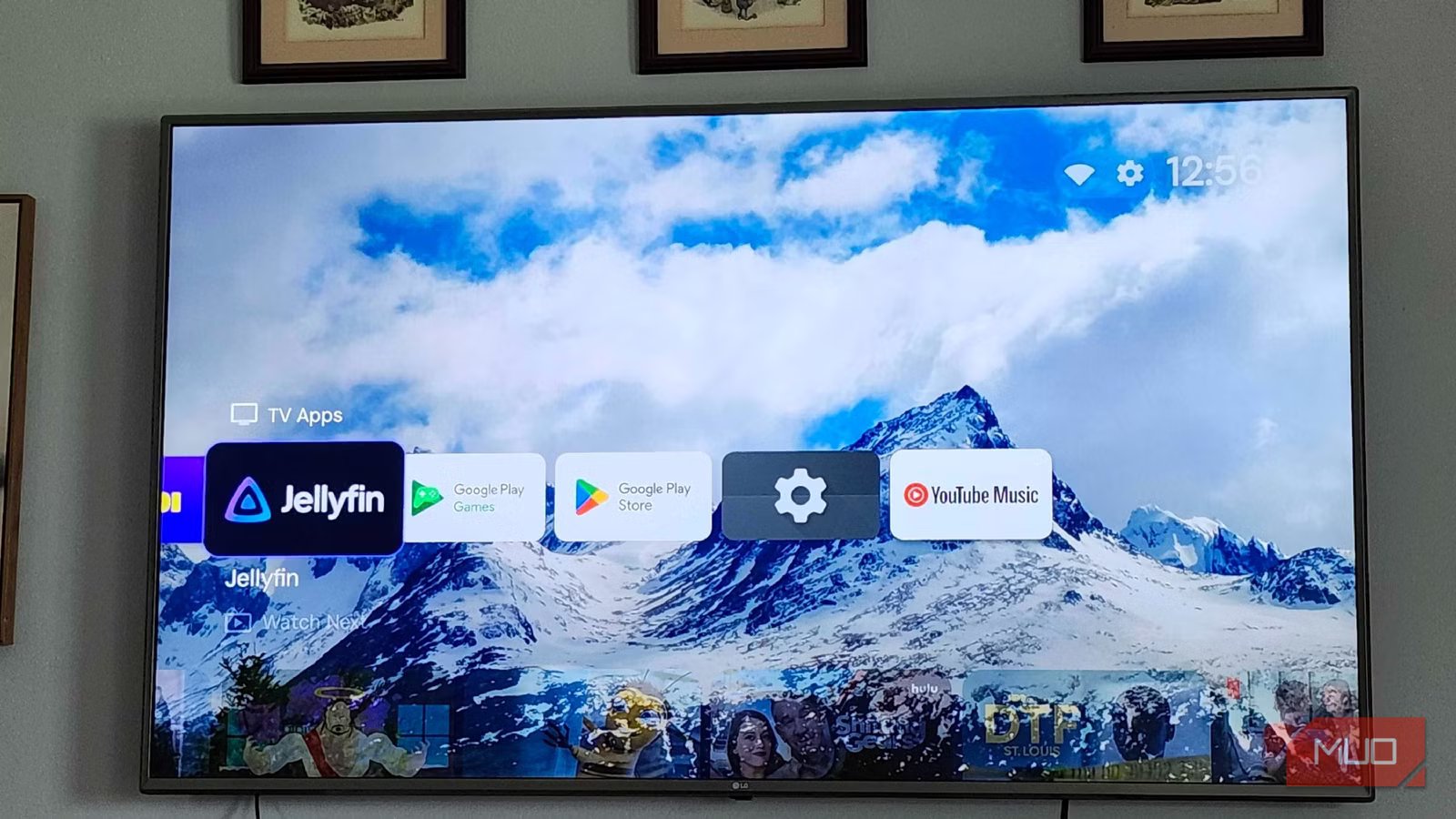
Without changing a single thing, Projectivy looks like a combination of both Google TV and Apple TV, but with a little extra flair. I’m no longer being bombarded with autoplay trailers for upcoming movies or shows on the top of my display, but the familiar look and feel of Google TV remains. No ads are being run in the background, no fetch tasks, nothing of the sort here. Just pure processing power to make your system run to its full potential, while also giving users who want to customize the look and feel of their home screen the power to do so. Plus, for folks who want to turn their Google Streamer or a Raspberry Pi with Google TV into something like a retro game player, you can sideload apps and have them display on the main page, too.
Google is getting a little more pushy with how apps like Projectivy handle the “Accessibility Service” passover that they use. If, for some reason, Google TV overrides it, toggle the “Accessibility Service” tab off and on. This should reset the permissions.
I can create custom rows, categories, scale the size of the icons, and choose how the wallpaper looks, tiles that can take me to different HDMI ports on my TV, as well as a real-time hardware monitor for those who want to see how their device is performing. It’s a good in-between of the extreme customization offerings of other Google TV launchers that need to be sideloaded, and enough familiarity to make it so that I don’t need to walk my wife through how to use it. Boot on Power and being able to be bound to the home button make it an all-in-one solution.
You don’t lose Google Assistant/Gemini
You can still ask questions, get recommendations, and more
Credit: Shaun Cichacki/MUO
One of the nicest parts about Google TV is Google Assistant or Google Gemini. Being able to ask your device to run specific smart-home tasks without needing to grab your phone is genuinely a great feature of Google TV, and something I would have severely missed. Thankfully, since Google Assistant/Gemini runs as an overlay on top of the launcher, you can still access your assistant by pressing the button on your device. It’ll still look for films, help you search for Dark Winds or other shows that aren’t locked behind a paywall.
There are also plenty of apps that users can install to bring back the proper “Google Home” functionality of a Google TV if you don’t want to swap back and forth between launchers. Using something like tvQuickActionsPro alongside Projectivy keeps the “smart” aspects without needing to go back into the Google TV launcher. Plus, you don’t have to worry about seeing the AI-Curated Shorts tab that Google has started to push out to some TVs. Yes, that’s actually a thing that’s happening, and totally not why I wanted a new launcher.
Some features are locked behind a paywall
Custom wallpapers, dynamic UI coloring, and advanced scaling options need Premium
Credit: Shaun Cichacki/MUO
Now, while Projectivy does offer a ton of fantastic features, some of its more rigorous customization features are locked behind the “Premium” version of the application. It’s under $10, but for someone who just wants to customize their wallpaper, it may not be worth the investment. But if you look at it in the sense of replacing what is essentially, a talking billboard in your living room, it may be worth that investment.
Plus, helping out a small, independent team never hurts, you know? A single developer named Spocky (Pierre-Arnaud Lahaye) in his spare time has figured out a way to make a faster UI than a billion-dollar corporation, so I can see why he’s charging a couple of bucks. While further customization doesn’t feel like it should be a part of the “Premium” package, there is the ability to scale your display for native 4K UI elements, multiple profile creation, calibration tools to get the best picture out of your TV, and more. Funny enough, the best feature that Projectivy offers is available in the free version. The ability to back up and restore your settings, so you can copy it, grab the file, and place it on any other Google TV devices running Projectivy in your home for perfect synchronization. If you try to restore Premium features, like custom wallpapers or sharper UIs, though? Those won’t apply. At least it’s not a subscription, and it applies to your whole Google Account, not just a single device.
OS
Android TV, Google TV
Pricing model
Free, Pro version available
Projectivy Launcher is a customizable, ad-free Android TV launcher that replaces your default home screen with a sleek, personalized hub featuring flexible layouts, dynamic wallpapers, app organization, parental controls, and shortcuts for inputs and settings.
Worth the 10 minutes of set-up for countless hours of better watching
I’ve been incredibly impressed with my time spent with Projectivy so far, and I’m excited to continue fine-tuning it to be exactly what I want it to be. Unlike Android phones, Google TV is surprisingly stringent with what it lets you do and not do. Projectivy makes my TV feel more like my phone, with more customizations, more ways to make it feel like me, and more ways to make my favorite device run faster. Plus, the Gemini update with AI-curated feeds? Not my thing at all.
