

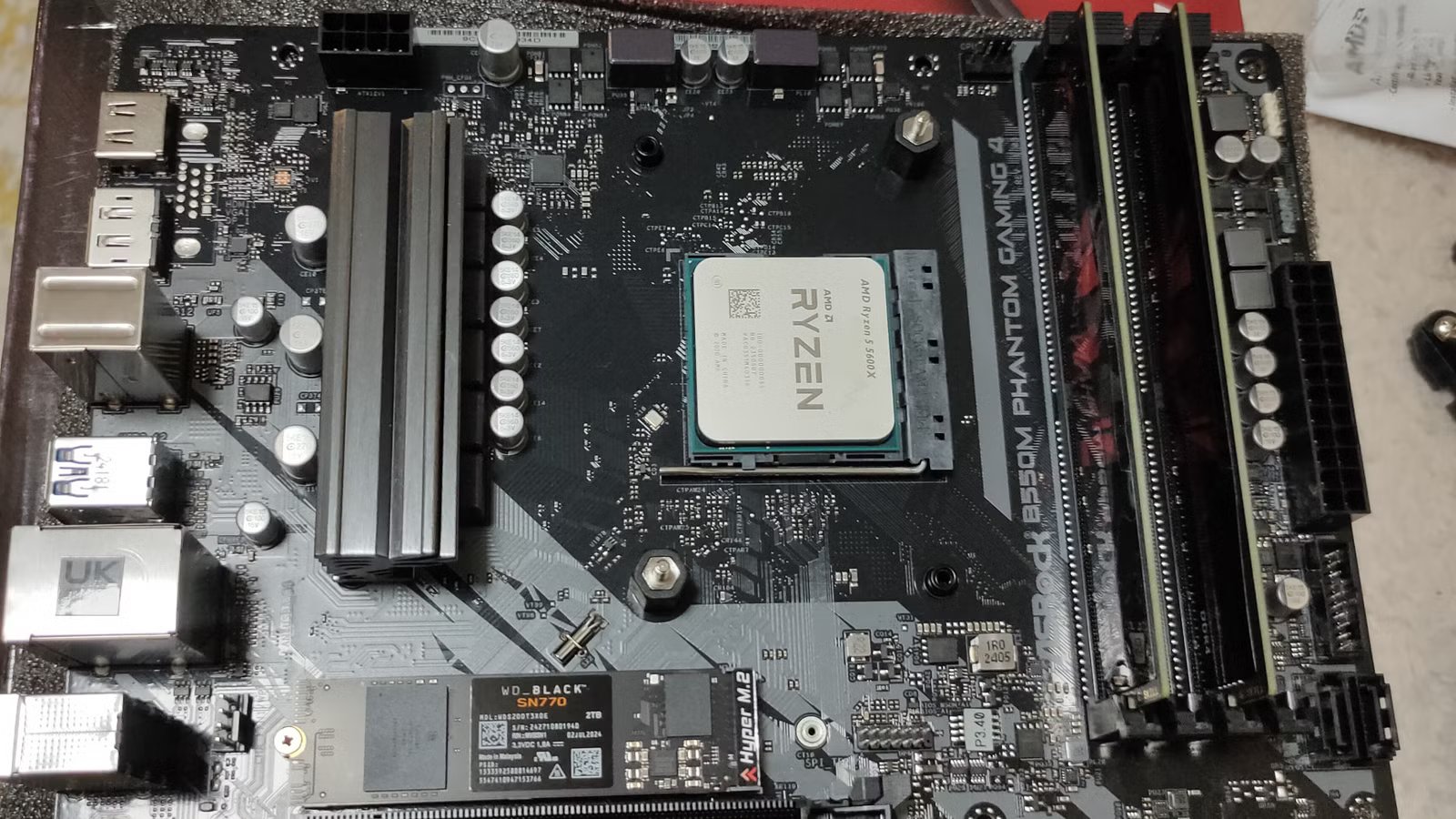
The conventional wisdom when it comes to motherboard BIOS updates has always been that unless there’s something wrong with your PC, it’s best to just leave it alone. Yet, you can expect a new BIOS update becoming available every year or two following a motherboard’s launch.
It seems like a contradiction, but that advice comes from a very different era of PC hardware. Also, we shouldn’t even be calling it the “BIOS” because modern computers have moved on to UEFI, but that’s another article. I’ll keep calling it the “BIOS” since that’s what most people still know.
Your PC is running on outdated assumptions
Times have changed
Credit: Jordan Gloor / How-To Geek
When you took your motherboard out of its box, the firmware it came with from the factory took into account the hardware and software of that time. Since then, new memory, CPUs, and operating system versions have come out. Changes to your OS in particular might make a BIOS update a good idea as the likes of Windows 11 become more advanced with features like power management and software drivers for your hardware taking advantage of more efficient ways to drive your hardware.
If you plan on upgrading your hardware, doing a BIOS update should be a first step, especially if you’re installing a new CPU, which might not work at all without the latest BIOS. Beyond that, just the endless march of OS updates means the gap between your current firmware and operating system grows larger by the day.
Quiz
8 Questions · Test Your Knowledge
PC motherboard knowledge
Trivia challenge
From BIOS updates to socket compatibility — how well do you really know what sits at the heart of your PC?
BIOSSocketsChipsetsForm FactorsConnectivity
Begin
What does UEFI stand for, and what did it replace on modern motherboards?
AUniversal Extensible Firmware Interface, replacing POSTBUnified Extensible Firmware Interface, replacing legacy BIOSCUniversal Embedded Firmware Interface, replacing CMOSDUnified Embedded Firmware Interface, replacing GRUB
Correct! UEFI stands for Unified Extensible Firmware Interface and was designed to overcome the limitations of the old legacy BIOS, including support for drives larger than 2TB and faster boot times. It also introduced a graphical interface and mouse support, making it far more user-friendly than the text-only BIOS menus of the past.
Not quite. UEFI stands for Unified Extensible Firmware Interface, and it replaced legacy BIOS on modern motherboards. It brought major improvements like GPT disk support, faster boot sequences, and a much more capable pre-OS environment.
Continue
Which CPU socket type was used by Intel’s 12th and 13th generation Core processors (Alder Lake and Raptor Lake)?
ALGA 1200BLGA 1700CLGA 1151DLGA 2066
Correct! Intel’s LGA 1700 socket was introduced with 12th-gen Alder Lake CPUs and carried over for 13th-gen Raptor Lake processors. The name refers to the 1,700 contact points on the motherboard that connect to the CPU, and it was a significant redesign from the previous LGA 1200 used by 10th and 11th gen chips.
Not quite. The correct answer is LGA 1700, which debuted with Intel’s 12th-gen Alder Lake platform and was also used for 13th-gen Raptor Lake. LGA 1200 was used by the previous generation (10th and 11th gen), and LGA 1151 goes back even further to the Skylake era.
Continue
On a modern AMD motherboard, what is the primary role of the chipset?
ATo directly execute CPU instructions when the processor is under loadBTo manage communication between the CPU, storage, USB ports, and other peripheral connectionsCTo regulate power delivery to the CPU and RAM exclusivelyDTo store the BIOS firmware and handle POST routines
Correct! The chipset acts as a hub that manages data flow between the CPU and the rest of the system — including storage controllers, USB ports, PCIe lanes for peripherals, and more. AMD’s modern chipsets like the X670E connect to the CPU via high-speed PCIe lanes, essentially acting as an intelligent traffic controller for your whole system.
Not quite. The chipset’s main job is to manage communication between the CPU and peripheral components like storage, USB, and additional PCIe slots. It doesn’t execute instructions, handle all power delivery alone, or store the BIOS — that’s the job of a dedicated flash chip on the motherboard.
Continue
Which motherboard form factor is the largest and is commonly used in high-end desktops and workstations?
AMicro-ATXBMini-ITXCExtended ATX (E-ATX)DStandard ATX
Correct! Extended ATX, or E-ATX, is larger than standard ATX and measures roughly 305mm x 330mm. It’s favored in high-end workstations and enthusiast builds because the extra real estate allows for more PCIe slots, better power delivery circuitry, and additional RAM slots — sometimes supporting up to 8 DIMM slots for massive memory configurations.
Not quite. The largest common form factor is Extended ATX (E-ATX), which goes beyond the standard ATX footprint to accommodate more expansion slots, RAM slots, and elaborate VRM designs. Standard ATX is the most popular size, while Micro-ATX and Mini-ITX are progressively smaller options for compact builds.
Continue
Why might you need to update a motherboard’s BIOS before installing a newer CPU?
ABecause newer CPUs require a higher voltage that only an updated BIOS can supplyBBecause the BIOS update adds microcode and compatibility data so the board can recognize and boot the new processorCBecause BIOS updates physically reconfigure the socket pins to match the new CPU designDBecause without the update, the CPU fan headers will not function correctly
Correct! BIOS updates often include new CPU microcode, which is essential for a motherboard to correctly identify and initialize processors released after the board was manufactured. Without it, the system may fail to POST or behave unstably. This is a critical step when, for example, dropping a newer-gen CPU into an older board that shares the same socket.
Not quite. A BIOS update is needed because it contains updated microcode and CPU support tables that allow the motherboard’s firmware to properly recognize, initialize, and communicate with newer processors. It’s a software-level change, not a physical one, and has nothing to do with voltage limits or fan headers specifically.
Continue
What is the maximum theoretical bandwidth of a PCIe 5.0 x16 slot?
A16 GB/sB32 GB/sC64 GB/sD128 GB/s
Correct! PCIe 5.0 doubles the per-lane bandwidth of PCIe 4.0, delivering approximately 4 GB/s per lane. With 16 lanes in an x16 slot, that adds up to a staggering 64 GB/s of theoretical bandwidth. This level of throughput is especially valuable for the latest high-performance NVMe SSDs and next-generation discrete GPUs.
Not quite. PCIe 5.0 offers roughly 4 GB/s per lane, so an x16 slot delivers approximately 64 GB/s of theoretical bandwidth. PCIe 4.0 x16 tops out at around 32 GB/s, which is why PCIe 5.0 is such a significant leap for cutting-edge storage and graphics workloads.
Continue
AMD’s AM5 socket, introduced in 2022, switched from the pin-in-CPU design of AM4 to which configuration?
APGA (Pin Grid Array) with pins on the motherboard socketBLGA (Land Grid Array) with pins on the motherboard socketCBGA (Ball Grid Array) with the CPU soldered directly to the boardDZIF (Zero Insertion Force) with pins on both the CPU and socket
Correct! AM5 was a major shift for AMD, moving from PGA — where the pins are on the CPU itself — to LGA, where the pins are on the motherboard socket instead. This mirrors Intel’s long-standing approach and means that if you bend a contact, you’ll be replacing the motherboard rather than the (often cheaper to replace) CPU.
Not quite. AMD’s AM5 socket uses an LGA (Land Grid Array) design, where the pins reside on the motherboard socket rather than the CPU. This was a notable departure from AMD’s traditional PGA approach used on AM4, and it brings AMD’s socket design philosophy more in line with Intel’s.
Continue
On Intel motherboards, which chipset tier typically unlocks full CPU overclocking support for K-series processors?
AB-series (e.g., B760)BH-series (e.g., H770)CZ-series (e.g., Z790)DQ-series (e.g., Q670)
Correct! Intel’s Z-series chipsets are the enthusiast-grade option specifically designed to enable overclocking of unlocked K-suffix processors like the Core i9-13900K. Z-series boards also tend to offer more PCIe lanes, additional M.2 slots, and more robust power delivery compared to the more budget-friendly B and H series counterparts.
Not quite. Intel’s Z-series chipsets (such as Z790 or Z690) are the ones that unlock overclocking for K-series CPUs. B-series boards like the B760 are mid-range and generally do not support CPU overclocking, while H-series and Q-series boards are aimed at mainstream and business users respectively, without enthusiast overclocking features.
See My Score
Challenge Complete
Your Score
/ 8
Thanks for playing!
Try Again
BIOS updates unlock performance your hardware already has
Who doesn’t like a free upgrade?
Can a BIOS update make your PC run faster? In some cases, the answer is an easy “yes.” CPU microcode updates can fix performance issues or make things more efficient. Perhaps it will receive better boost levels or thermals thanks to improved voltage control. It all depends on the specific CPU patches that your CPU maker has included.
It’s not just your CPU that can benefit. Later BIOS versions might be more compatible with your current RAM kit, improving stability and even allowing you to move to a higher performance profile.
It’s not just about pure performance either, security features like Secure Boot and the TPM that Windows 11 mandates can all benefit from a BIOS update that patches vulnerabilities and brings them up to standard for the latest OS versions.
Connection
USB-C
Ports
2 USB-A, 2 USB-C, 1 HDMI, 1 SD Card, 1 TF 3.0
The Anker 7-in-1 USB-C Hub expands your laptop with HDMI, two USB-A ports, a USB-C PD port, a USB-C data port, and SD/TF card slots. It supports up to 85W power delivery for quick charging, all in a compact and sleek design.
Stability fixes can feel like performance upgrades
You can’t quite put your finger on it
When you look at the patch notes for a BIOS update, you’ll often see an entry like “improved stability” or “various minor bug fixes.” This one little line is really underselling it though. A BIOS can contain all sorts of bugs that cause issues you just can’t track down. A random BSOD or unexplained software crashes are sometimes miraculously resolved by a BIOS update.
If you’re having issues that seem hardware or driver related, updating your BIOS to the latest version is a sensible step.
The same goes for USB connections, or other peripherals that use PCIe. A new BIOS can come with numerous small bug fixes that can add up to a computer that’s much less likely to suffer any downtime or throw out errors when plugging something in for no obvious reason.
It’s easier and safer to update than ever before
It comes with a parachute
The key reason past advice was to leave your BIOS alone if you don’t absolutely need to update it comes down to risk. While the BIOS is in the process of updating, it’s vulnerable. If the process is interrupted due to power loss, the BIOS chip is corrupted.
That’s a pickle, because the firmware on that chip is the fundamental instruction set to turn your computer on and operate all the hardware at the most basic level. So a dead BIOS chip turns your motherboard into a lump of worthless plastic and metal.
In the past, some motherboards had socketed BIOS chips you could replace if you were lucky. These days most good modern motherboards have some sort of BIOS recovery feature. Such as having a dual-BIOS setup, or allowing you to recover or reflash the BIOS from an external USB drive.
The bottom line is that unless your motherboard lacks any sort of BIOS recovery, you don’t really have a reason to avoid updating it.
Keeping up with the times
BIOS updates aren’t sexy or flashy, but can be transformative in ways that you didn’t even notice because you didn’t know your PC was underperforming, or the bugs were random and far apart enough that you didn’t notice. With no real downsides anymore, as long as you have a recovery option, you should take a few minutes out of your day and bring that BIOS back up to speed.
